Cases/Case Nomad Fire/Session recordings

Watch along with your visitor.
No guessing.

Analytics tell you that visitors drop off. Session recordings show you why. That is how we find the places where the Nomad Fire site can do better, and check afterwards whether a change really helped.
View pricing

Case Nomad Fire Co. · Analytics

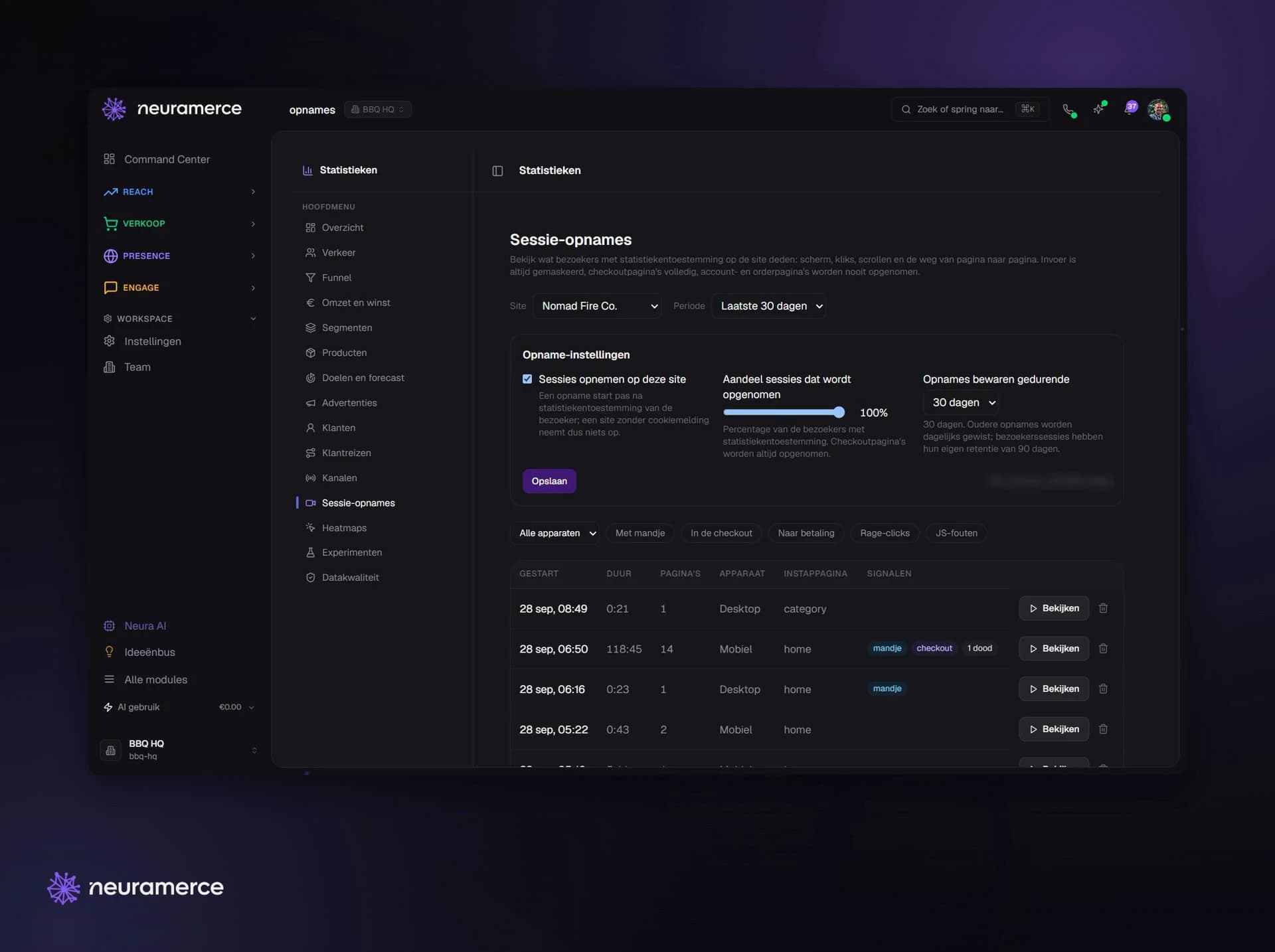
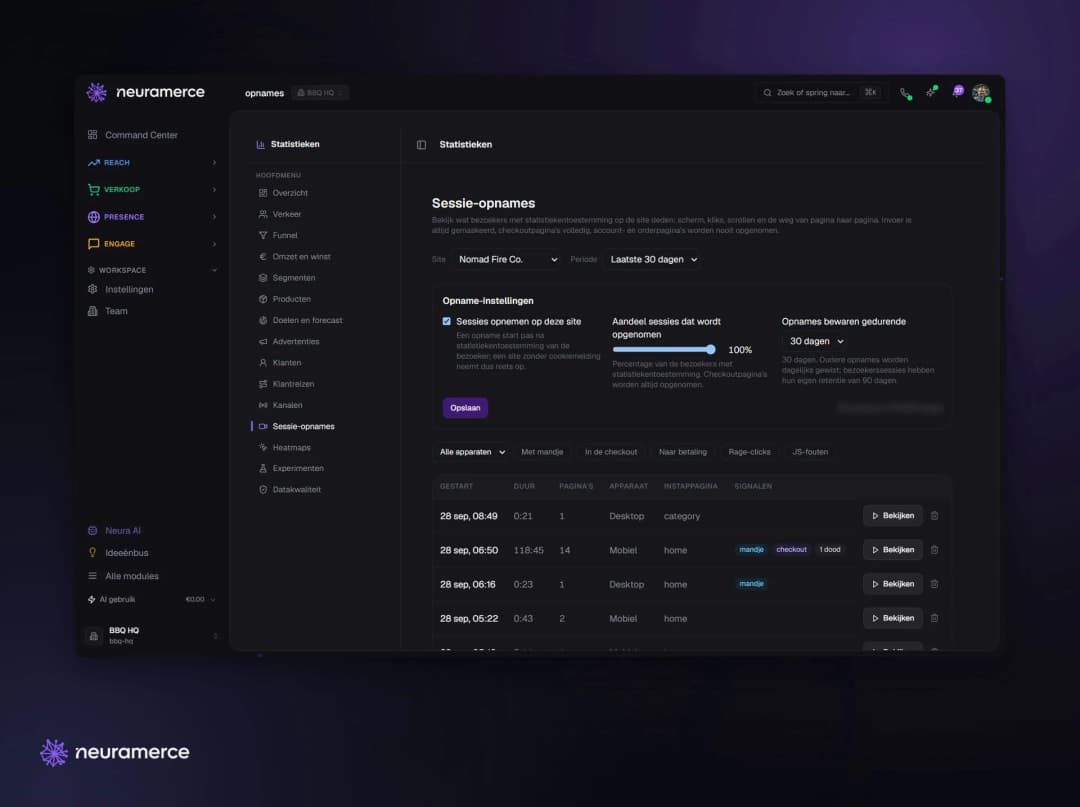
Nomad Fire session recordings in Neuramerce: settings and a list of visits with device, landing page and signals
The problem

A bounce rate doesn't tell you what went wrong.

A new webshop is full of assumptions. Do visitors find the menu? Do they get the difference between two kamado sizes? Do they see the shipping costs in time? A chart of exits doesn't answer that.

With session recordings we look back at how real visitors move through nomadfire.shop: where they scroll, click, hesitate and leave. Every improvement in this case started with a recording like that.

Look first, then build.
How it works

Recording without giving up privacy.

Only with consent

Recording only starts once the visitor accepts analytics cookies. No consent, no recording.

Stored encrypted

Recordings are stored encrypted and deleted automatically after the period you set.

Adjustable sample

You choose what share of visits gets recorded. Enough to see what happens, without storing everything.

Replay in the dashboard

Under Analytics you replay every visit, page by page, with scrolling and clicks.

Your own visits don't count

Anyone logged in to the admin is not recorded. So you only watch real customers.

Built in, no extra tool

No separate Hotjar or Clarity with its own script and its own subscription. It lives in the same analytics as everything else.
In pictures

From setting to signal.

Settings and list
Settings and list
On or off per site, sample and retention period, with every recorded visit below.
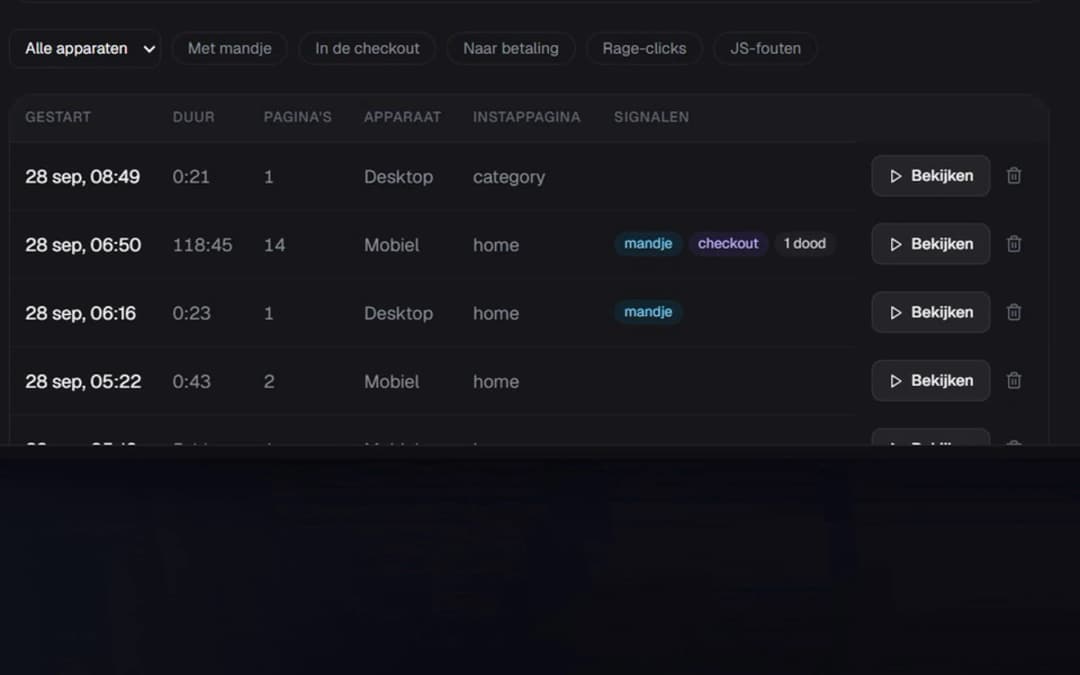
Signals per visit
Signals per visit
Cart, checkout or a dead click: the list shows straight away which recording is worth watching.
Why this way

Watching without reading along.

A recording is only valuable if you can trust it, and if your visitor can trust you. That is why all input is always masked, the checkout is completely unreadable in a recording, and account and order pages are never recorded. You see how someone uses the page, not what they type.

Not every recording is worth watching. The list marks visits with a signal: someone filled a cart, started checkout, clicked repeatedly on something that didn't respond or ran into an error. That way you start with the visits where something went wrong, instead of watching hours of random recordings.

Because the recordings live in Neuramerce itself, they sit next to the analytics, the funnel and the heatmaps of the same site. A spike in the funnel leads straight to the visits that caused it.

Start with the visit where something went wrong.

FAQ

Frequently asked questions about session recordings

A recording only starts once the visitor accepts analytics cookies. Input is always masked, the checkout is completely unreadable and account and order pages are never recorded. Recordings are stored encrypted and deleted after the period you set.
You choose that yourself with a sample percentage per site. Visits to the checkout are always recorded, because that is where the most important drop-offs happen.
You set a retention period, for example 30 days. Older recordings are deleted automatically every day.
Not for session recordings. They are part of Neuramerce analytics, without an extra third-party script and without a separate subscription.

Want to see what your visitors do?

In 20 minutes we show session recordings and analytics on a real webshop.
View pricing