
Every customer question.
One screen.
Email, live chat, WhatsApp, Instagram, Messenger and telephony arrive in one inbox, with the customer's order history automatically alongside. No tabs, no "let me look that up".
Part of every plan · replaces Trengo, Zendesk and separate WhatsApp tools, among others
What's included
Built for webshops, not for call centres.
All channels, one queue
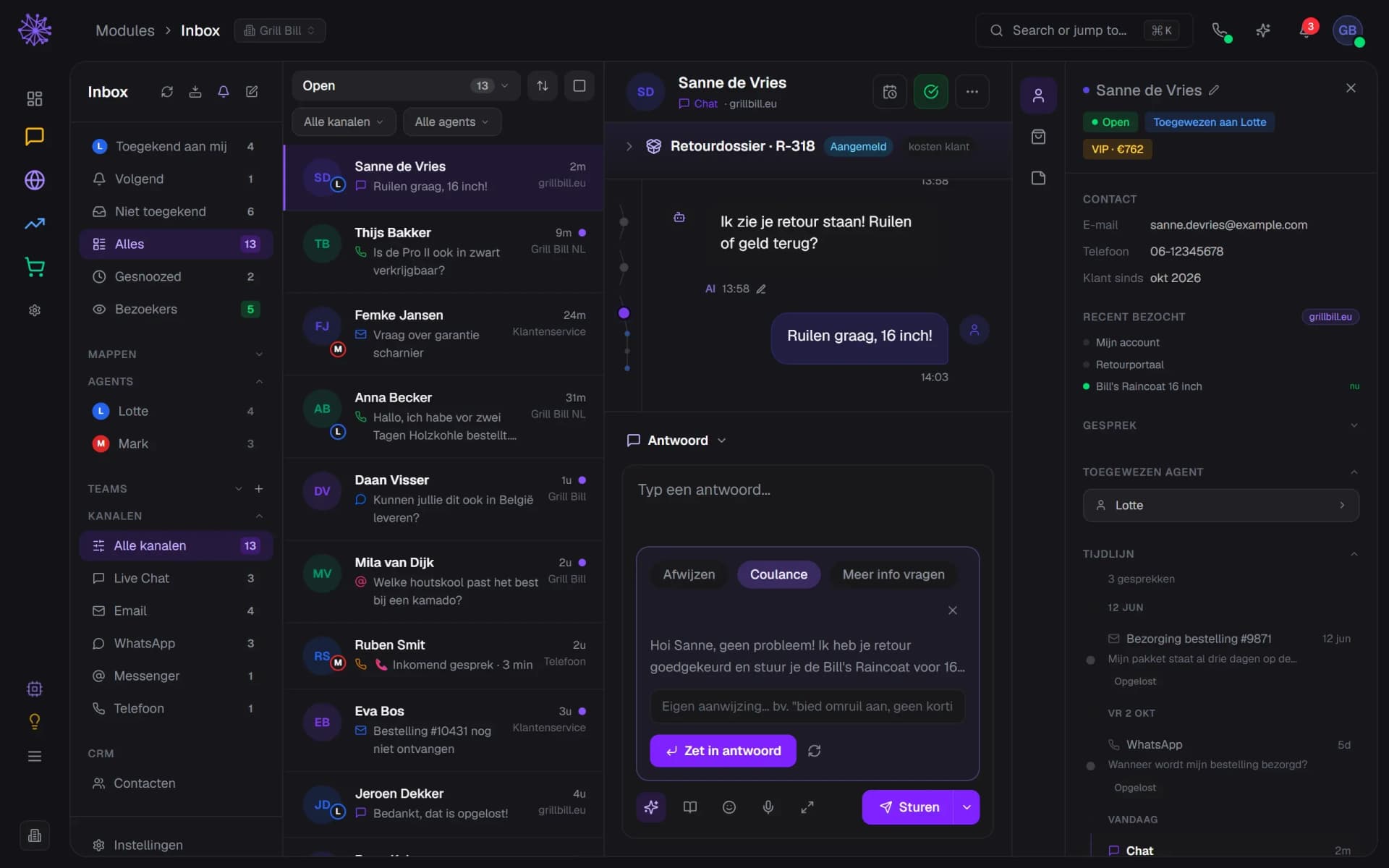
Email, live chat, WhatsApp Business, Instagram, Messenger and telephony in one conversation overview. Assign, snooze, done.
- Filter by chat, email, WhatsApp, Messenger or phone
- Each row shows the channel and assigned colleague
- Done? Resolve the conversation in one click
Customer context alongside
Orders, returns, warranty, earlier conversations and customer value sit automatically next to every conversation. Zero looking things up.
- The return case sits above the conversation
- Orders tab: orders and total customer value
- Earlier conversations per channel as a timeline
Neura AI suggests replies
Draft replies based on your own knowledge base and instructions. You approve, Neura types.
- Pick an approach: decline, goodwill, ask for info
- Copilot drafts a reply based on the conversation
- Drop the draft into your reply and send
Live visitors
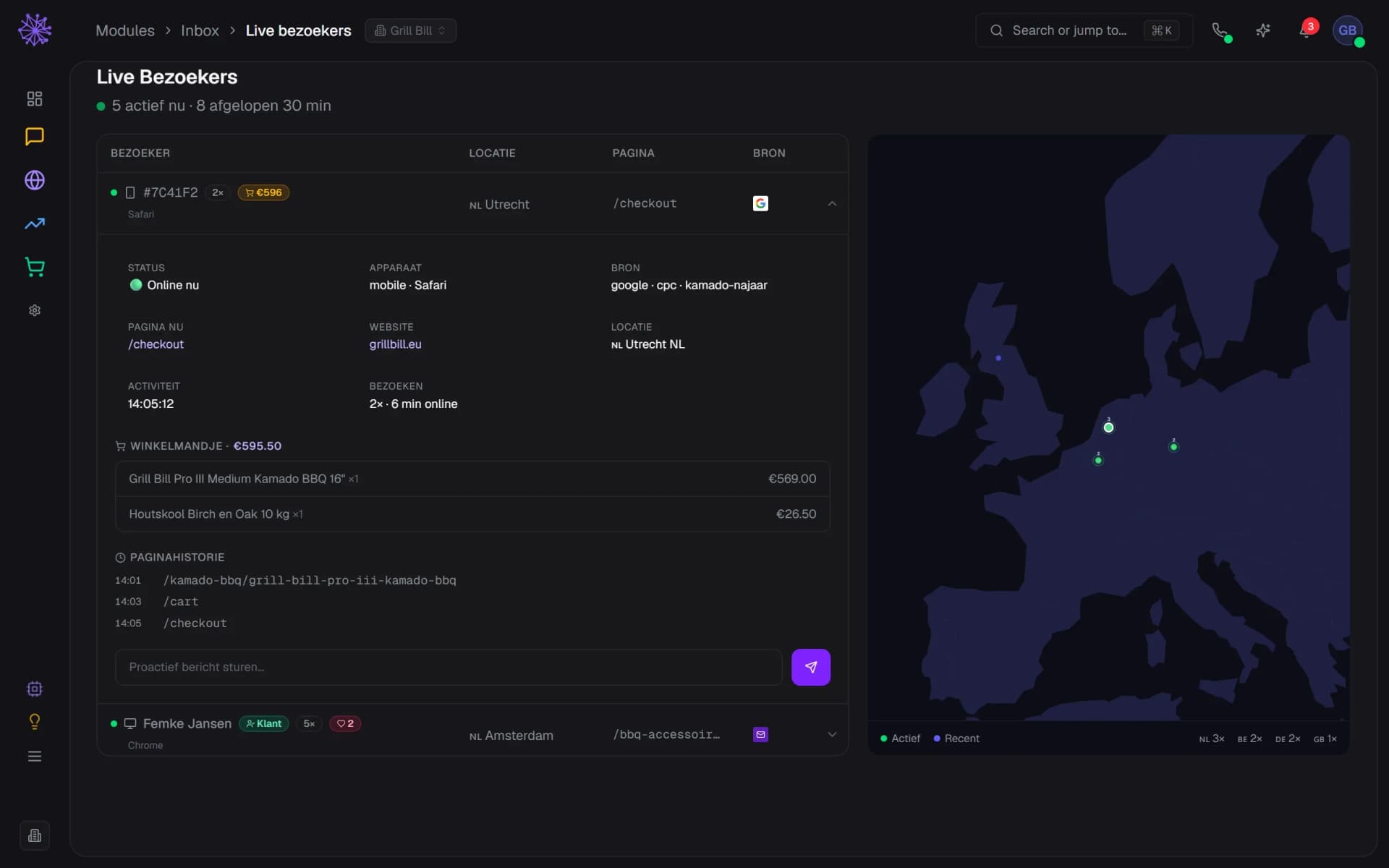
See who's on your shop right now, on which page and with what in their cart. Start a chat proactively when someone stalls at checkout.
- Live map with visitors per country
- Page, cart and visit history per visitor
- Send a proactive chat message
Reporting per channel
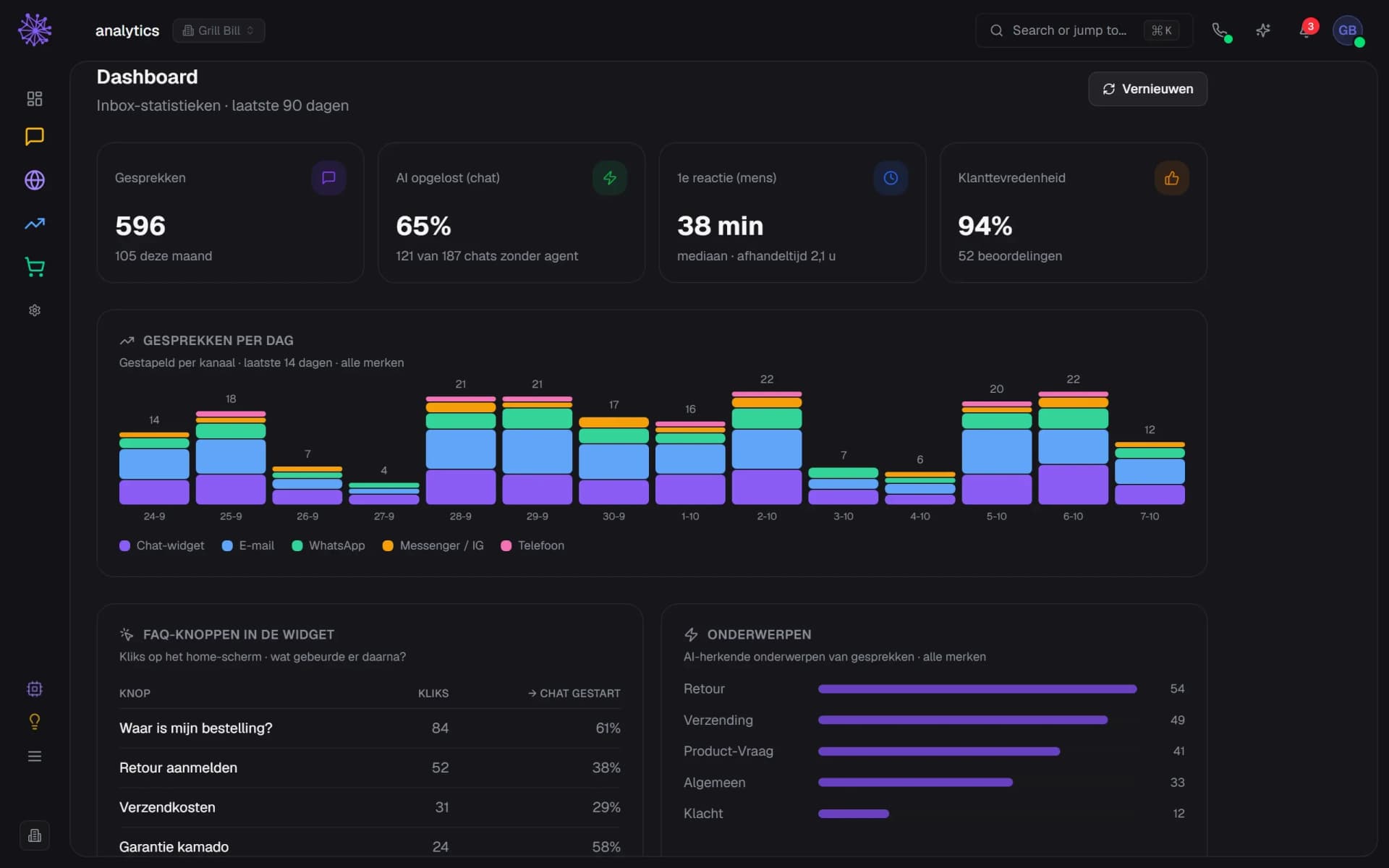
Response time, resolution time and conversation volume per channel, plus the share of questions the AI handled on its own.
- Median first response and resolution time
- Share of chats the AI resolved on its own
- Conversation volume per day, stacked by channel
Quick replies & translation
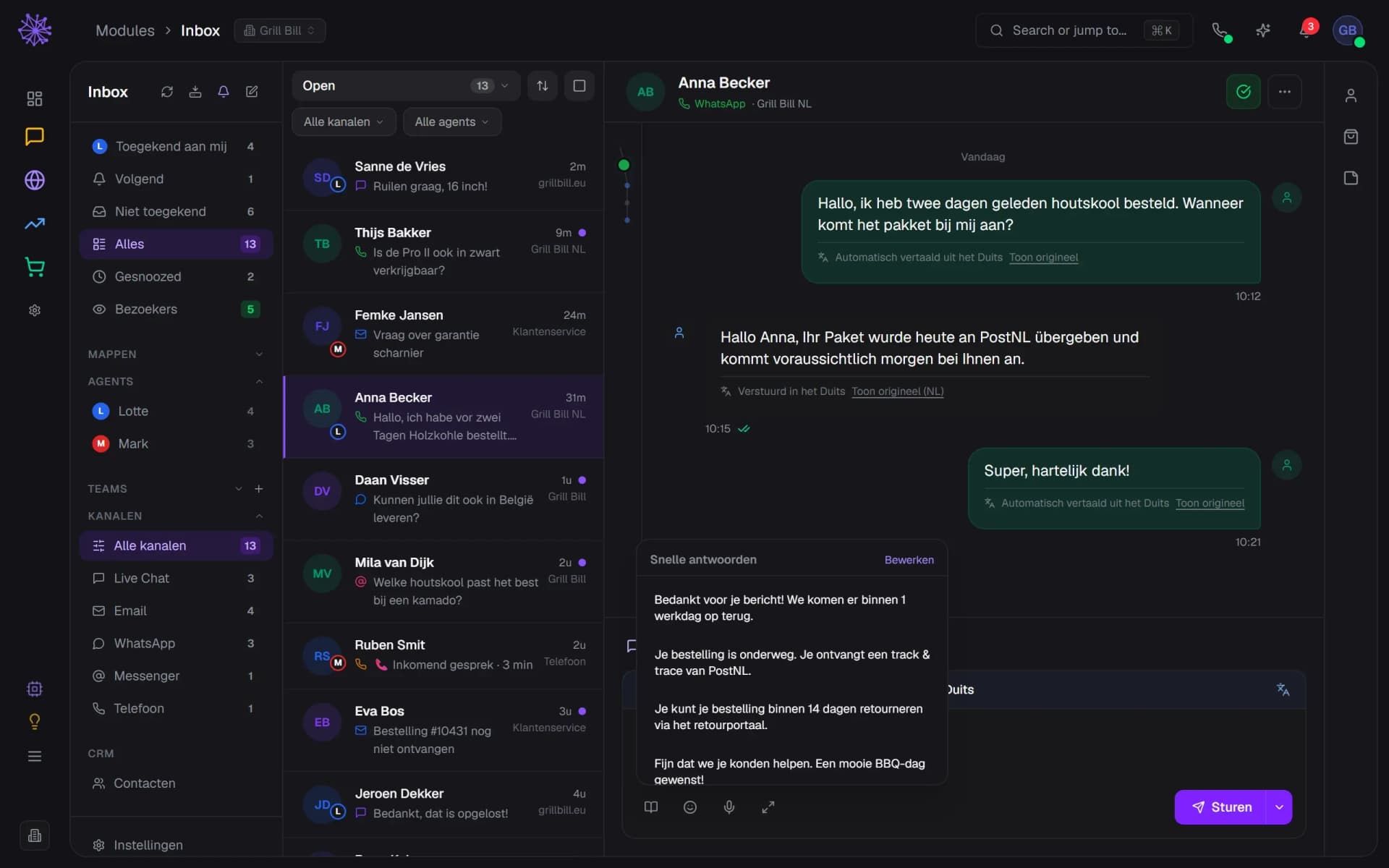
Quick replies for questions that keep coming back, and automatic translation of messages in another language.
- Customer message automatically translated into Dutch
- Your reply goes out in the customer's language
- Quick replies for questions that keep coming back
Your way of working
A calm screen. In your colours.
Collapse the customer panel
Collapse the customer panel and the conversation gets the full width. The icons for contact, orders and notes stay put: one click and the panel is back. The inbox remembers your choice.
- Icons stay, one click reopens the panel
- Return case at the top of the conversation
- More room for the AI draft
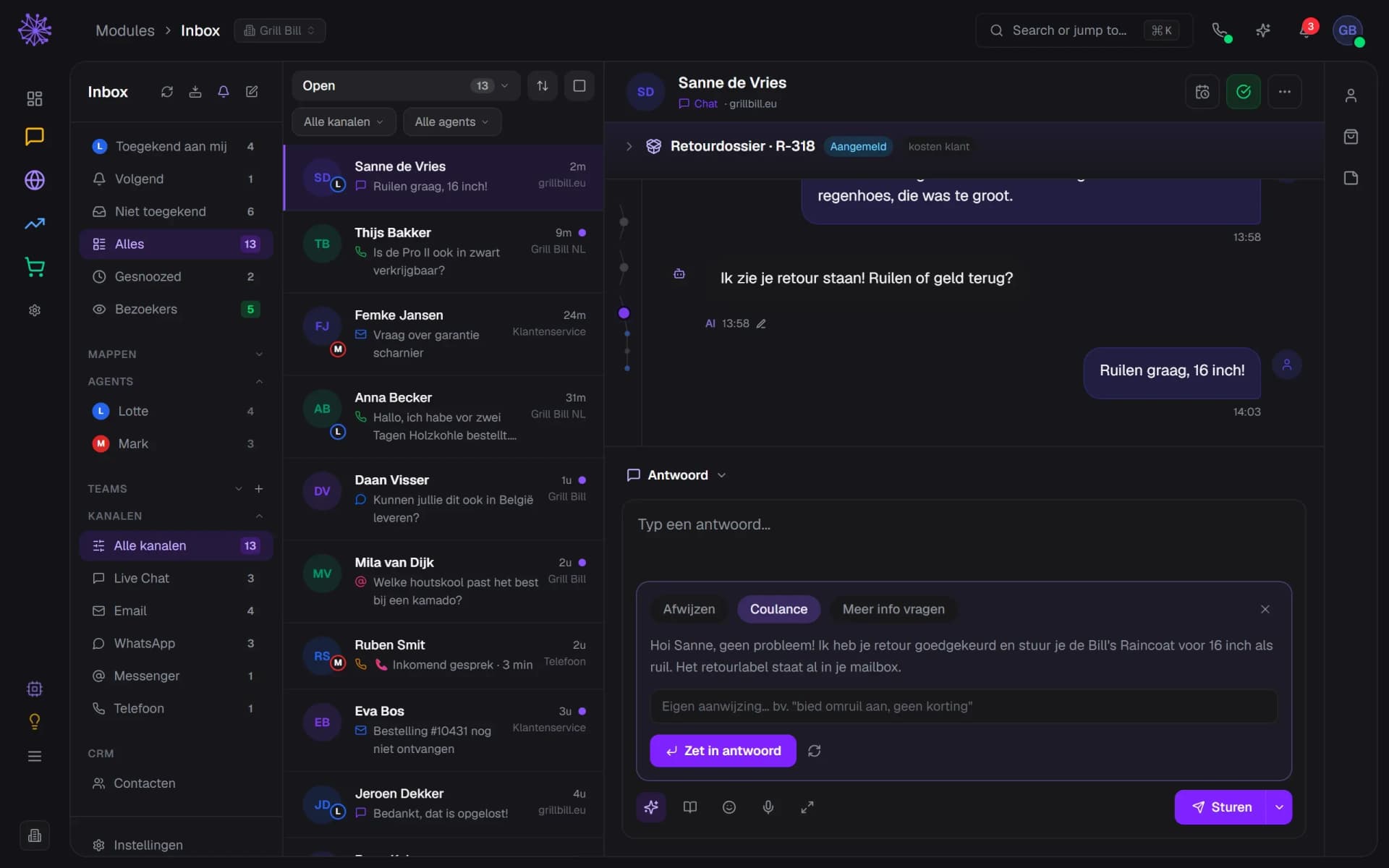
Chocolate
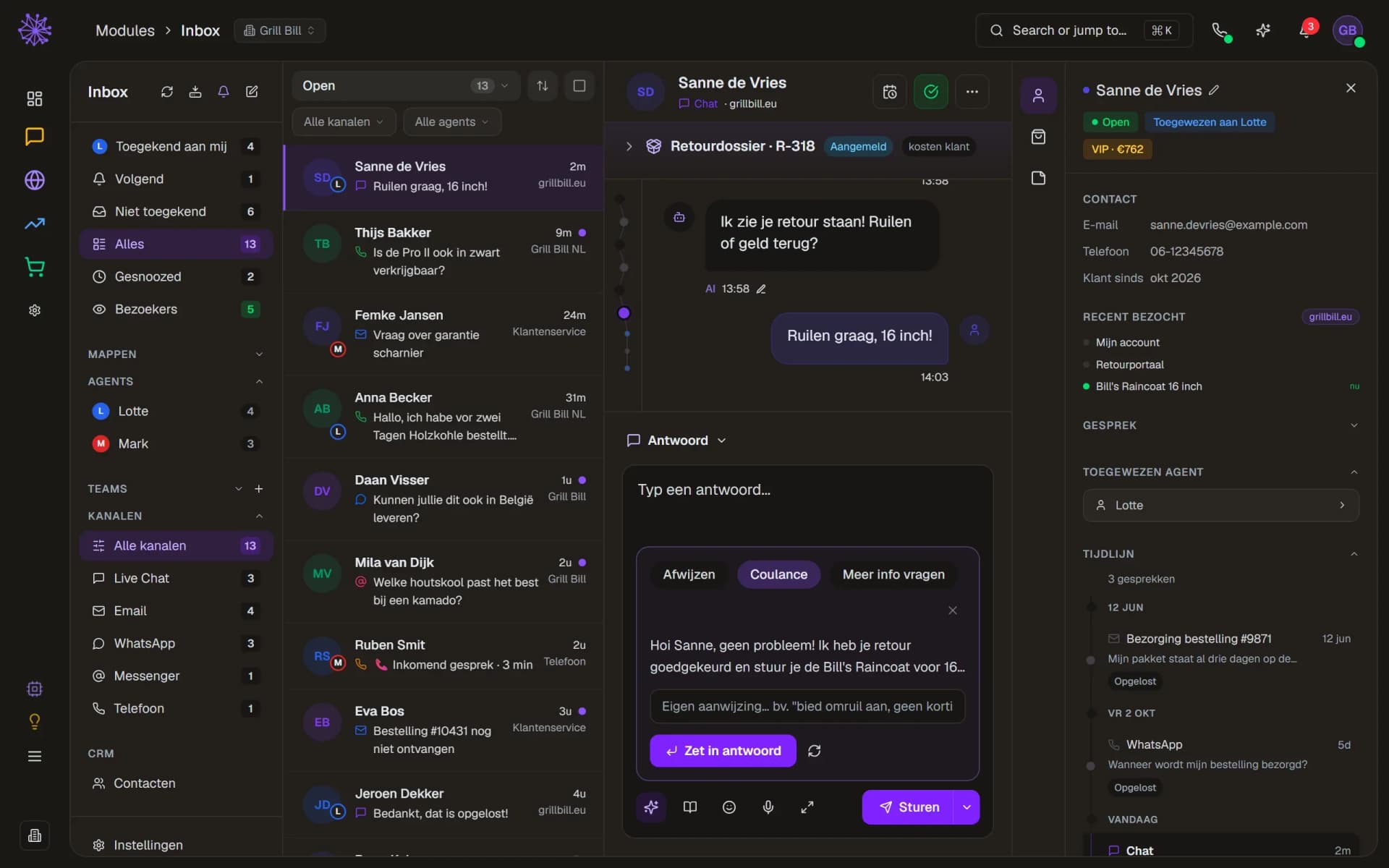
Next to the default Blueberry theme there is Chocolate: warm, dark brown tones across the whole dashboard. You pick the theme in your account menu at the top right.
- Pick a theme in your account menu
- Warm dark brown tones across the dashboard
- Customer panel open with timeline
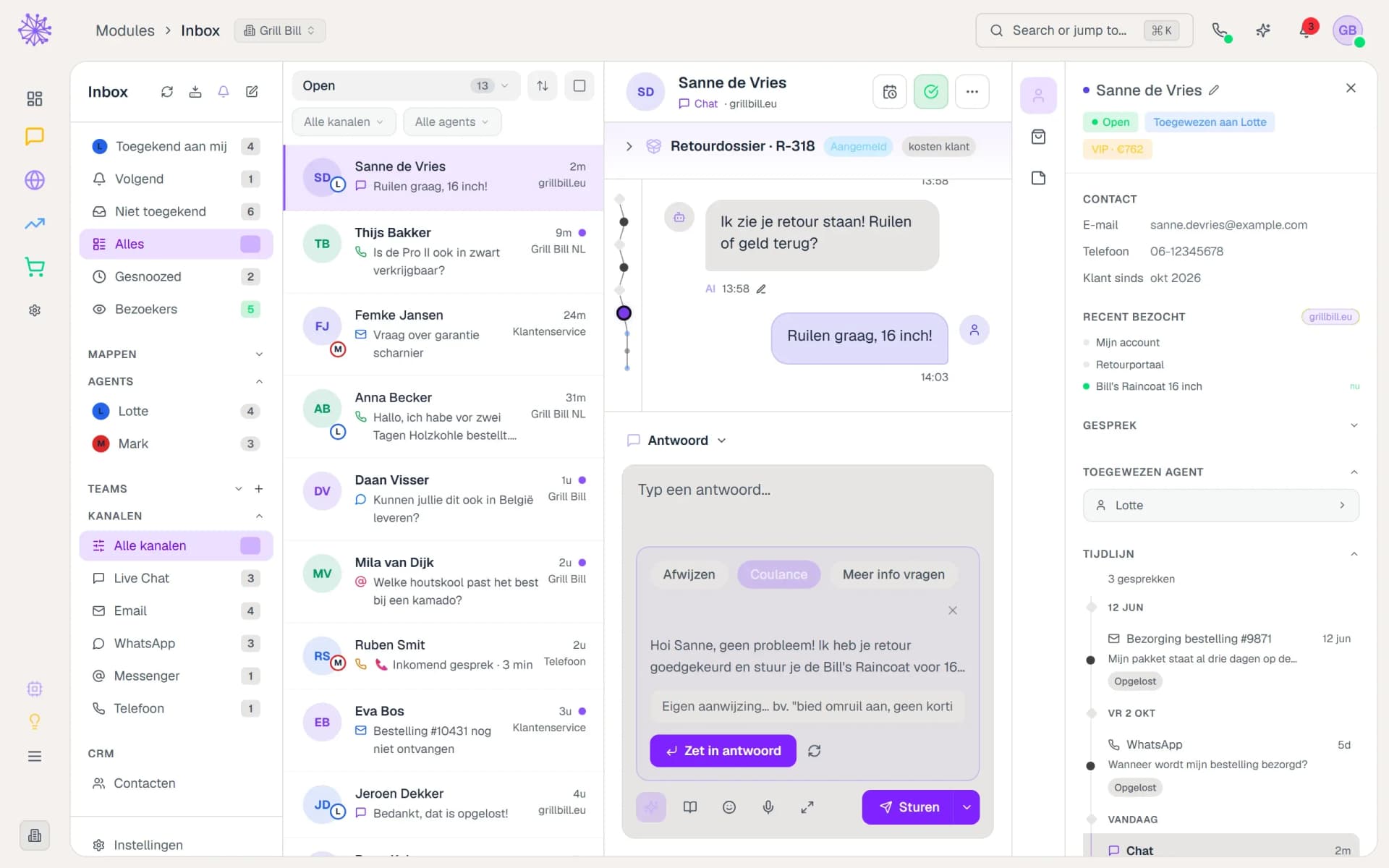
Vanilla
Prefer light? Vanilla puts the dashboard on a warm off-white background, with exactly the same layout. Switch at any moment and you see it right away.
- Switch at any moment
- Light theme, same layout
- Active menu item in deep purple
Stronger because the rest is watching along.
Standalone helpdesk tools only see the conversation. The Neuramerce Inbox sees your whole business — that's the difference between answering and solving.
- Inventory lives in the chatbot: "Is it in stock?" gets answered on its own, with the current stock status.
- Return and warranty cases open straight from the conversation, with status, costs and timeline alongside.
- Neura AI collects the questions the chatbot couldn't answer, so you can add them to your knowledge base in one click.
Want to see how it works with your shop?
In 20 minutes we'll show you the Inbox with your own channels as the example.
More in Customer contact & alongside