
What you sell in the shop leaves your webshop stock right away, and the other way round. How the webshop itself works is on the page about the webshop module.
Your till and your webshop.
The same records.
A full point-of-sale system inside the platform: card payments via Pay.nl or Mollie, B2B customers with VAT checks and payment terms, stock that comes straight off the same pile as your webshop. No integration that stops syncing overnight.
Included in every plan · replaces a separate POS subscription and the integration software next to it, among others
What's included
A till that knows what's happening online.
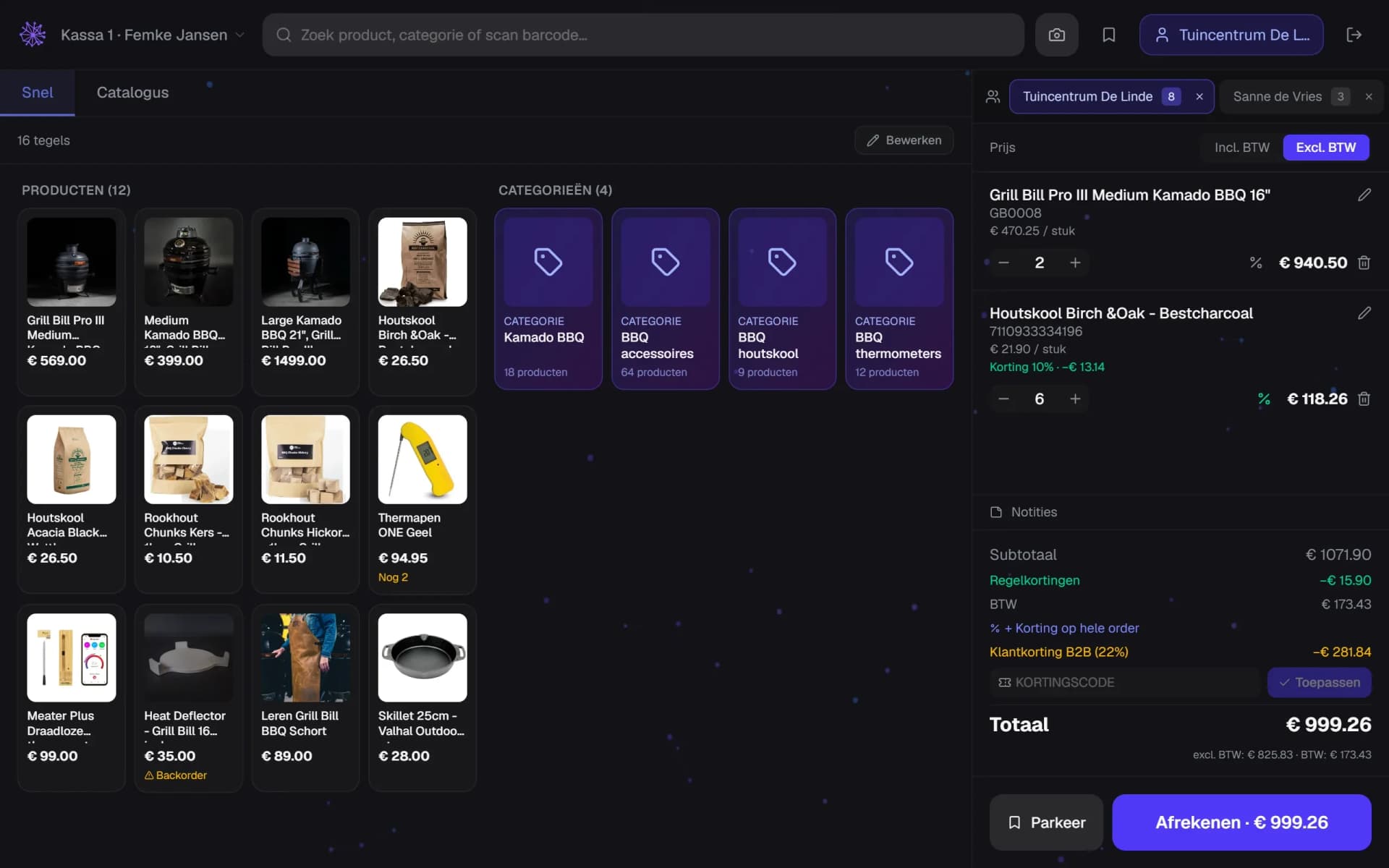
Scan, search, favourites
Barcode scanner, search field and your own tile layout with your fast movers. Stock per location shows right on the tile, so you instantly see whether it's out back or in the warehouse.
- Scan barcodes with camera or USB scanner
- Search by product name, category or barcode
- Your own tile layout for fast sellers
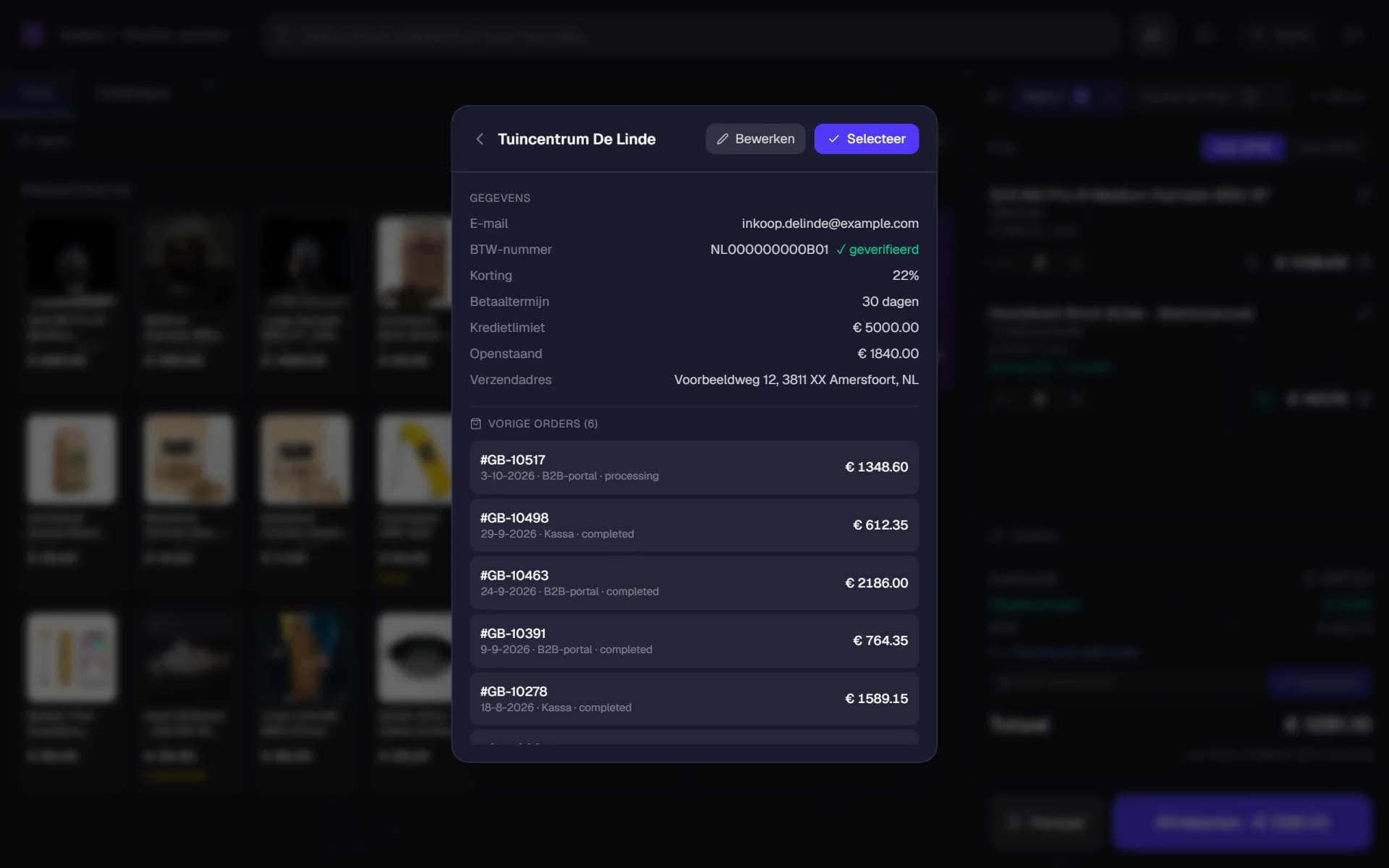
B2B at the till
Look up or create a business customer on the spot: the VAT number is verified live via VIES, with company name and address pulled in automatically. Customer discount, payment term, credit limit and outstanding balance sit on the customer card, with previous orders listed below.
- VAT number verified via VIES
- Credit limit and outstanding balance in view
- Previous orders sit right below the card
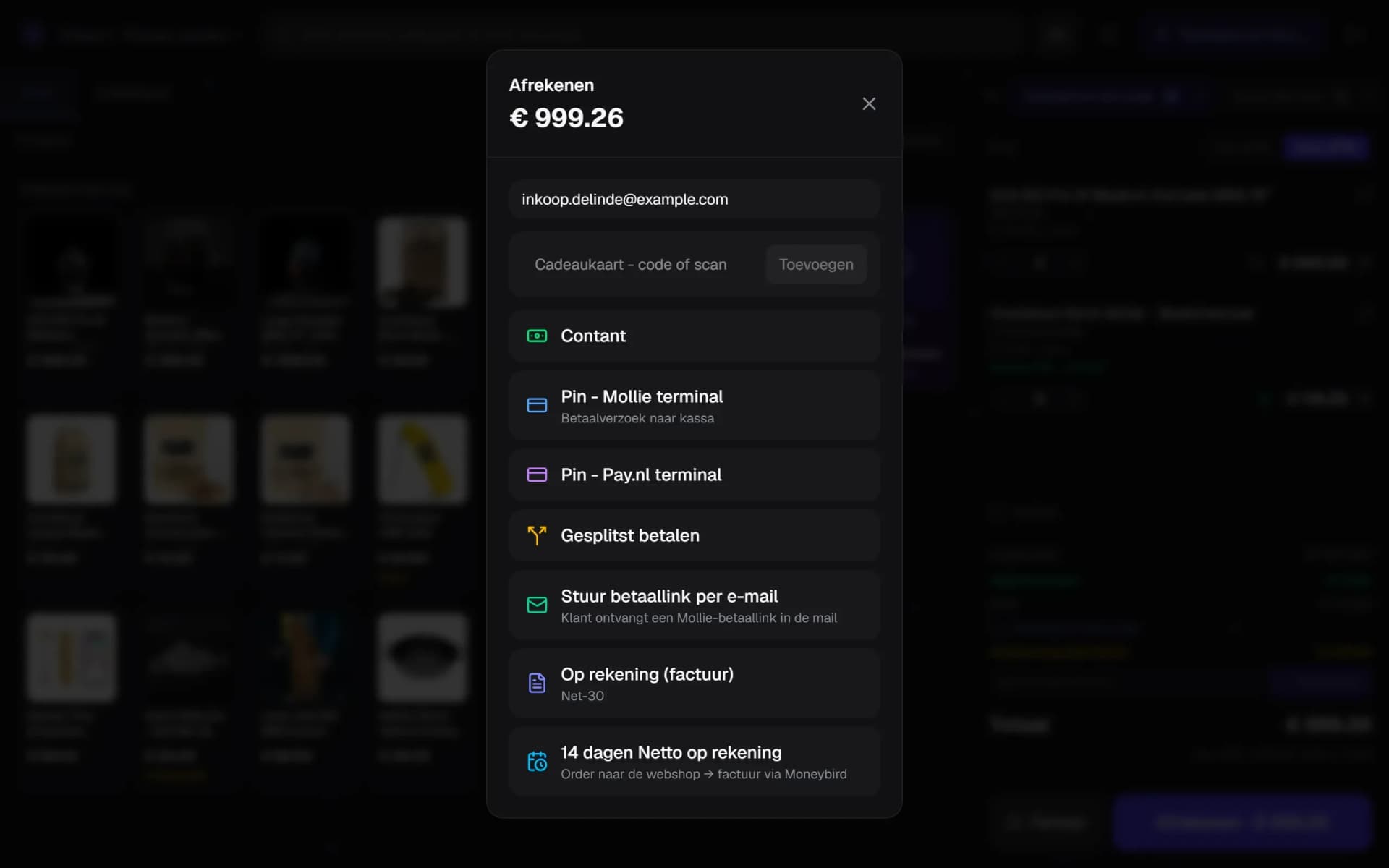
Card, cash, on account
Pay.nl and Mollie card terminals with live status checks, cash with change calculation, payment link, invoice on 14 days, gift card, and split payment across multiple methods.
- Card payment via Mollie or Pay.nl terminal
- Redeem a gift card by code or scan
- On account with the customer's payment term
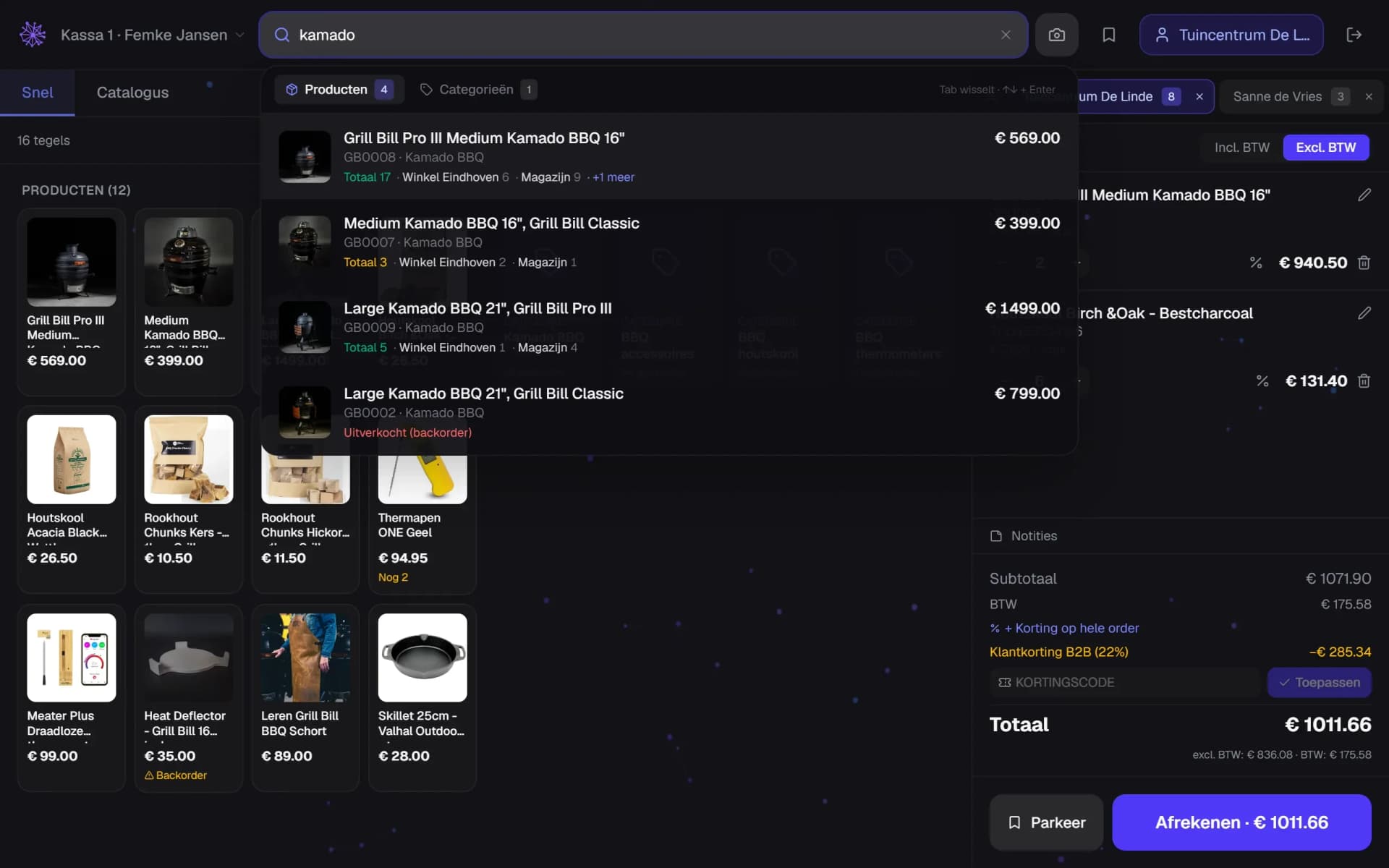
One stock, every channel
Whatever crosses the counter comes off the same stock as your webshop and marketplaces. On cancellation or return it's automatically booked back to the right location.
- Stock per location in the search results
- From three locations the rest expands
- Sold out: still sell it as backorder
Parking orders and till sessions
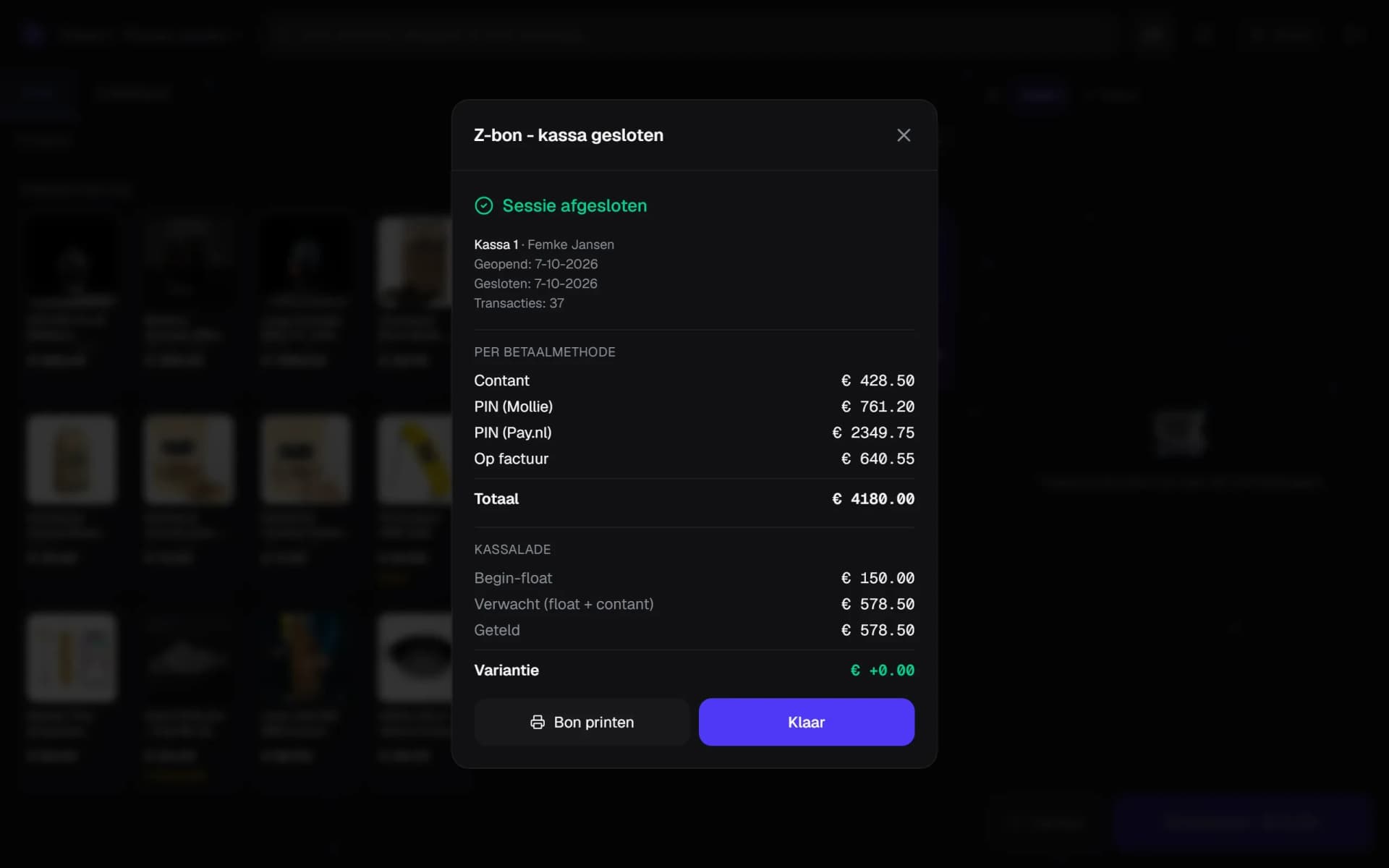
Keep several receipts open at once, park them and resume later. At close you count the till: expected amount, counted amount and the difference land in the session report.
- Totals per payment method
- Expected cash: opening float plus cash sales
- Cash difference after counting
Receipt, invoice and accounting
Print or email the receipt, switch VAT incl./excl. mid-checkout, discount per line or on the whole receipt, and the sale lands in the same order and accounting flow as your online revenue.
- Switch between incl. and excl. VAT
- Discount per line
- Discount on the whole ticket
Shop and webshop, one customer.
A standalone till only sees what happens in the shop. This till sits in the same platform as your webshop, your stock and your customer contact — so in-store sales steer the rest along with it.
- Inventory — sold is sold everywhere. No double-selling because the overnight sync failed.
- CRM — the customer who pays in-store is the same customer as online, with one order history and one balance.
- Advertising — at the till you see that someone clicked your ad three days earlier, so offline revenue counts towards your attribution.
- Reviews — the same review invitation goes out after an in-store purchase as after an online order.
Works with
Till and webshop on the same stock.
FAQ
Frequently asked questions about the till system.
POS stands for point of sale: the software you use to check out in the shop. The difference here isn't in the checkout itself, but in what sits underneath it. The till uses the same products, stock, customers and orders as your webshop, so you don't need an integration between two systems that each keep their own version of the truth.
Card terminals from Pay.nl and Mollie. You link the terminal to a till session; the till sends the amount to the device and tracks the transaction status until payment completes. You can also check out with cash including change calculation, a payment link, an invoice on terms, a gift card, or a combination of these on one receipt.
Yes. You look up the business customer at the till or create one on the spot, with the VAT number verified live via VIES and the company details pulled in automatically. The customer card shows the standing discount, payment term, credit limit, outstanding balance and previous orders, so at the counter you can immediately see whether selling on account is justified.
Yes, and from the same stock as your webshop and marketplaces. The till can show stock per location or warehouse, so you see straight away where a product is. Cancel a receipt or process a return, and stock is automatically booked back to the right location.
Yes. You work per location with its own till sessions, its own terminals and its own product layout with favourites. Multiple tills can be open at once, and per till you can hold several receipts at a time, park them and resume later.
You close the session with a cash count. The till shows the expected cash amount, you enter the counted amount, and the difference is recorded. A report is available for every session, which you can print or forward to your bookkeeping.
To a limited extent, and we'd rather say so plainly. The till pages and the product catalogue stay available thanks to local caching, but checking out needs a connection — a card transaction and a payment link simply run through the payment provider. On an outage you get a clear message instead of a receipt that quietly disappears.
No. The till is part of the platform, just like inventory, purchasing and customer contact. Packages that sell POS as a separate module usually charge per till per month, plus the integration software between till and webshop. Both of those costs disappear here.
Want to see how that works with your shop?
In 20 minutes we'll walk through the till with your own products, your card terminal and your business customers as the example.
More in Commerce & alongside