

Modules/B2B portal

Your dealers order themselves.
At their own price.

Dealers and business customers log in to your own webshop and see their own prices excl. VAT, their minimum order and their order lists. You approve applications, send quotes and invoice on account, on the same catalogue and stock as your consumers.
See pricing

Included in every plan · replaces a separate B2B plugin, a quoting tool and price lists in Excel

Overview of business customers with dealer applications awaiting approval in the Neuramerce dashboard
What's inside

From application to paid invoice.

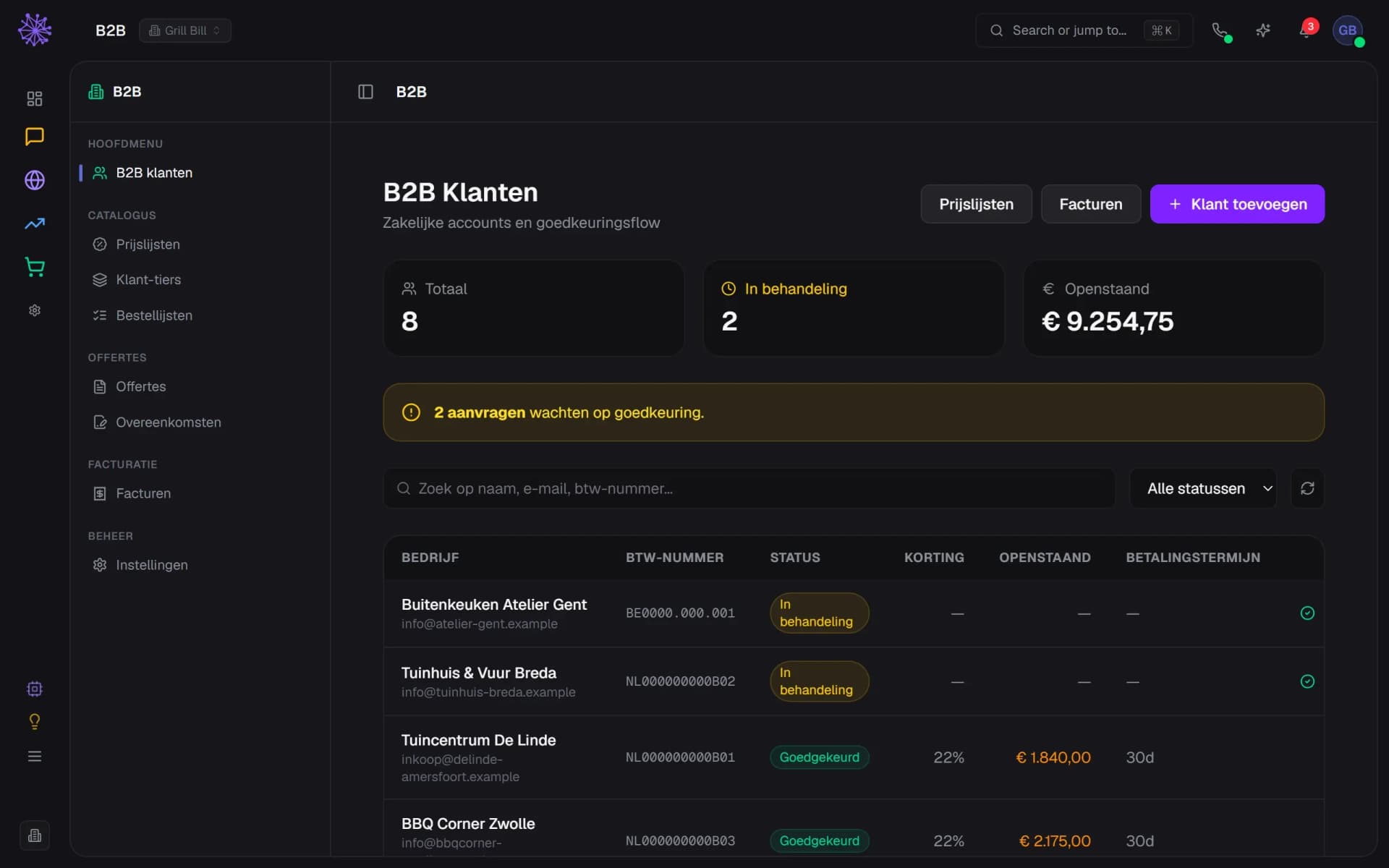
Applications and approval

A dealer applies for an account through a form on your site, with your own questions, such as the type of business. The VAT number is checked through VIES. You approve, choose the dealer tier, and the dealer can log in.
  1. New applications at the top
  2. Approve or reject
  3. VAT number checked through VIES
List of business customers and open dealer applications in the Neuramerce dashboard

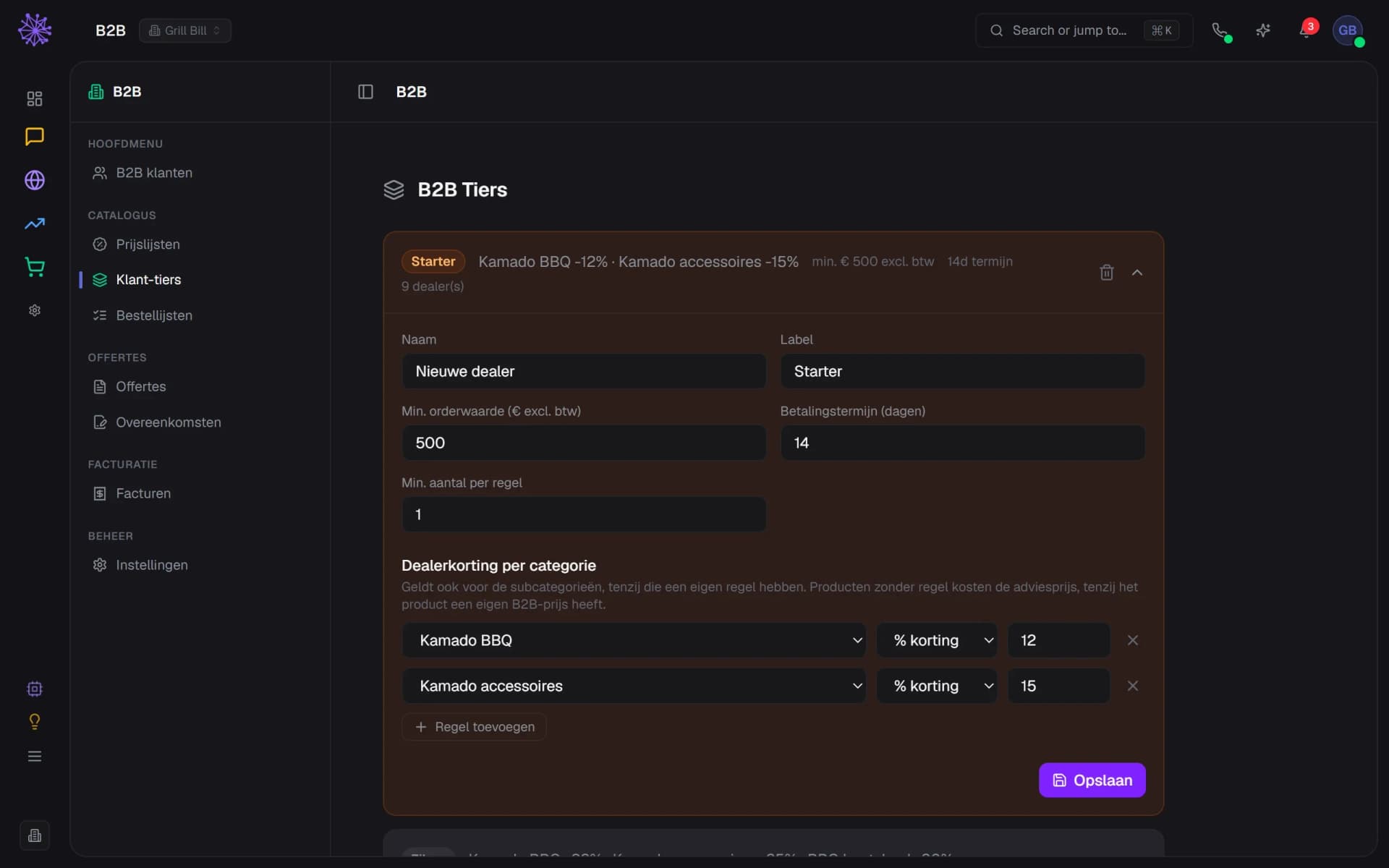
Prices per dealer tier

Per dealer tier you set a discount per product category, a minimum order value and a payment term. For wholesalers you create a price list with a fixed price per product.
  1. Dealer tiers with their own discounts and minimum
  2. Payment term per tier
  3. Dealer discount per product category
B2B dealer tiers with discounts per category in the Neuramerce dashboard

Dealers order themselves

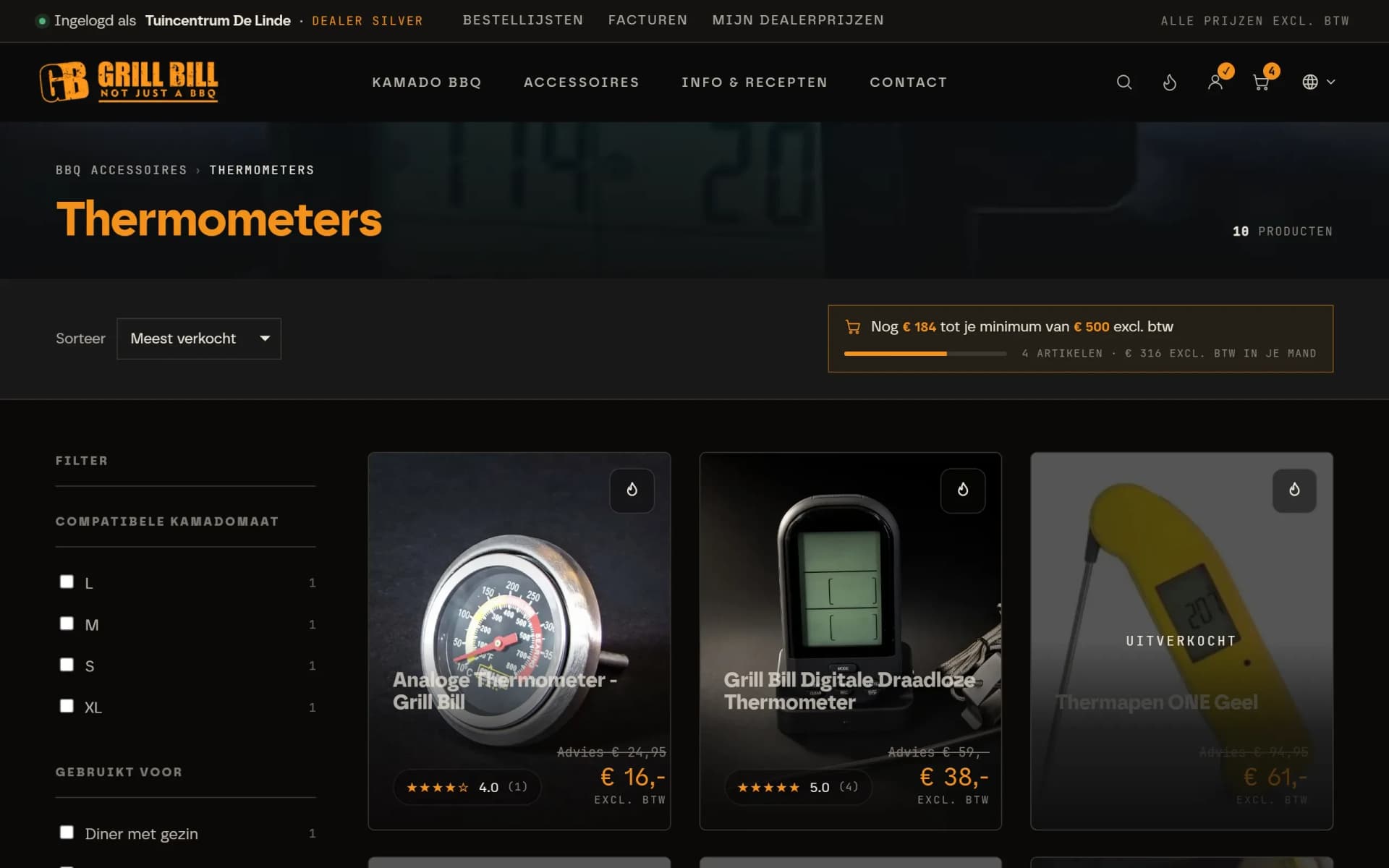
Once logged in, the dealer sees your regular webshop with their own prices excl. VAT, the recommended retail price next to it and how much is left to reach their minimum. Regular orders go into an order list, so reordering takes one click.
  1. Logged in as a dealer, with order lists and invoices
  2. € 184 left to reach the minimum
  3. Dealer price excl. VAT next to the retail price
Category page of the Grill Bill webshop with dealer prices excl. VAT

Quotes with online signing

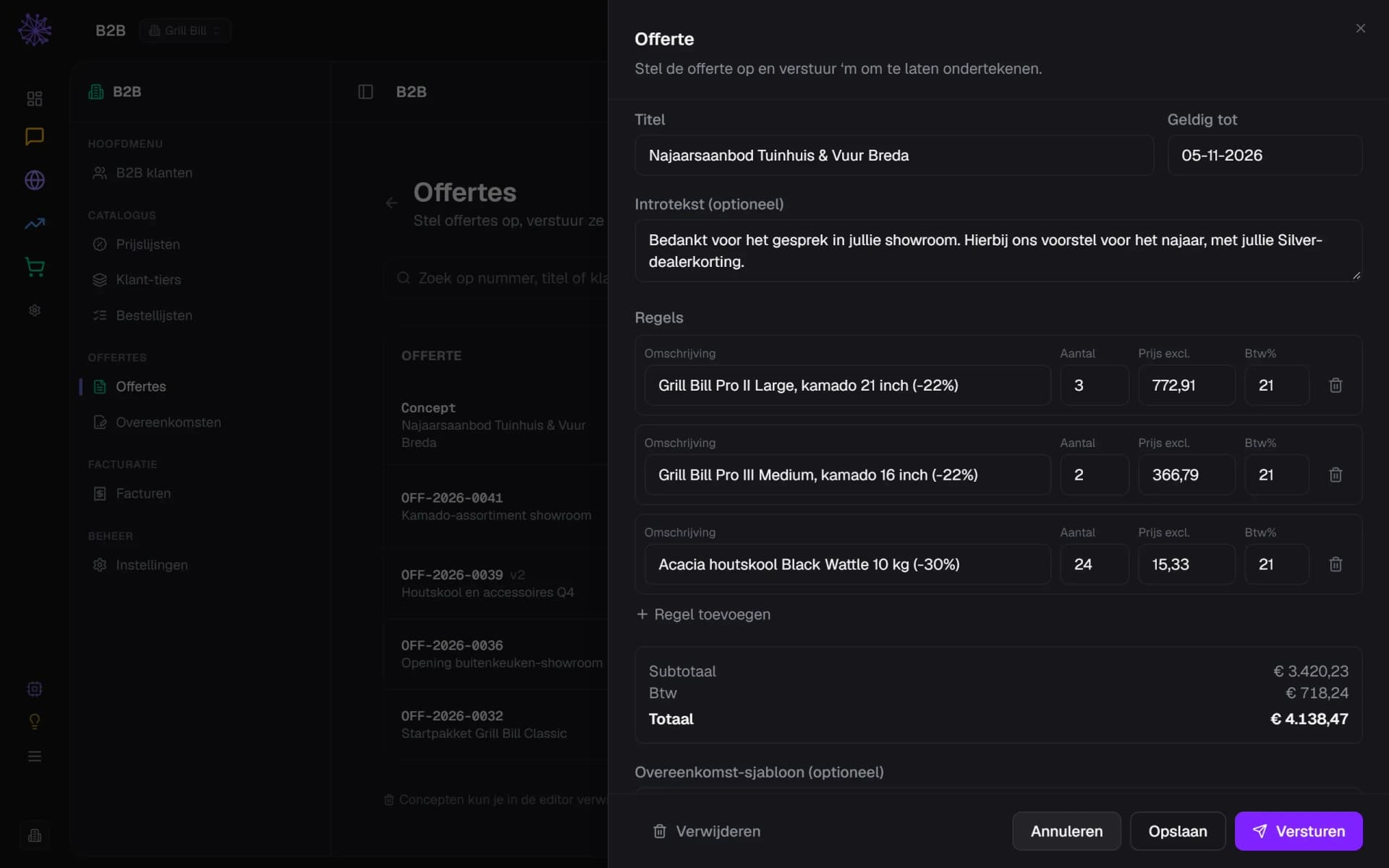
For larger orders you draw up a quote with dealer prices per line and send it as a link. The customer signs online. Need a change? Create a new version. Standing agreements go into contract templates.
  1. Dealer price per line, discount included
  2. Totals excl. VAT, calculated automatically
  3. Send: the customer signs online
Quote editor with dealer prices per line in the Neuramerce dashboard

On account, within a limit

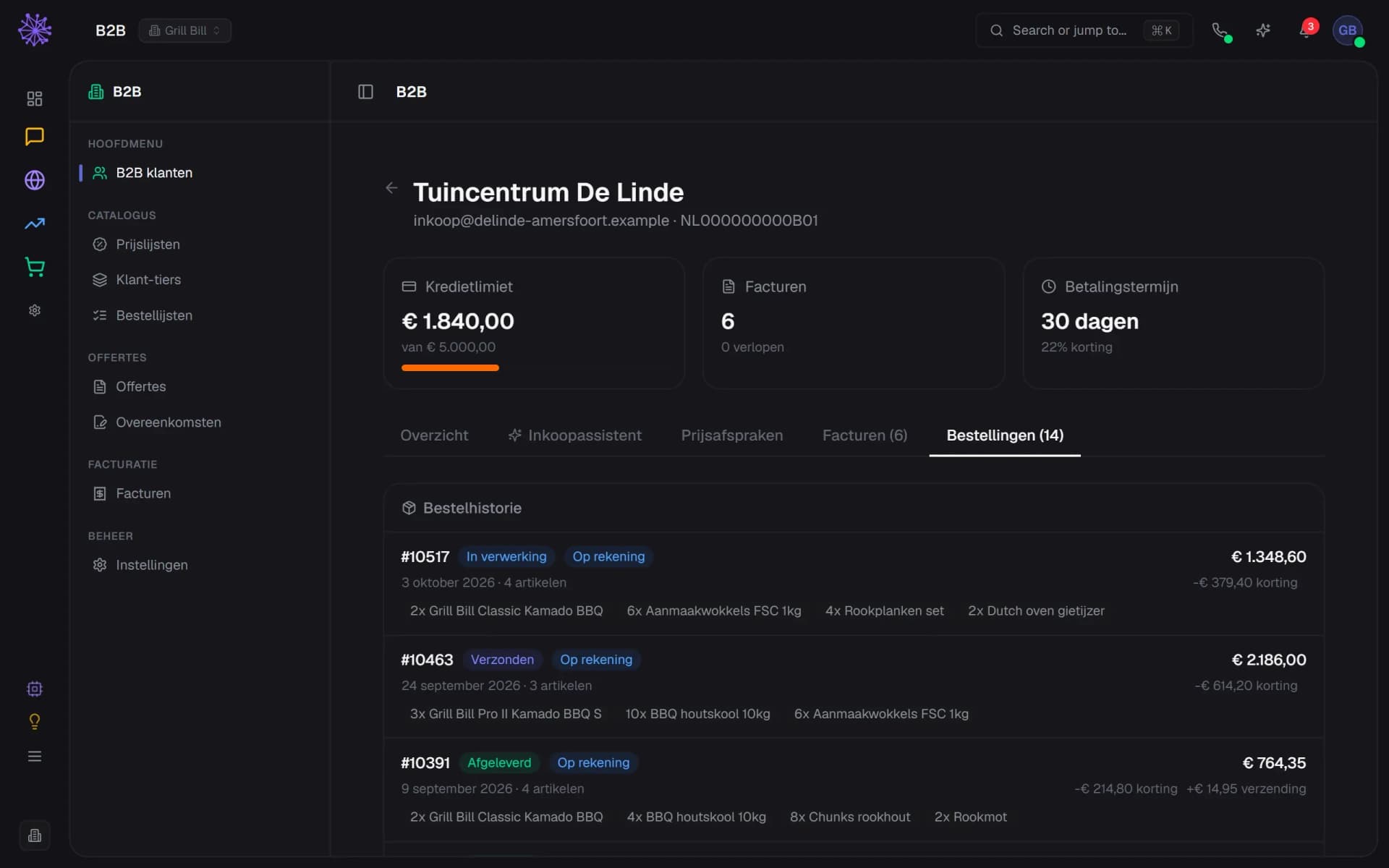
Per dealer you set a credit limit and a payment term. Ordering on account works as long as the outstanding balance stays within the limit. The customer card shows credit, term, discount and every order.
  1. Outstanding balance against the credit limit
  2. Payment term and discount per dealer
  3. Orders on account, with discount
Dealer customer card with credit limit, payment term and orders in the Neuramerce dashboard

Invoices with a payment link

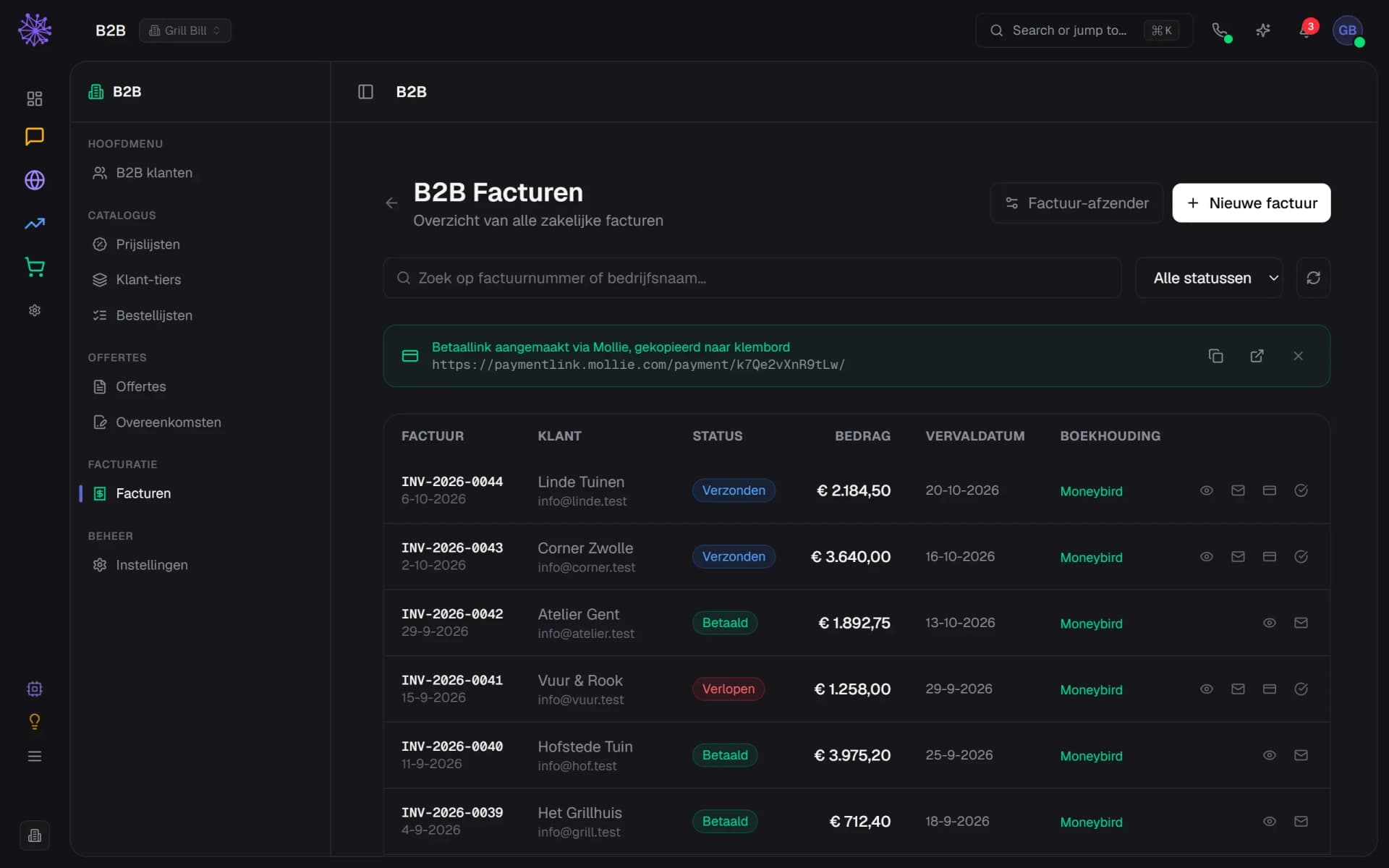
The invoice goes out by email, with a payment link and a QR code through Mollie. Overdue invoices stand out right away, and every invoice is passed on to Moneybird or Exact Online.
  1. Mollie payment link, ready to share
  2. Overdue invoice easy to spot
  3. Passed on to your accounting
Overview of business invoices with status and payment link in the Neuramerce dashboard
app.neuramerce.com/modules/shop/b2bYour dashboard
List of business customers and open dealer applications in the Neuramerce dashboard
B2B dealer tiers with discounts per category in the Neuramerce dashboard
Category page of the Grill Bill webshop with dealer prices excl. VAT
Quote editor with dealer prices per line in the Neuramerce dashboard
Dealer customer card with credit limit, payment term and orders in the Neuramerce dashboard
Overview of business invoices with status and payment link in the Neuramerce dashboard
In practice

Consumers and dealers in one webshop.

Hilox sells car lamps to consumers and to garages, from one catalogue and one stock. Dealers apply for an account through a form on the site, see their prices excl. VAT once approved and pay on account within their credit limit.

How the webshop itself works, from product page to return, is on the page about the webshop module. If you also run a shop, the point of sale charges business customers with the same term and the same credit.

A B2B portal that knows the rest of your business.

A separate B2B plugin has its own price list, its own customer base and often its own stock. Here dealers order in the same webshop, so the rest of your business sees it right away.
  • Stock. A dealer order comes off the same stock as your consumer sales. No dealer ordering something that is already gone.
  • Inbox and CRM. The conversation with a dealer sits next to their orders, invoices and outstanding balance.
  • Point of sale. When a dealer visits your shop, the till charges them with their own term and credit.
  • Accounting. Invoices go to Moneybird or Exact Online, with the right VAT for domestic and foreign customers.
FAQ

Frequently asked questions about the B2B portal.

A B2B portal is the part of your webshop where business customers log in. They see their own prices, order on their own terms and find their invoices. Here it is not a separate site but your regular webshop: the same products, the same stock, just with different prices and rules once a dealer is logged in.
No. Consumers check out as usual, dealers log in and see the same catalogue with their own prices excl. VAT. So you manage one catalogue, one stock and one set of product pages.
Through an application form on your site. You decide which questions it asks, such as the type of business, and whether a minimum applies to the first order. The VAT number is checked through VIES. You approve the application and choose the dealer tier.
In two ways. Per dealer tier you set a discount per product category, with a minimum order value and a payment term. For wholesalers or large buyers you create a price list with a fixed price per product. A fixed price takes precedence over a category rule.
Yes. You give a dealer a credit limit and a payment term. Paying on account then works as long as the outstanding balance stays within that limit. The invoice goes out by email, with a payment link and a QR code through Mollie.
You draw up the quote in the dashboard, with dealer prices per line, and send it as a link. The customer can sign online. Need a change? Create a new version. Standing agreements go into contract templates with fill-in fields.
Yes, with Moneybird and Exact Online. Invoices are passed on with the right VAT treatment, including reverse-charge VAT for customers abroad.
The B2B portal is included in every plan, just like the webshop and the point of sale. You do not pay per dealer or per order. The pricing page shows what else each plan includes.

See how your dealers would order?

In 20 minutes we show how your dealers sign up, order and pay, with your own products as the example.
See pricing