
Business phone system.
The customer is already on your screen.
Make and answer calls in your browser, with your own number, opening hours, hunt groups and a queue. When a call comes in you see who is calling and what that customer has ordered before, and a missed call lands in your inbox as a conversation.
Included in every bundle · call minutes come out of your Neura credit
What's included
A phone system that knows your customers.
Buy a number or bring your own
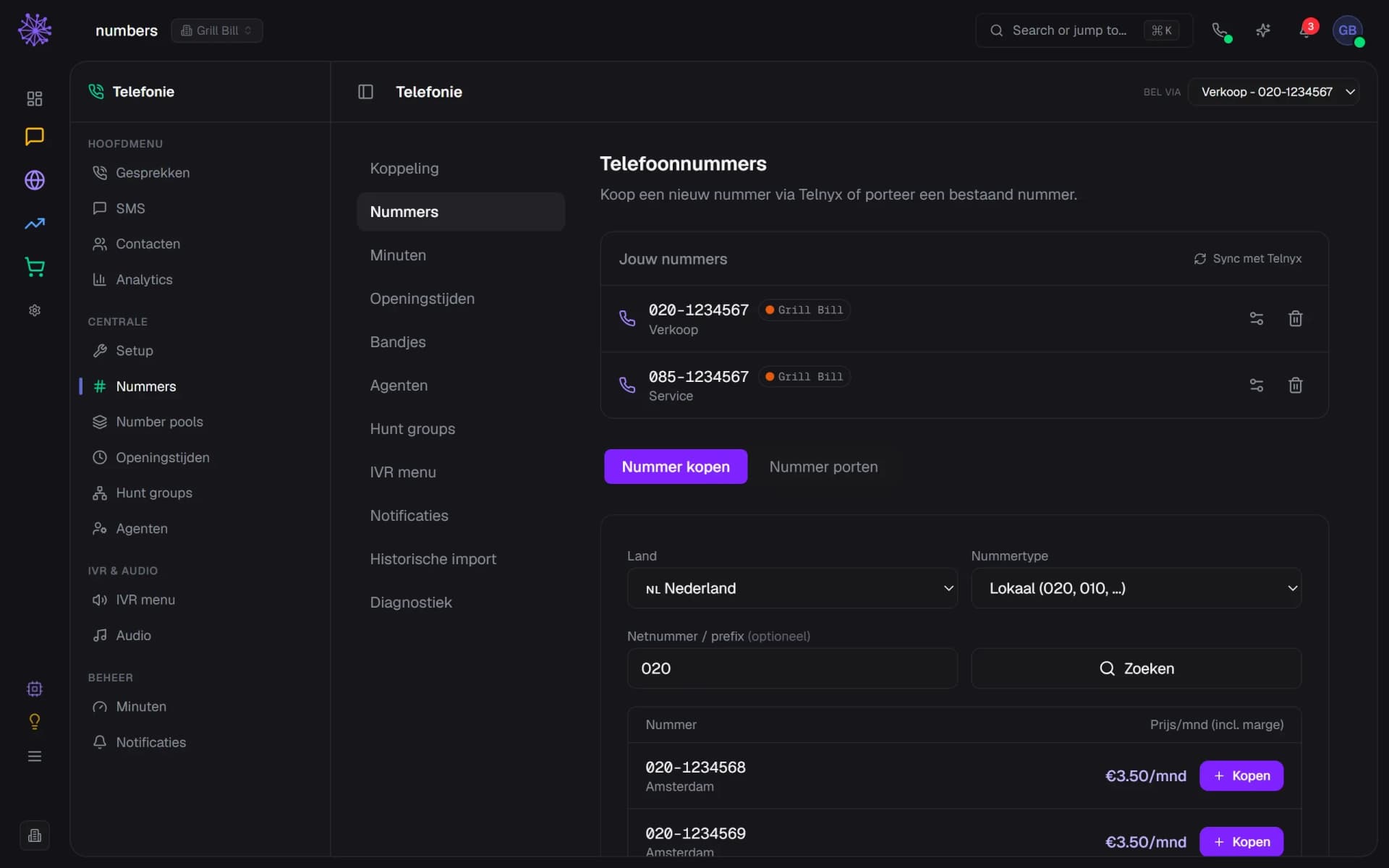
Search for a number, local, 085 or 0800, and buy it in the module itself. If you want to keep your current number, you first check whether it can be ported and then submit the request; that takes three to five working days on average. You give each number its own name, such as Sales or Service.
- Choose local, 085 or 0800
- Buy an available number right away
- Bring your own number by porting
Make and answer calls in your browser
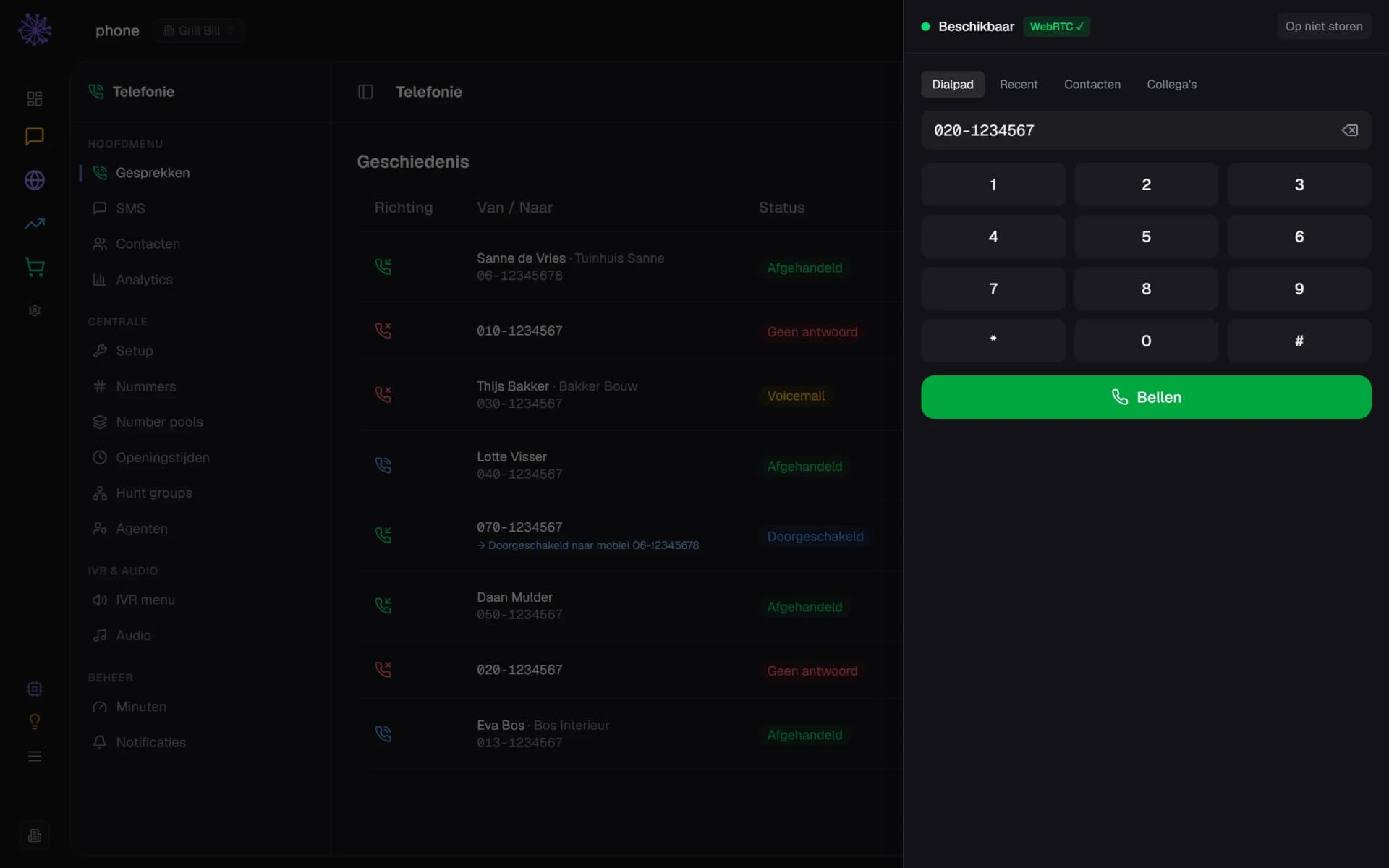
Switch on Browser for a team member and call from the phone button at the top: type a number, call back an earlier call, search a contact from your CRM or call a colleague internally. You mute, put on hold and transfer during the call. All you need is a browser and a microphone.
- Browser connected, ready to call
- Recent, CRM contacts and colleagues
- Type a number and call
You see who is calling
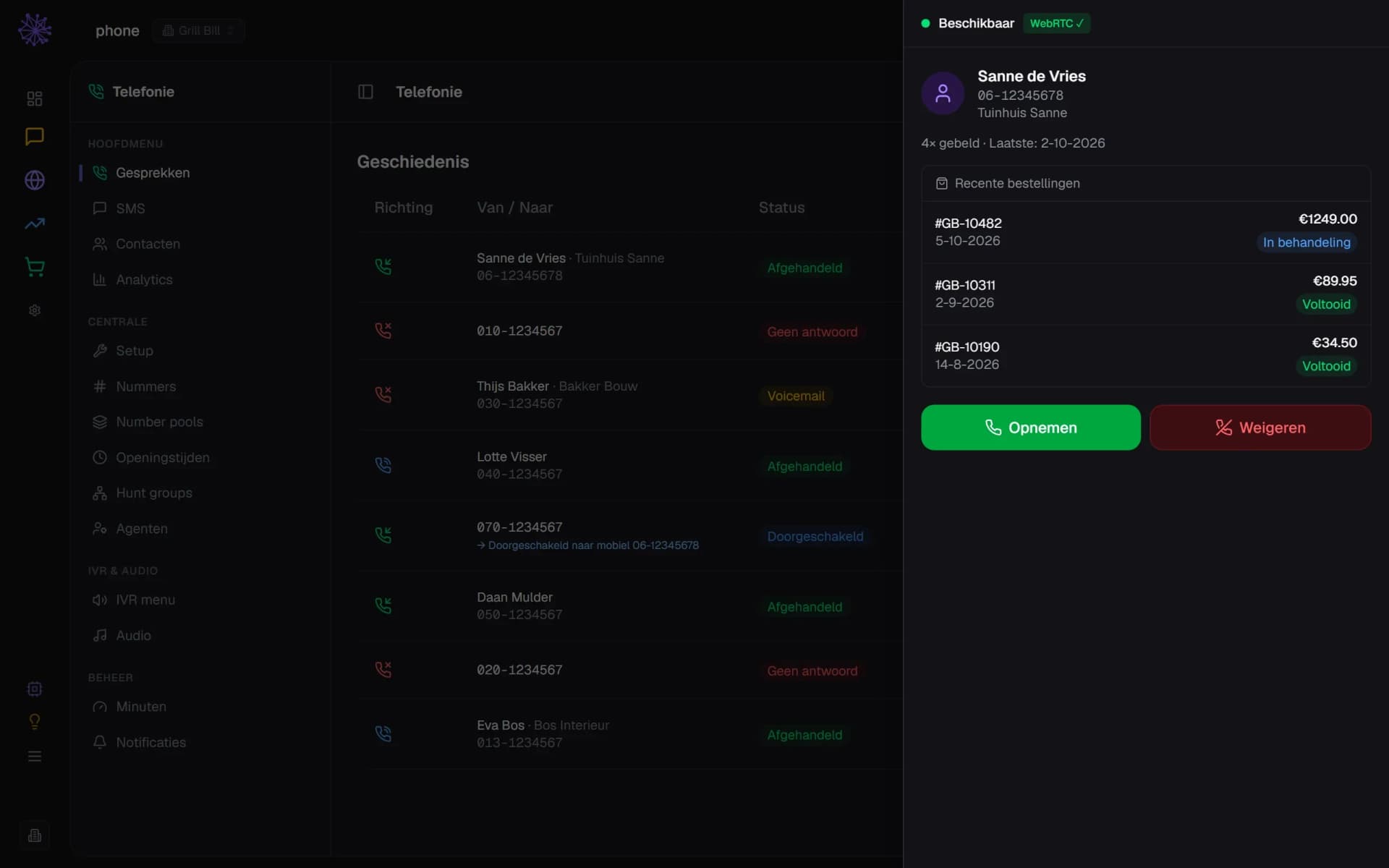
When a call comes in, Neuramerce looks up the number in your CRM and your orders. Before you pick up you see the name, company, how often that customer has called before and the latest orders with their status. If the number is unknown, you only see the number.
- Name and company from your CRM
- Latest orders with status
- Answer or decline
Opening hours, recordings and voicemail
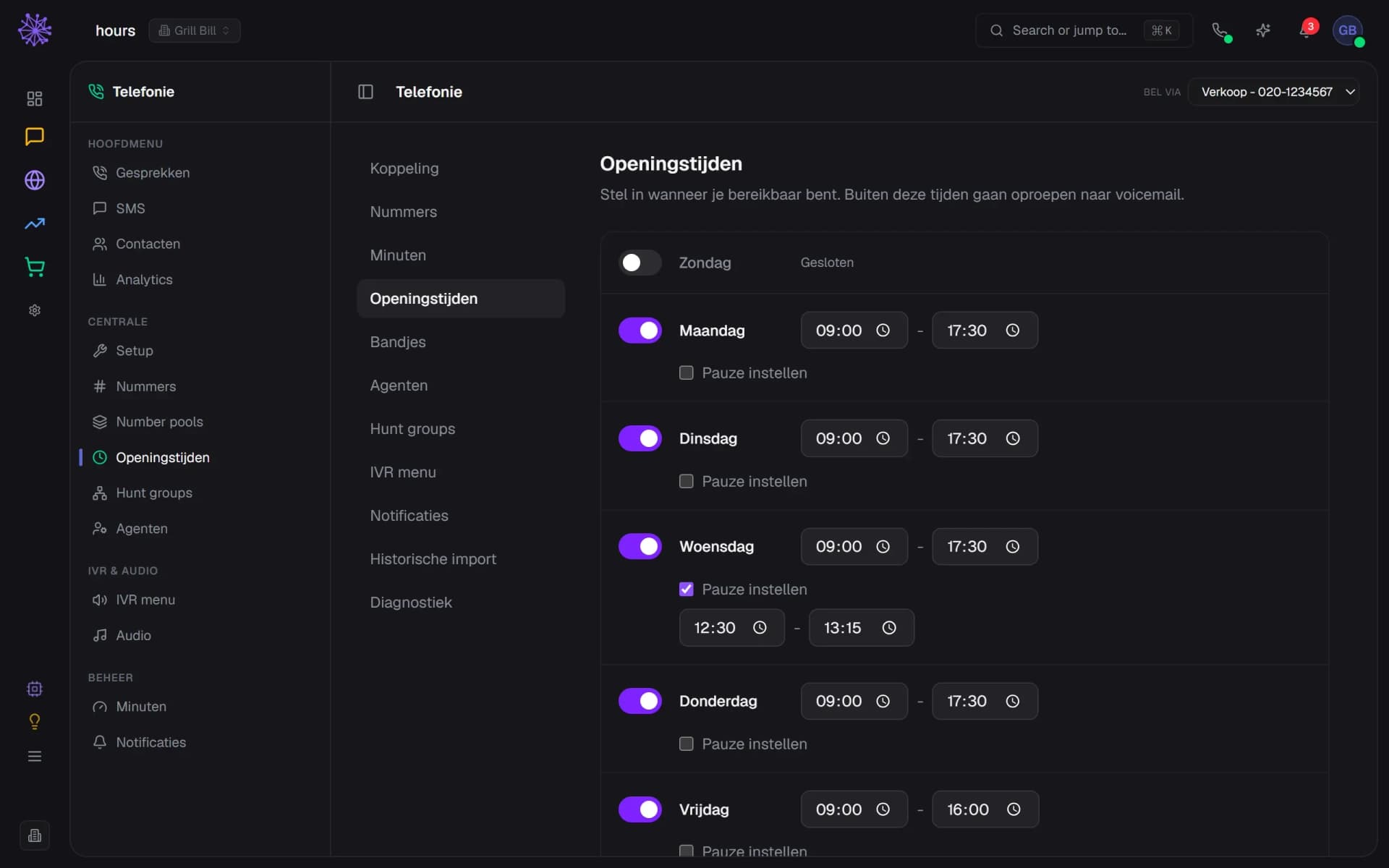
Set your opening hours per day, with a break of its own. Outside those hours the caller hears your closed message and can leave a voicemail. For welcome, closed, holiday, break, voicemail and hold music you upload a file or have a text read out. You can have new voicemails emailed to you.
- Open or closed per day
- Opening and closing time per day
- A break with its own times
Who answers, and what if nobody does
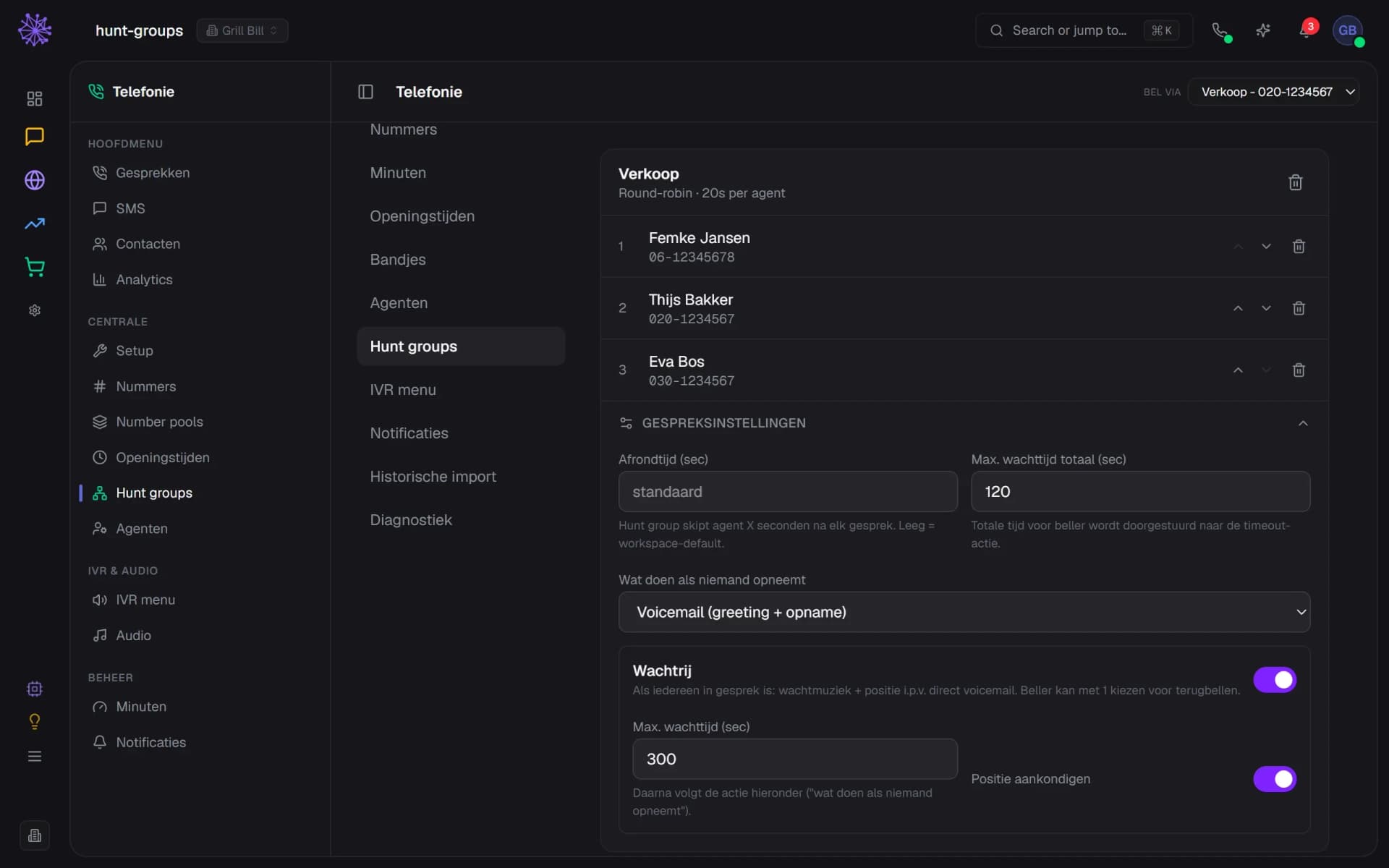
In a hunt group you put agents in a fixed order or let calls rotate between them (round-robin). If everyone is on a call, the caller hears hold music and their place in the queue, and can press 1 to ask for a call back. After the maximum wait, voicemail or another action follows.
- Round-robin spreads calls evenly
- If nobody answers, voicemail
- Queue with hold music and position
Looking back: recording, tags and note
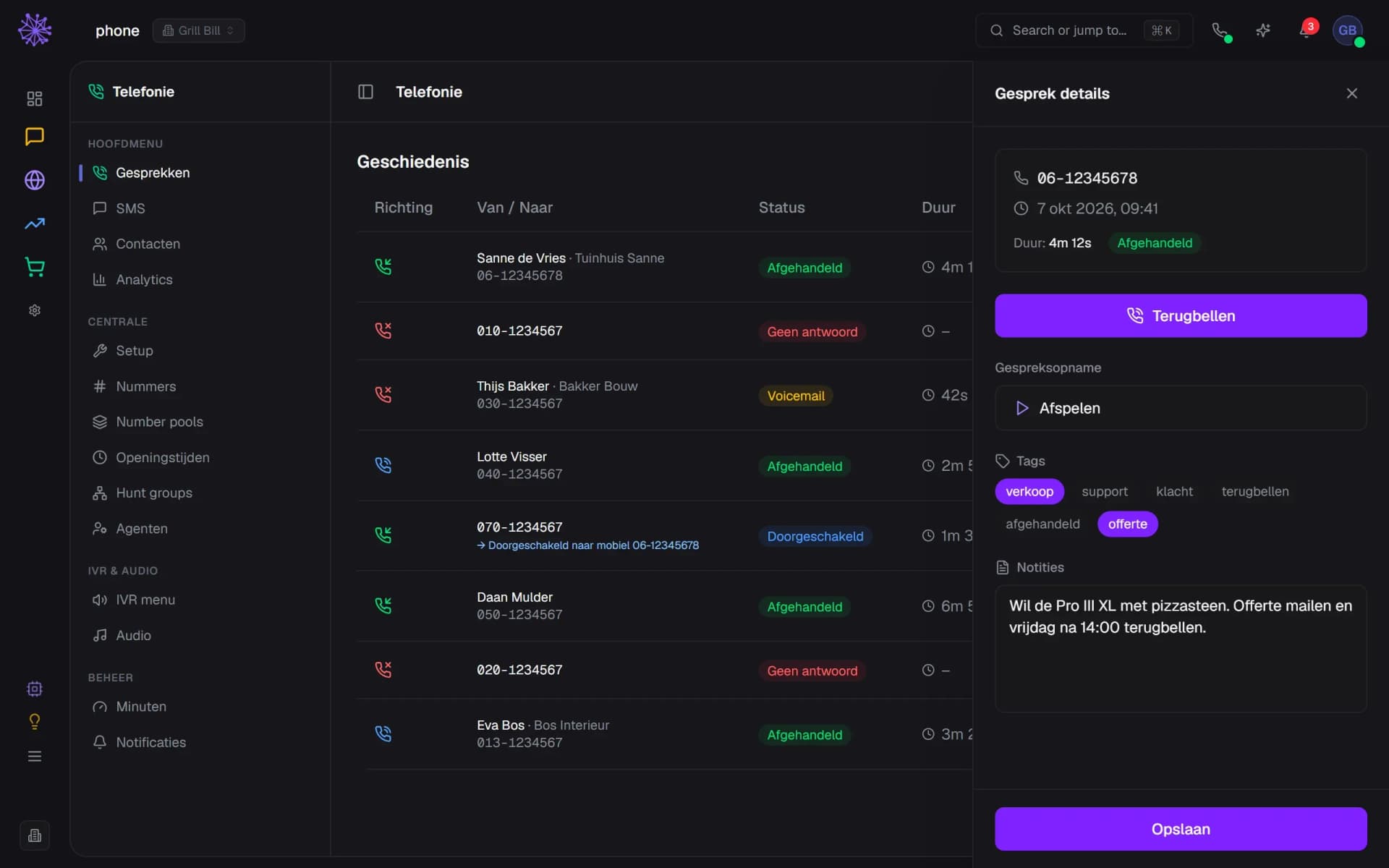
Every call is in the list, with the name and company from your CRM, duration, agent and outcome: handled, voicemail, no answer or forwarded. Open a call to listen to the recording, add tags and a note, or call back. You can record all calls automatically, or per call with a button.
- Voicemails and missed calls in the list
- Listen back to the recording
- A note on the call
A phone system that knows the rest of your business.
A standalone phone system only knows the caller's number. This one sits in the same platform as your customers, orders and inbox, so a call never stands on its own.
- Inbox. A missed call or voicemail becomes a conversation in the Inbox, linked to the customer. Switch on "Show all calls in Inbox" and the handled calls appear there as well.
- CRM. The caller's number is looked up in your customer records, even if it is stored with +31 or 06. From a customer record you open the dial pad with the number already filled in.
- Orders. If a customer asks about their order, you see it before you pick up, with the status next to it.
- Tasks. For a missed call, Neuramerce can create a call-back task with the caller's details. That is off by default and you switch it on under Setup.
FAQ
Frequently asked questions about business phone systems.
Yes, calling in the browser runs over the internet (VoIP). You do not need your own phone system. You switch telephony on under Setup, and for a Dutch number you enter your company details, which the provider (Telnyx) needs for registration.
Yes. You enter the number and the module checks whether it can be ported. Then you submit the request with your current provider, your customer number and a preferred date. It takes three to five working days on average and you get updates by email.
Yes. Per team member you switch on Browser and choose where calls come in: in the browser, on that person's mobile number, or on both. To call in the browser you need a microphone.
Call minutes come off your Neura credit. Every bundle includes credit each month; when it runs out, you top up under Minutes. Topping up requires an active subscription. You see the rates and the price of a number in the app before you buy anything.
You set that per hunt group. The call goes past your agents, if you like into a queue with hold music, and then what you chose follows: voicemail, a recorded message, forwarding to a number or hanging up. A missed call shows up as a conversation in the Inbox and you can have a call-back task created.
Yes. Under Setup you switch on "record all calls automatically", or you start and stop a recording yourself during a call. You play recordings back from the call. Neuramerce does not play a recording notice itself, so tell your callers that you record, for example in your welcome message.
Then you only see the number. If the caller is in your CRM, or has ordered before, Neuramerce recognises the number, even if it is written differently. An unknown number does not get a customer record automatically.
Yes. You link each number to its own hunt group, for example Sales and Service, with its own agents and order. You can also forward a number straight to another number.
Want to see how your phone fits in?
In 20 minutes we show Phone with your own number and team as the example, from the first call to looking back.
More in Customer contact and beyond