
One customer.
One story.
Every contact from your inbox and your webshop in one list, with the conversations and orders right next to it. No separate address book nobody keeps up to date.
Replaces separate CRM subscriptions and the customer list in your email program, among others
What's included
From loose address book to one customer view.
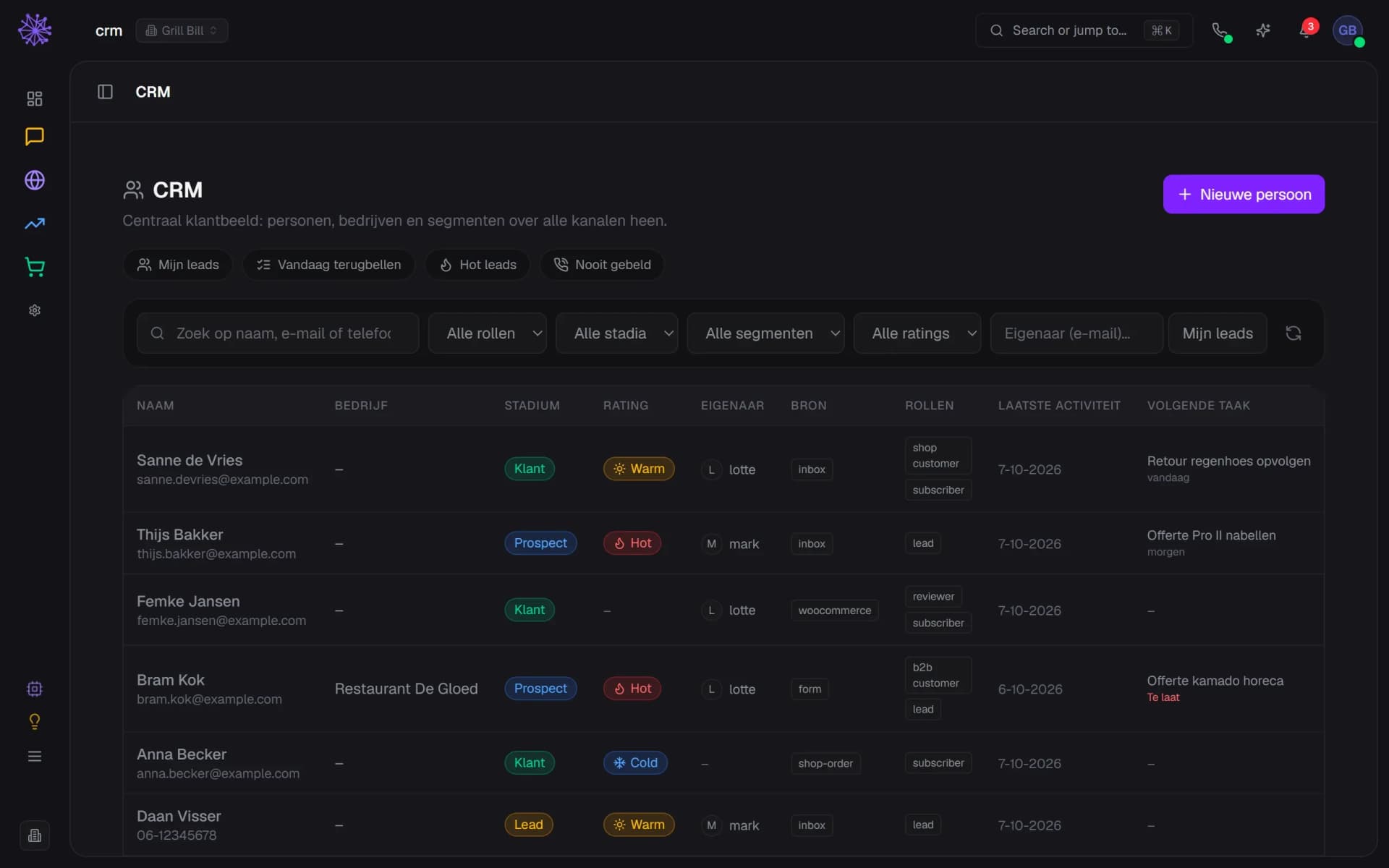
All contacts in one place
Everyone who ever emailed, chatted or ordered is in the same list. No separate address book per channel.
- One list for people across every channel
- Source: where did this person come from?
- Roles: customer, subscriber, reviewer or lead
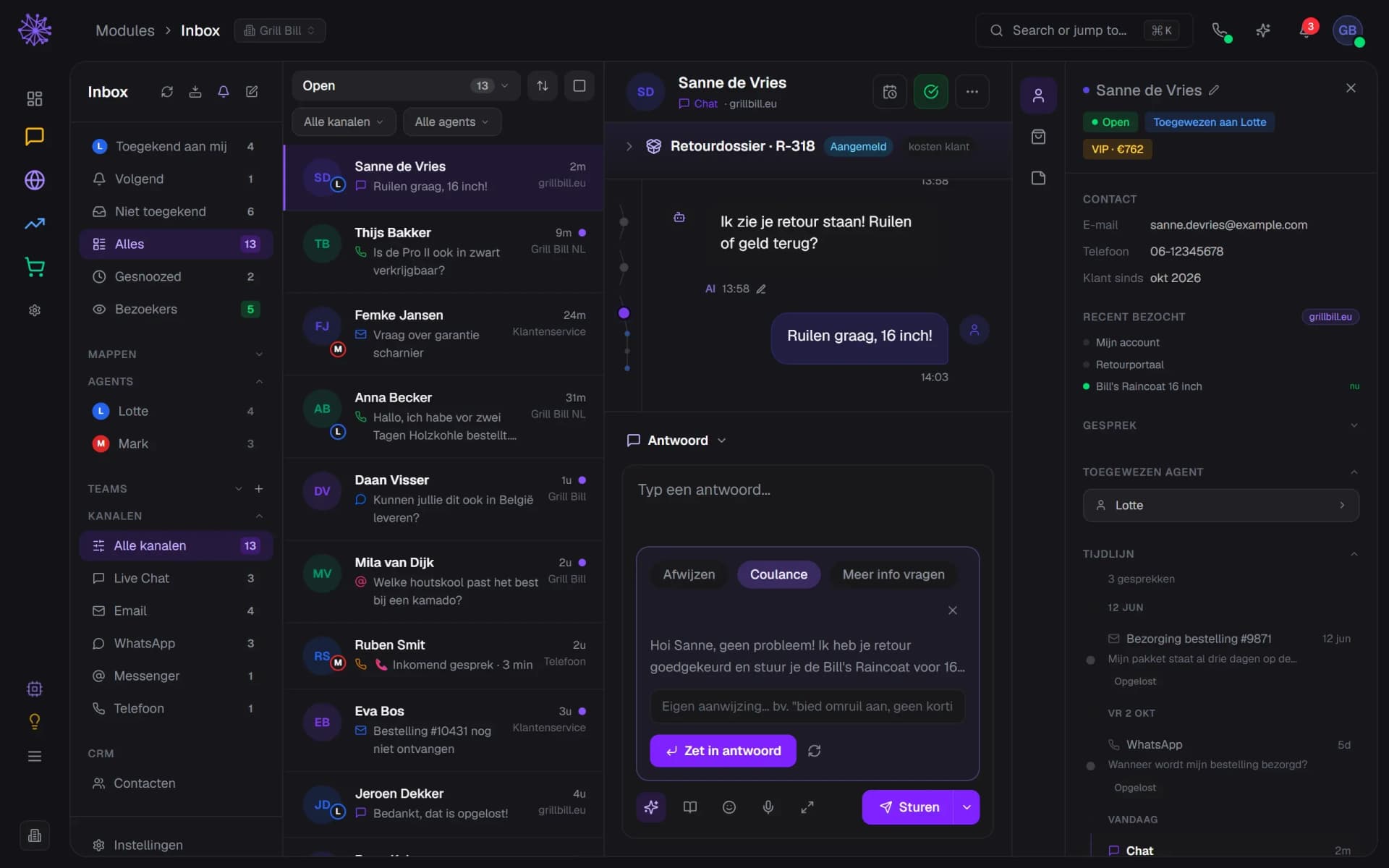
Connected to your Inbox
From a contact you see every conversation you ever had — email, chat or WhatsApp, it doesn't matter.
- The name opens the customer card in the CRM
- Every conversation with this customer: email, chat, WhatsApp
- Timeline strip: jump to an earlier conversation
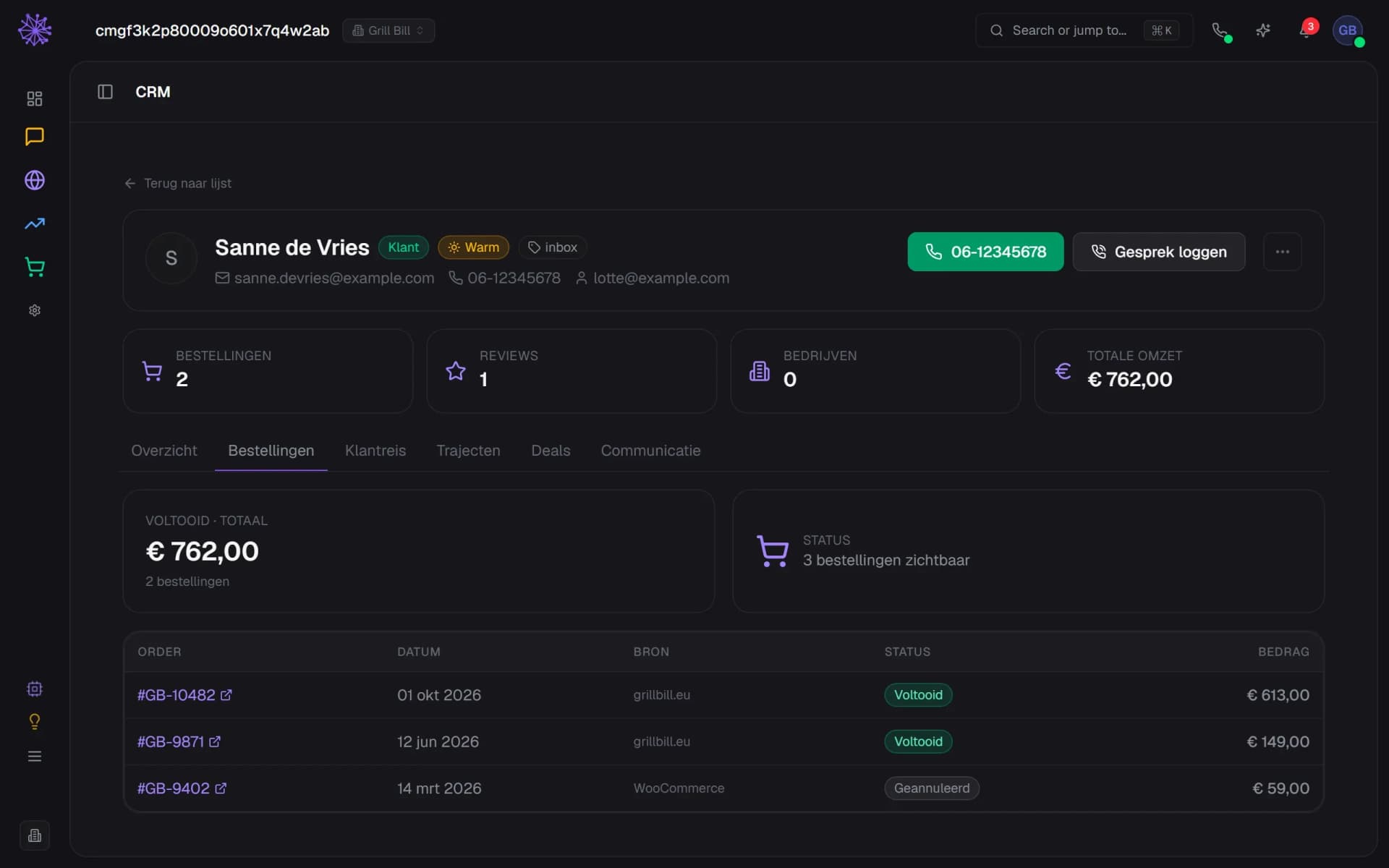
Orders and customer value
Per contact you see how much they've ordered and what that customer has been worth so far. Without running a report.
- This customer's total revenue at a glance
- Completed orders and their total
- Every order with status and amount
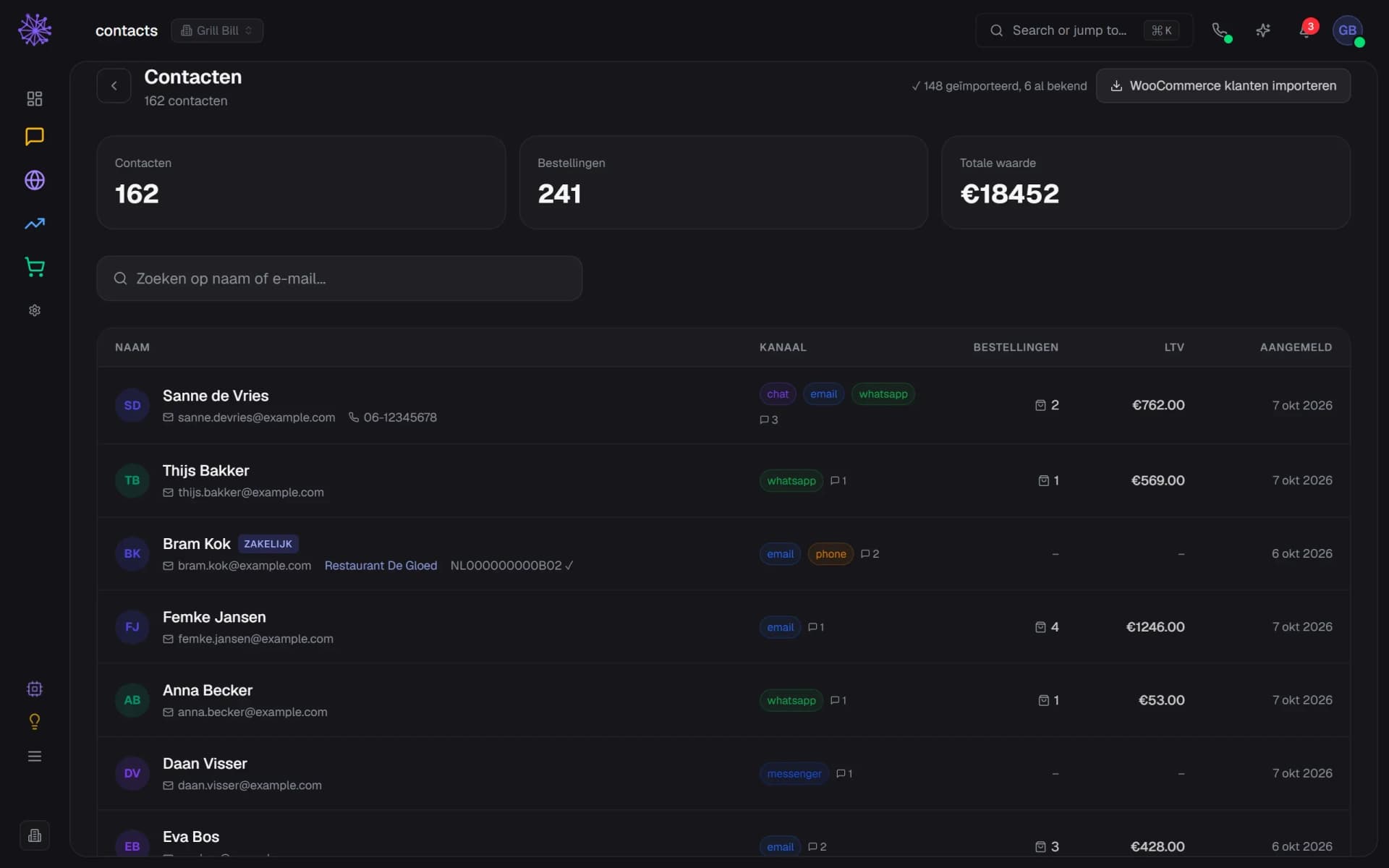
Import your existing customers
Pull in your WooCommerce customer list in one go. So you don't start with an empty list.
- Import WooCommerce customers in one click
- Result: newly imported and already known
- Your list is filled straight away
Search while you're on the phone
Search by name or email address and you have the whole story on screen before the customer finishes talking.
- Search by name, email or phone number
- Quick filter: who do I call back today?
- Next task per person, overdue in red
Grows with your channels
Every channel you connect fills the same list. One customer stays one customer, even if they contact you everywhere.
- Channels per contact: chat, email, WhatsApp
- Search the same list by name or email
- Orders and customer value in the same row
The customer view that makes everything else smarter.
A contact list on its own is an address book. Connected to your inbox, your orders and your mailings, it's the place where your customer truly becomes one person.
- Inbox — every conversation lands with the right contact, so you know who's on the line before you answer.
- Orders — orders and customer value sit next to the contact, not in a separate tab.
- Email marketing — the same contacts feed your mailings, without exporting and importing.
Want to see how it works with your customers?
In 20 minutes we'll show you the module with your own shop as the example — including migrating your current customer list.
More in Customer contact & alongside