
From pop-up to sign-up.
Without separate plugins.
Make a pop-up with a discount or newsletter sign-up, set when and where it shows, and build forms whose sign-ups land on your mailing list and in your CRM. It sits in the same environment as your website and webshop.
Included in every plan · replaces separate pop-up and form plugins, among others
What's included
From pop-up to submission. All in one place.
Pick a goal and a design
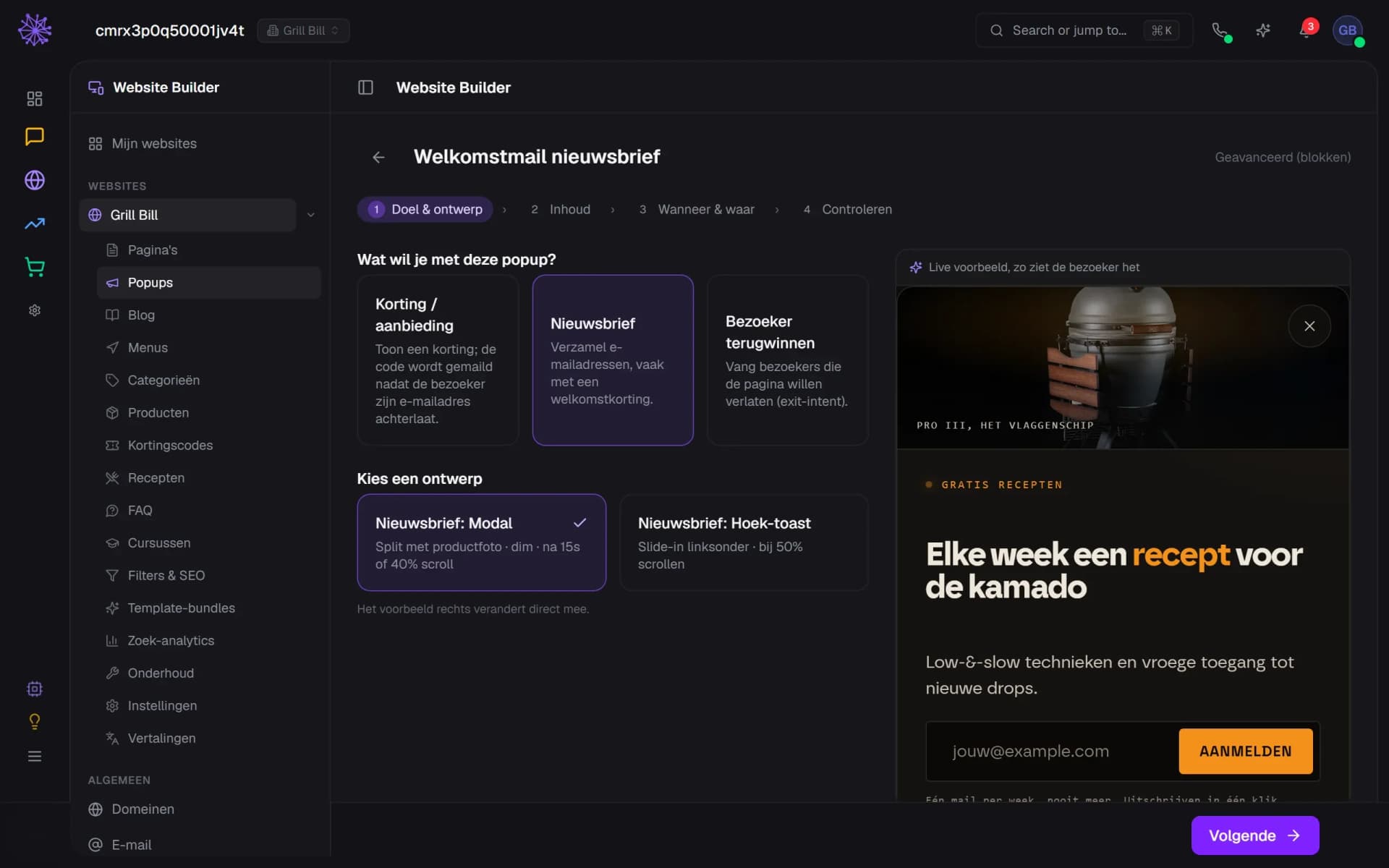
Start with what the pop-up should do: show a discount, collect newsletter sign-ups or win back a visitor who is about to leave. There are eight designs, from a modal to a bottom bar with a scratch card. The preview on the right changes as you pick.
- Goal: discount, newsletter or win-back
- Pick a design, here the newsletter modal
- The live preview changes as you pick
Copy, discount and sign-up
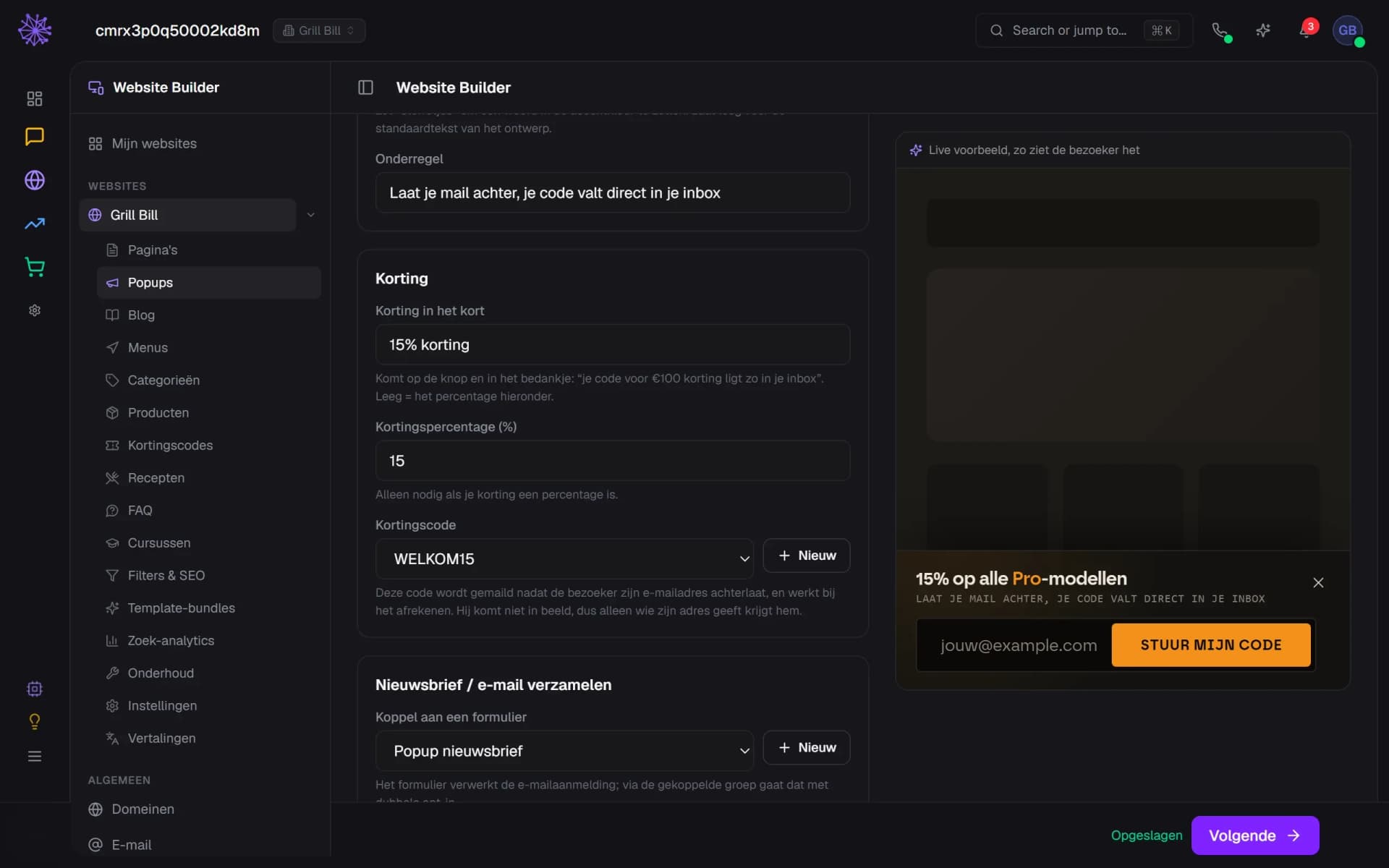
Write the headline and the subline and put a word in the accent colour with asterisks. Link a discount code or create one on the spot. The code is emailed to whoever leaves their address and is not in the page. Link a form as well: without one, the pop-up stores no address and sends no code.
- The code is emailed, never shown
- The form handles the sign-up and opt-in
- How the visitor sees the bottom bar
When and where it shows
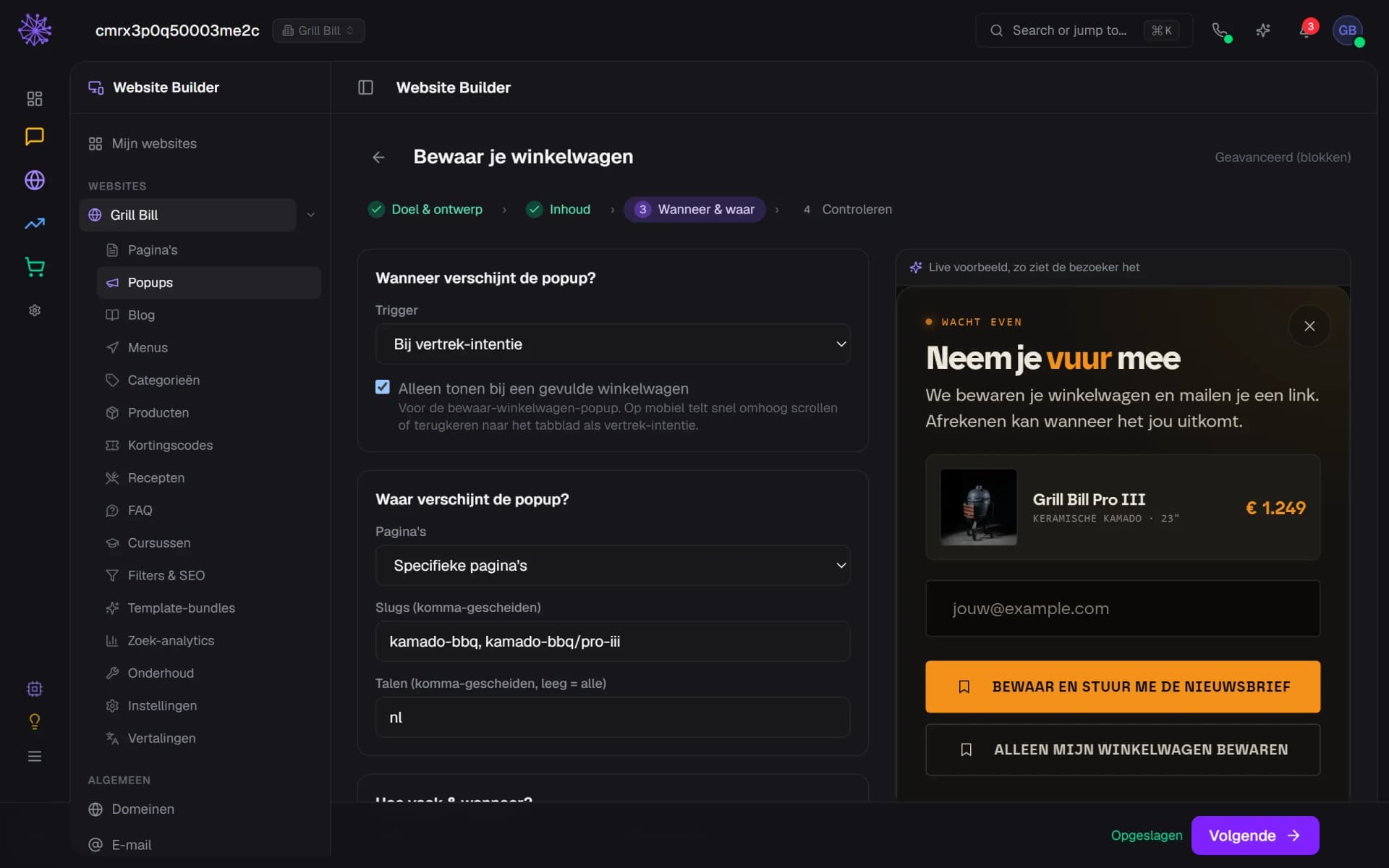
Pick a trigger: on load, after a delay, at a scroll depth, on exit intent or on a click on an element. Limit the pop-up to the homepage or certain pages and languages, set how often it shows and schedule a start and end date. On mobile, scrolling up fast counts as leaving.
- Five triggers, from page load to exit intent
- Only show when the basket has items
- Only on certain pages and languages
Two versions side by side
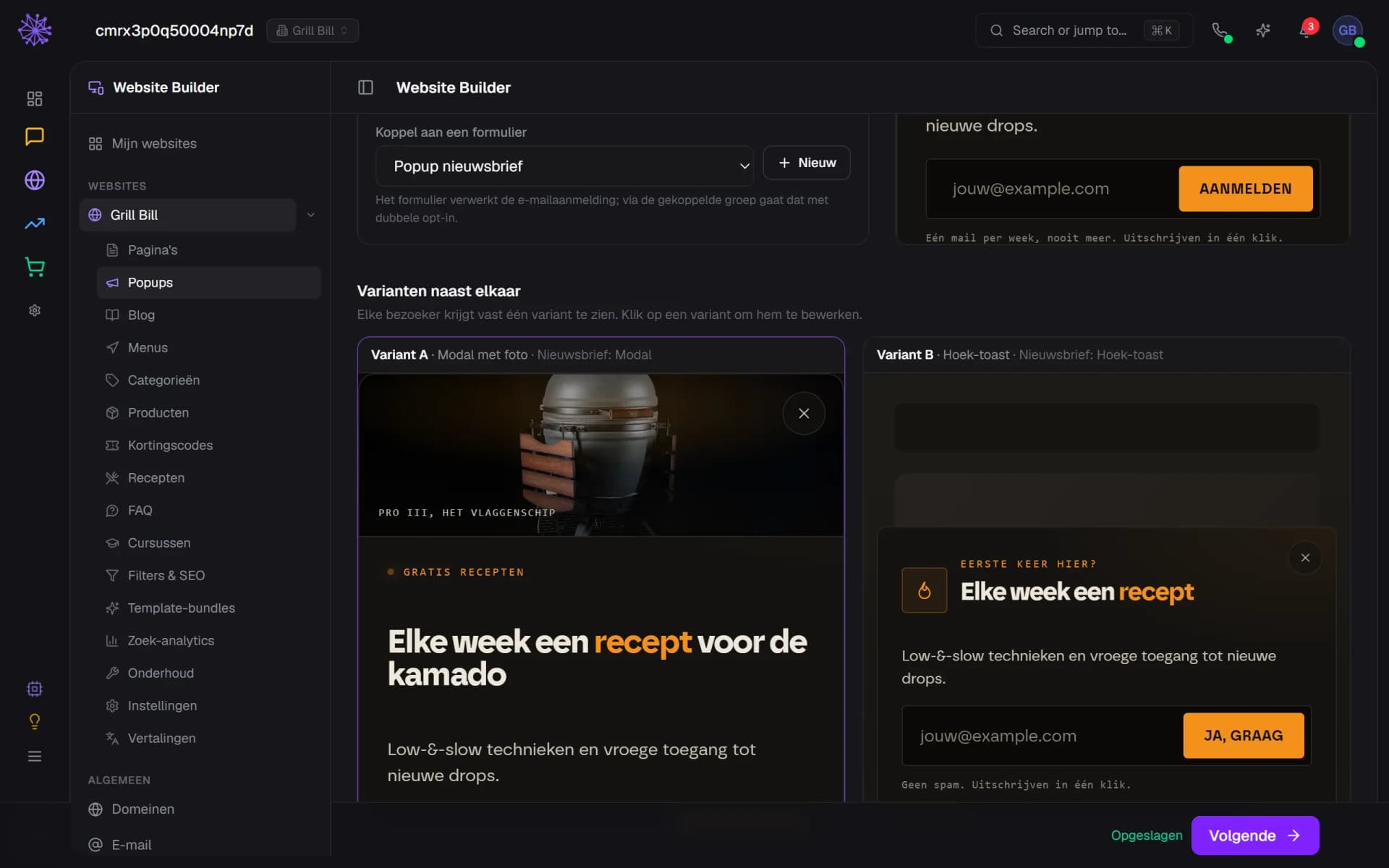
A pop-up can have several variants, with a different design, trigger or copy. Each visitor keeps the same variant in the same browser. In the wizard you edit the variants one by one and see them side by side. Creating variants yourself and viewing the result is not yet possible in the dashboard.
- Variant A: modal with a product photo
- Variant B: corner toast with a shorter headline
- Every visitor keeps the same variant
Build a form
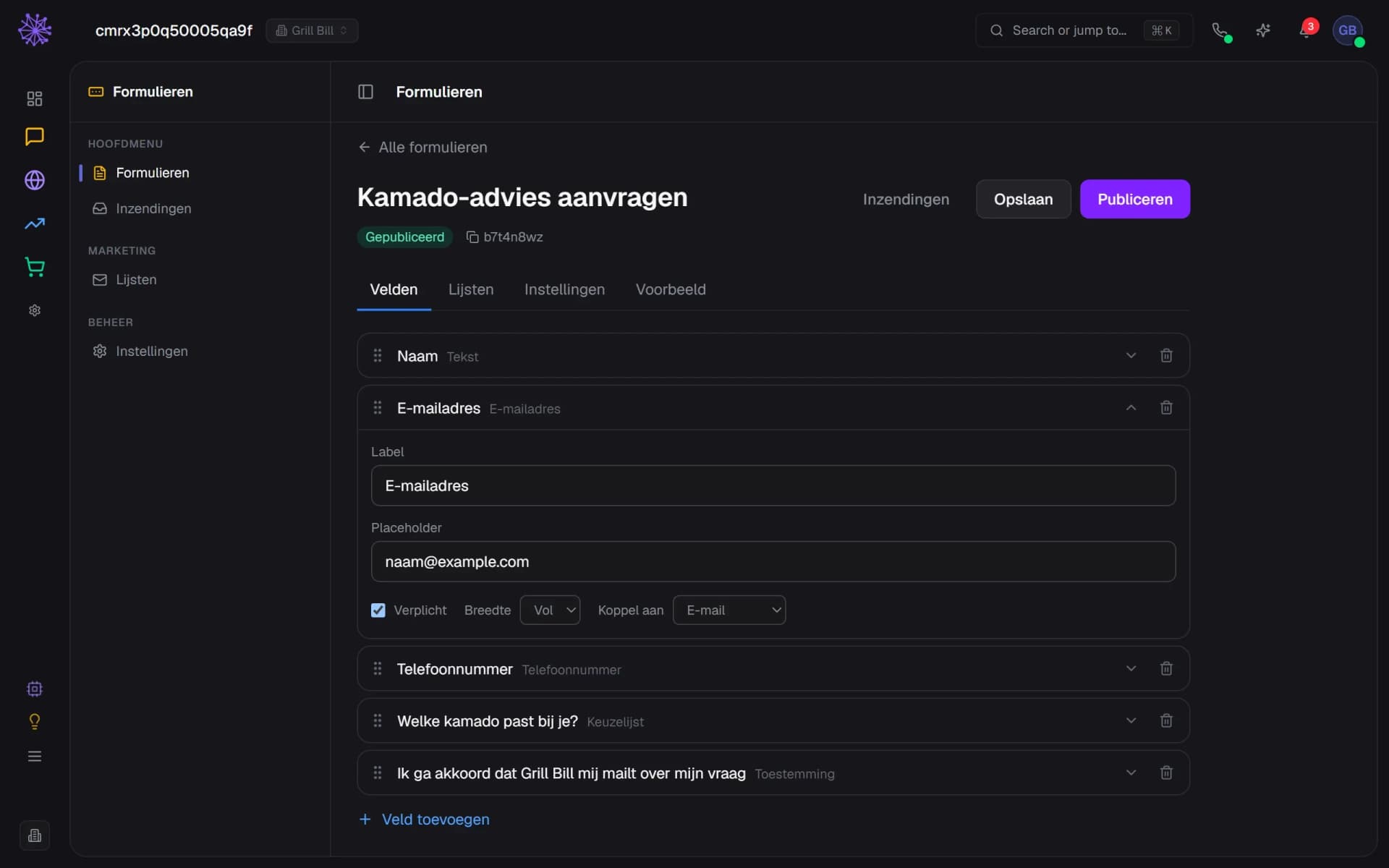
Drag fields into the order you want: text, email, phone, dropdown, date, consent and more. Map a field to email, first name, last name, phone or company, so the person who signs up lands on your list and in the CRM. The other tabs hold the mailing list, the button text and the thank-you message. Publishing takes one click.
- Drag fields into the right order
- Map a field to email, name or phone
- Pick the mailing list and double opt-in here
Submissions without the spam
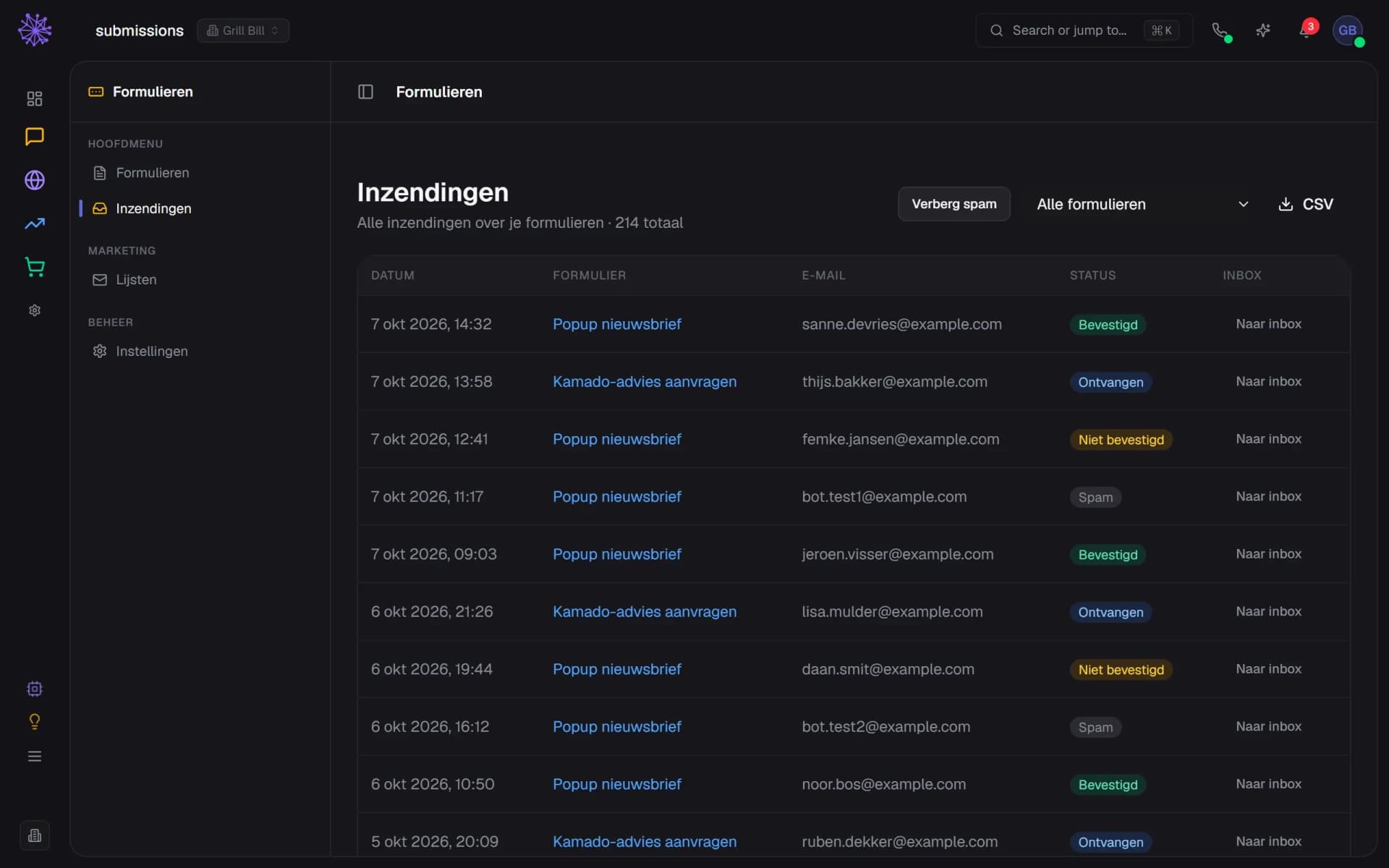
All submissions sit in one list, filterable per form and exportable to CSV. The honeypot is on by default and you switch on Cloudflare Turnstile per form. Spam that gets caught is kept but hidden by default. With double opt-in, a sign-up stays 'Not confirmed' until the visitor confirms the email. One click turns a submission into a conversation in the Inbox.
- Not confirmed until the visitor confirms the email
- Spam caught by the honeypot, hidden but kept
- One click sends a submission to the Inbox
Sign-ups that land in the right place.
A separate pop-up tool and a separate form plugin do not know your customers. These sit in the same platform as your mailing lists, CRM, Inbox and webshop.
- Email marketing. A sign-up lands on the mailing list you link, with double opt-in if you leave it on.
- CRM. Whoever signs up becomes a person with the form as the source, next to their orders and conversations.
- Inbox. Put a submission in the Inbox as a conversation, automatically per form or per submission with one click.
- Webshop. The code in a pop-up is an ordinary discount code from your webshop. The email with the code puts it in the basket with one click.
FAQ
Frequently asked questions about pop-ups and forms.
A pop-up with a discount, a newsletter sign-up or an offer for visitors who are about to leave. You pick from eight designs: a modal, a corner toast and bottom bars, including one with a scratch card. You set the copy, discount code, trigger and pages yourself. Only one pop-up shows at a time.
Yes. You link an existing discount code from your webshop or create one in the wizard. The code is not in the page but is emailed to whoever leaves their address, with a button that puts the discount in the basket. For that the pop-up needs a linked form and you need a verified sending domain.
No. Pop-ups belong to a website that runs on Neuramerce. Forms you can put on another site, with a short embed code that you copy from the forms settings.
Build it in the form builder, publish it and place it. On a Neuramerce website you use the Contact · Form block with your form key, on another site you paste the embed code. You then find the submissions in the dashboard.
The honeypot is on by default: a hidden field that bots fill in. You can also switch on Cloudflare Turnstile per form, and from the same IP address at most five submissions per minute get through per form. Spam that is caught is kept but hidden by default. Confirmation emails go to the same address at most three times a day.
No, you choose it per form. On the Lists tab, Double opt-in is on by default: whoever signs up gets a confirmation email and is only on the list after a click. Anyone who unsubscribed earlier always gets a new confirmation email. Whether it fits your consent policy is up to you.
Partly. A pop-up can have up to six variants, with a different design, trigger or copy, and a visitor always sees the same variant in the same browser. In the dashboard you edit existing variants and see them side by side. Creating variants yourself and viewing the result is not yet possible in the dashboard.
They are in every plan, like the other modules. The pricing page shows what each plan includes.
Want to see how your pop-up and form would look?
In 20 minutes we'll show you pop-ups and forms with your own shop as the example, from design to submission.