
Modules/Customer contact/Returns & warranty

From return request to warranty case.
Without a spreadsheet.

Customers register their return themselves in a returns portal, no account needed. You decide per reason who pays the costs, create the label with MyParcel and link warranty claims to the batch they came from.
See pricing

Included in every plan · replaces separate returns plugins and the spreadsheet for warranty claims, among others

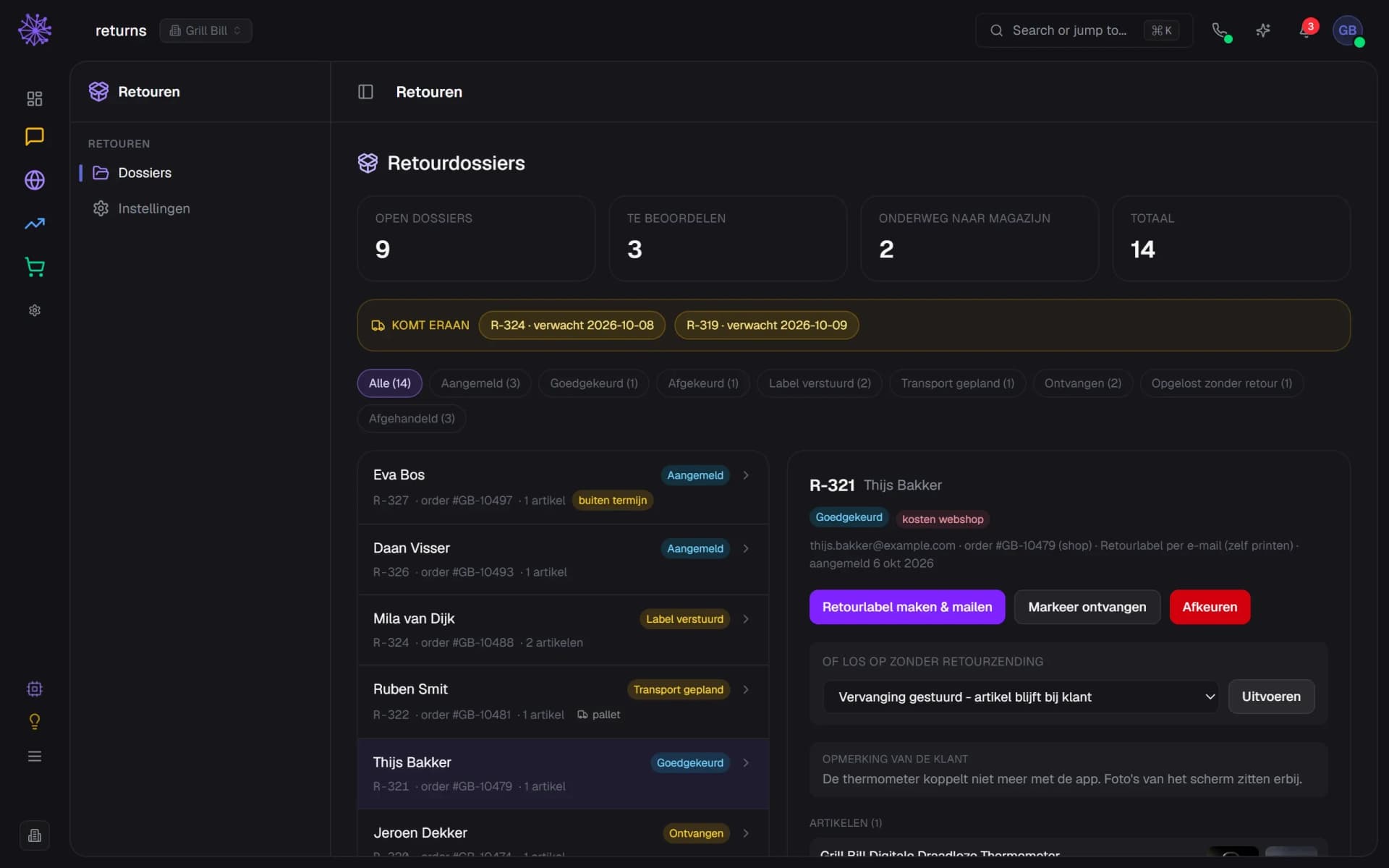
Returns cases for Grill Bill in the Neuramerce dashboard: a to-review counter, a list of statuses and an approved case with a button for the returns label
What's included

From return request to warranty case. In one module.

The customer registers it, no account needed

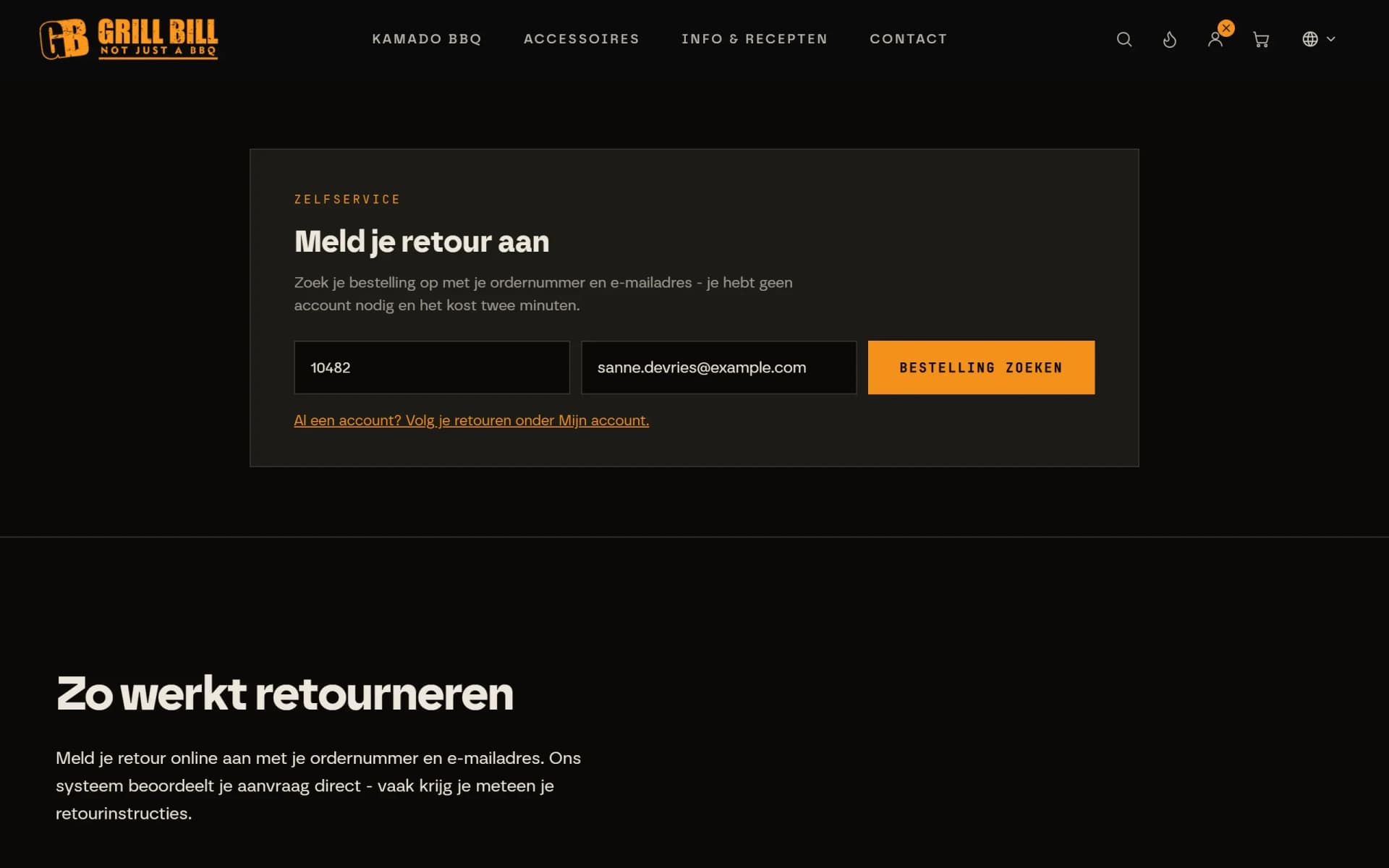
The customer looks up their order with an order number and email address, no account needed. Then they pick a reason per item and add photos where the reason asks for it. They see the costs up front. The returns portal is a block on your own site or a link from Neuramerce.
  1. Order number from the order
  2. Email address from the order, no account needed
  3. Then the customer picks items and reason
Returns page on grillbill.eu with the Report your return form: enter the order number and email address and look up the order

You set the reasons and costs

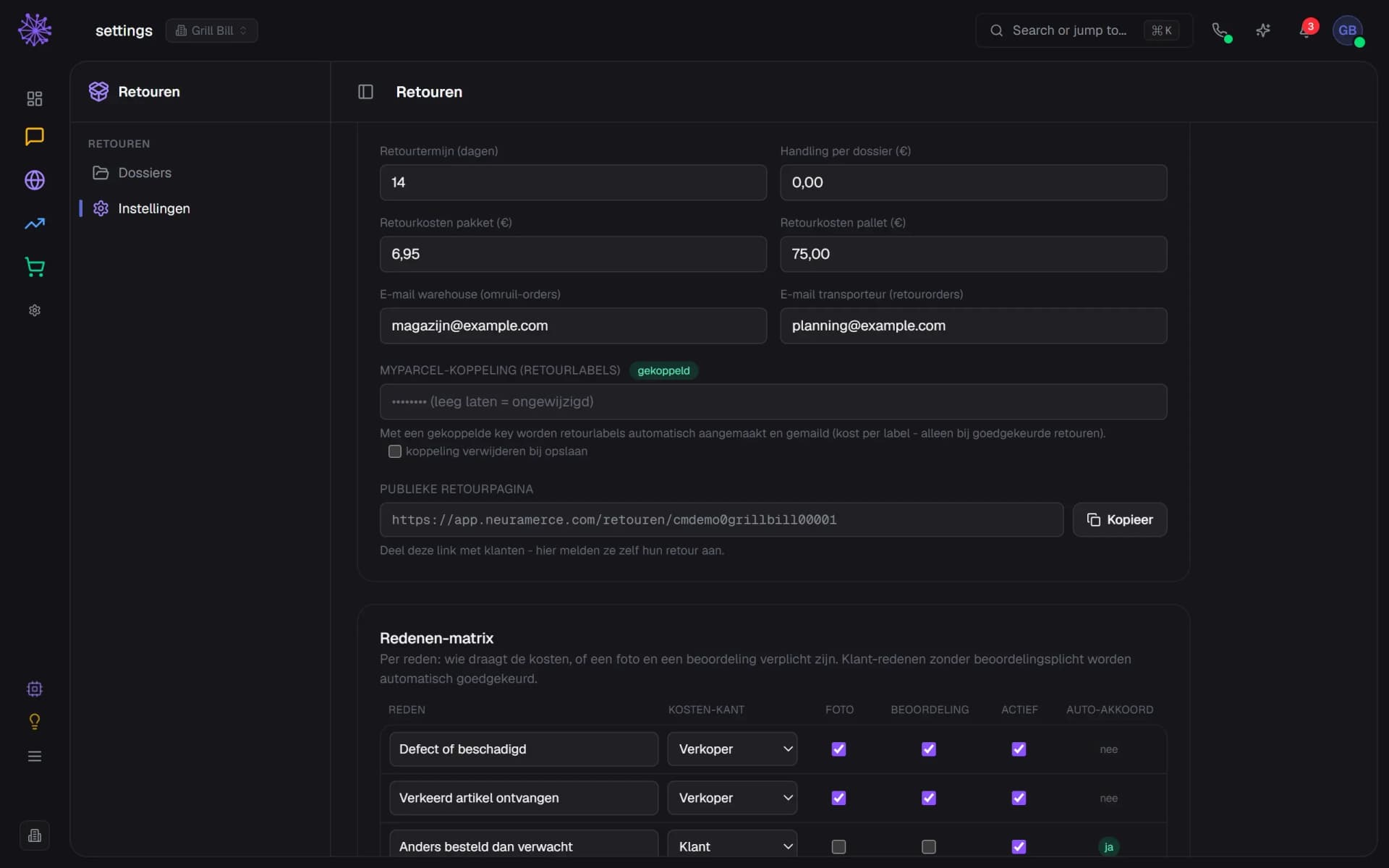
You set the returns window, the costs for parcels and pallets and, per reason, who pays. For each reason you also decide whether a photo is required and whether a team member reviews it. If a customer reports a return after the window, the request is not refused but reviewed by you.
  1. Returns window in days, set by you
  2. MyParcel connected for returns labels
  3. Per reason you decide who pays the costs
Returns settings with the returns window, costs, the MyParcel connection and the reasons matrix with cost bearer, photo and review per reason

Approved straight away or reviewed first

A customer reason inside the window with no review requirement is approved straight away. For a defect or wrong item, you look at the photos first. An approved case gets a MyParcel label that is emailed to the customer. With MyParcel connected that happens automatically on instant approval, otherwise with one click, and never twice for the same case.
  1. Outside the window? Then you review it
  2. Defect or wrong item: costs for the shop
  3. Create and email a MyParcel returns label
Returns cases with statuses and an approved case for Thijs Bakker with a defect, costs for the shop and a button for the returns label

The case sits in your inbox

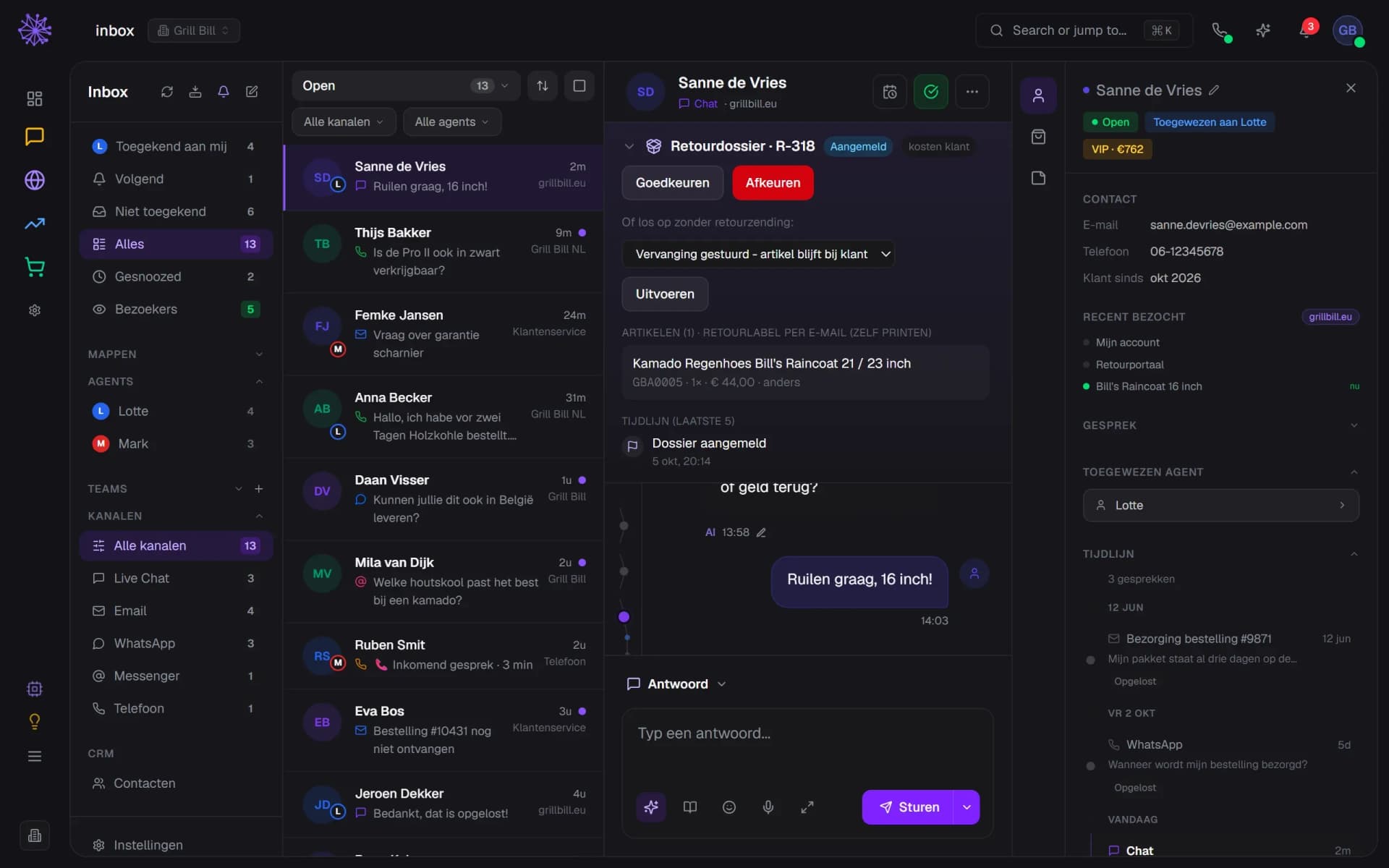
Every request opens a conversation in the inbox with the case on top. You approve or reject it, or record that you resolve it without a return shipment, for example with a replacement. The customer gets a confirmation email and their reply lands in the same conversation. You make the refund yourself.
  1. Returns case on top of the customer conversation
  2. Approve or reject without leaving the inbox
  3. Or resolve it without a return shipment
Inbox conversation with Sanne de Vries and, above it, the expanded returns case R-318 with buttons to approve or reject

A warranty case from the conversation

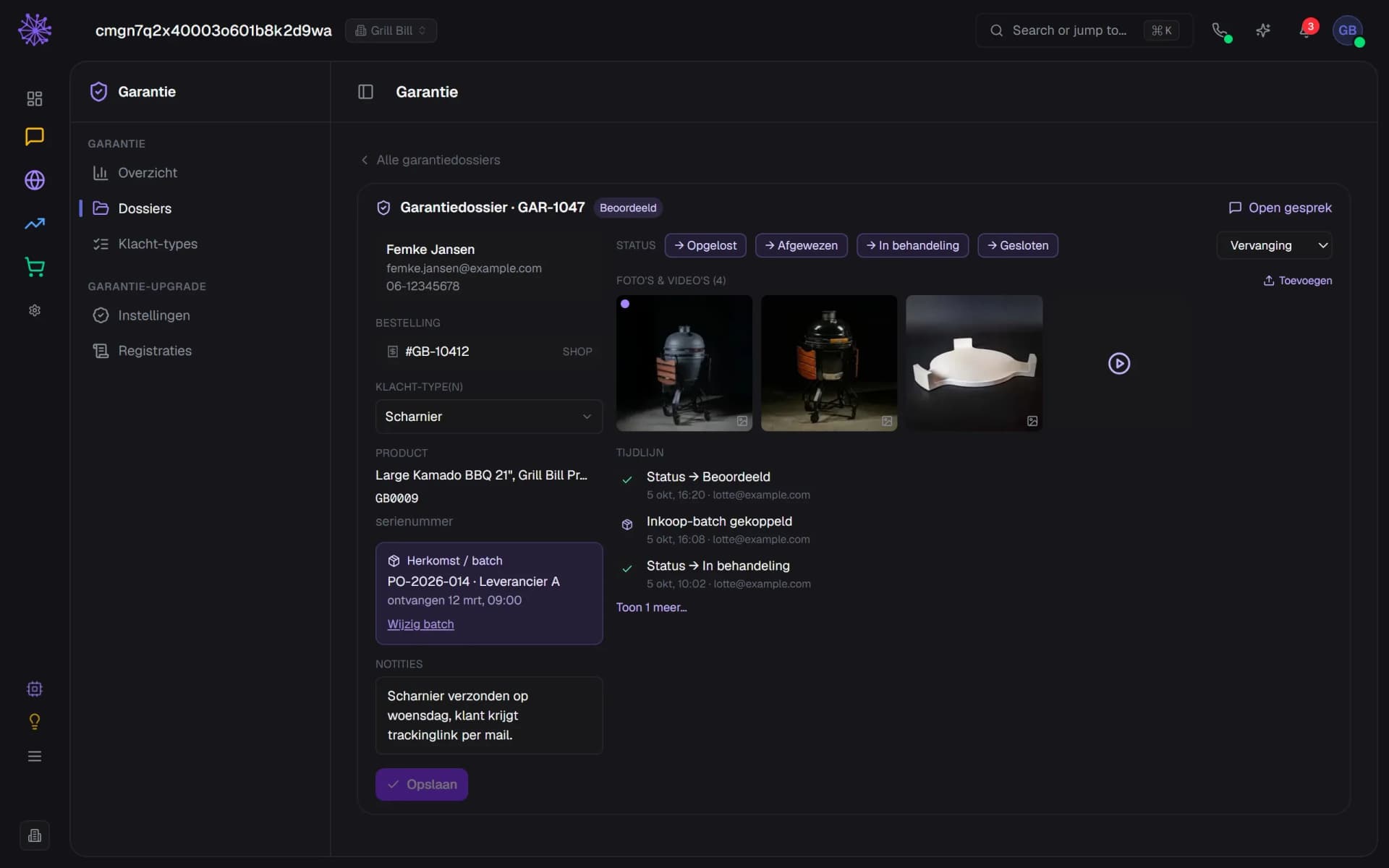
When a customer reports a crack or a faulty hinge, you create a warranty case from the conversation. You pick the order and the product, set the complaint type and see the photos and videos from the conversation. The status runs from new to closed, with the outcome alongside.
  1. Photos from the chat, each with a note
  2. Complaint type from your own list
  3. Link the case to a purchase batch
Warranty case GAR-1047 with customer details, complaint type hinge, linked batch, photos and a video, status buttons and timeline

See which batch causes the complaints

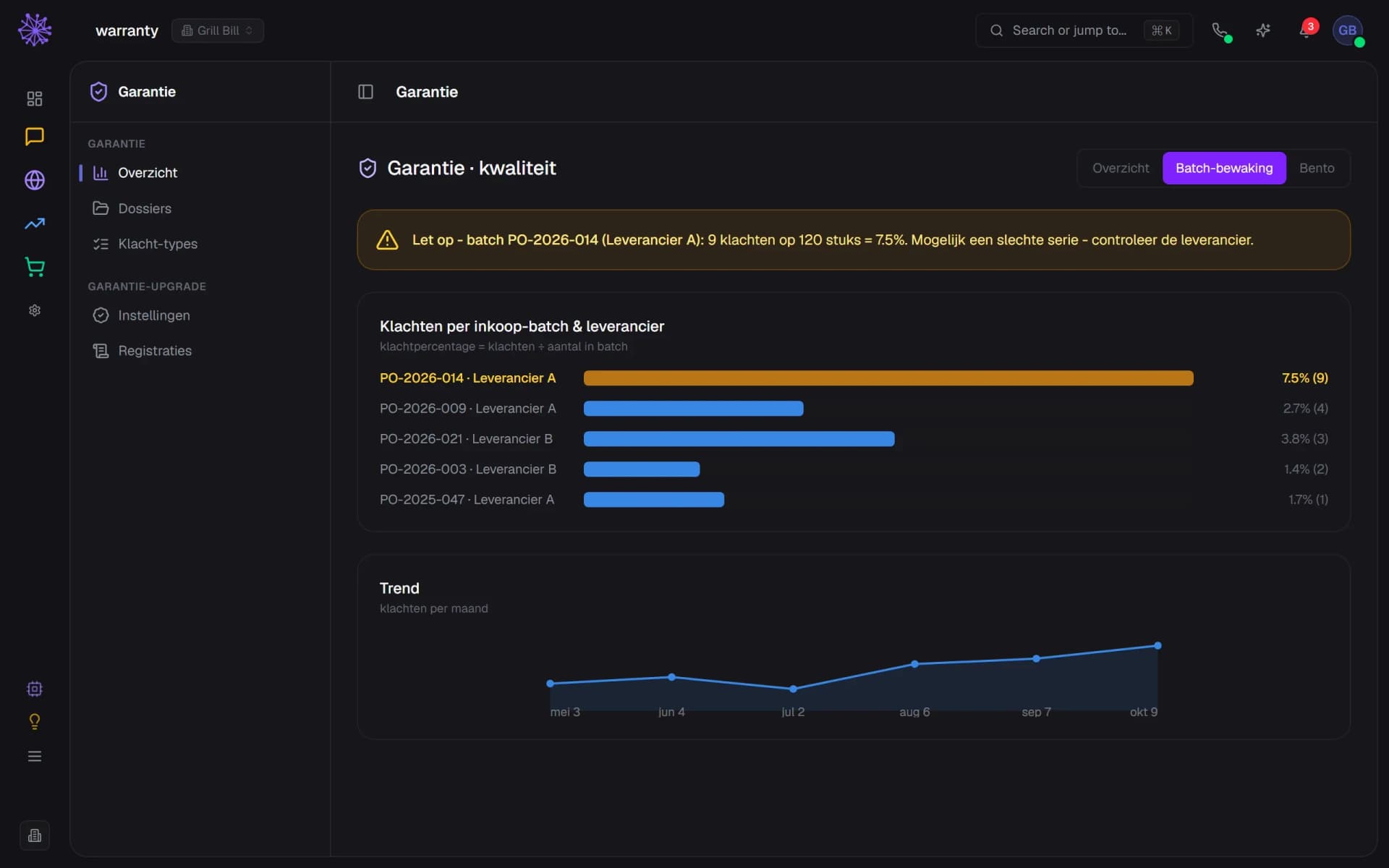
When you link a case to the purchase order the product came from, the dashboard works out the complaint rate per batch and supplier. If a batch goes above 5 percent, you get a warning at the top. You also see complaints per type and per model, and the trend of the last six months.
  1. Warning above 5 percent complaints
  2. Complaint rate per batch and supplier
  3. Complaints per month over six months
Warranty quality dashboard with batch monitoring: one batch with 7.5 percent complaints stands out, with the monthly trend below it
grillbill.eu/retourenWhat your customer sees
Returns page on grillbill.eu with the Report your return form: enter the order number and email address and look up the order
Returns settings with the returns window, costs, the MyParcel connection and the reasons matrix with cost bearer, photo and review per reason
Returns cases with statuses and an approved case for Thijs Bakker with a defect, costs for the shop and a button for the returns label
Inbox conversation with Sanne de Vries and, above it, the expanded returns case R-318 with buttons to approve or reject
Warranty case GAR-1047 with customer details, complaint type hinge, linked batch, photos and a video, status buttons and timeline
Warranty quality dashboard with batch monitoring: one batch with 7.5 percent complaints stands out, with the monthly trend below it
In practice

The returns portal already runs at Grill Bill.

The first image above is the returns page of grillbill.eu, the kamado webshop of Grill Bill. Customers look up their order there with an order number and email address, no account needed.

Grill Bill also extends the warranty on the ceramic from 10 to 20 years for anyone who completes the Academy, and that registration belongs to the same module. The Grill Bill Academy case shows how it works.

A return that knows the rest of your business.

A standalone returns plugin knows nothing about your inbox or your purchasing. This sits in the same platform, so a return or complaint is tied to everything else.
  • Inbox. Every request opens a conversation with the case on top, and a reply from the customer lands in the same conversation.
  • Webshop. The returns portal looks up the order in your own shop and shows the items the customer can choose from.
  • Inventory. You link a warranty case to the purchase order the product came from, so you can see which batch causes problems.
FAQ

Frequently asked questions about the returns portal.

A returns portal is the page where customers register a return themselves. With Neuramerce the customer looks up their order with an order number and email address, no account needed. You put the page on your own site as a block or share the standalone returns page from Neuramerce.
As a block on your own site it follows that site's branding. The standalone page from Neuramerce is a simple, neutral page with your shop name on top: handy to start with, but not customisable.
You create returns labels with MyParcel: you paste your own API key in the returns settings. MyParcel charges per label, so Neuramerce only creates a label for an approved case and never two for the same case. We do not support other carriers at the moment.
No. The case records the amount you withhold, but you make the refund itself outside the case. Rejecting a return does not send the customer an automatic message either: you tell them through the conversation in the inbox.
Not the request itself: a customer can still register after the window. The case then gets the label outside the window and comes to you for review, after which you approve or reject it.
Items from 30 kilos, based on the weight in the shipping profile, count as pallet freight and get no parcel label. From the case you email a returns order to your carrier or ask your warehouse for an exchange. You set those two email addresses. The 30 kilo limit is fixed.
No. You create a warranty case from a conversation in the inbox, whichever channel the customer used. A warranty page of its own for customers is not included.
Nothing extra: the module is included in every plan, like the other modules. Only a MyParcel label costs money, and MyParcel bills that itself. The pricing page shows what else each plan includes.

Want to see how your returns would look?

In 20 minutes we'll show you the returns portal and the cases with your own orders as the example.
See pricing