
Stock that adds up.
Everywhere.
One stock truth across your webshop, marketplaces and physical locations — with purchasing advice based on real demand forecasting.
Replaces standalone inventory tools and Excel purchasing lists, among others
What's included
Never sell out again. Or over-order.
Multi-warehouse
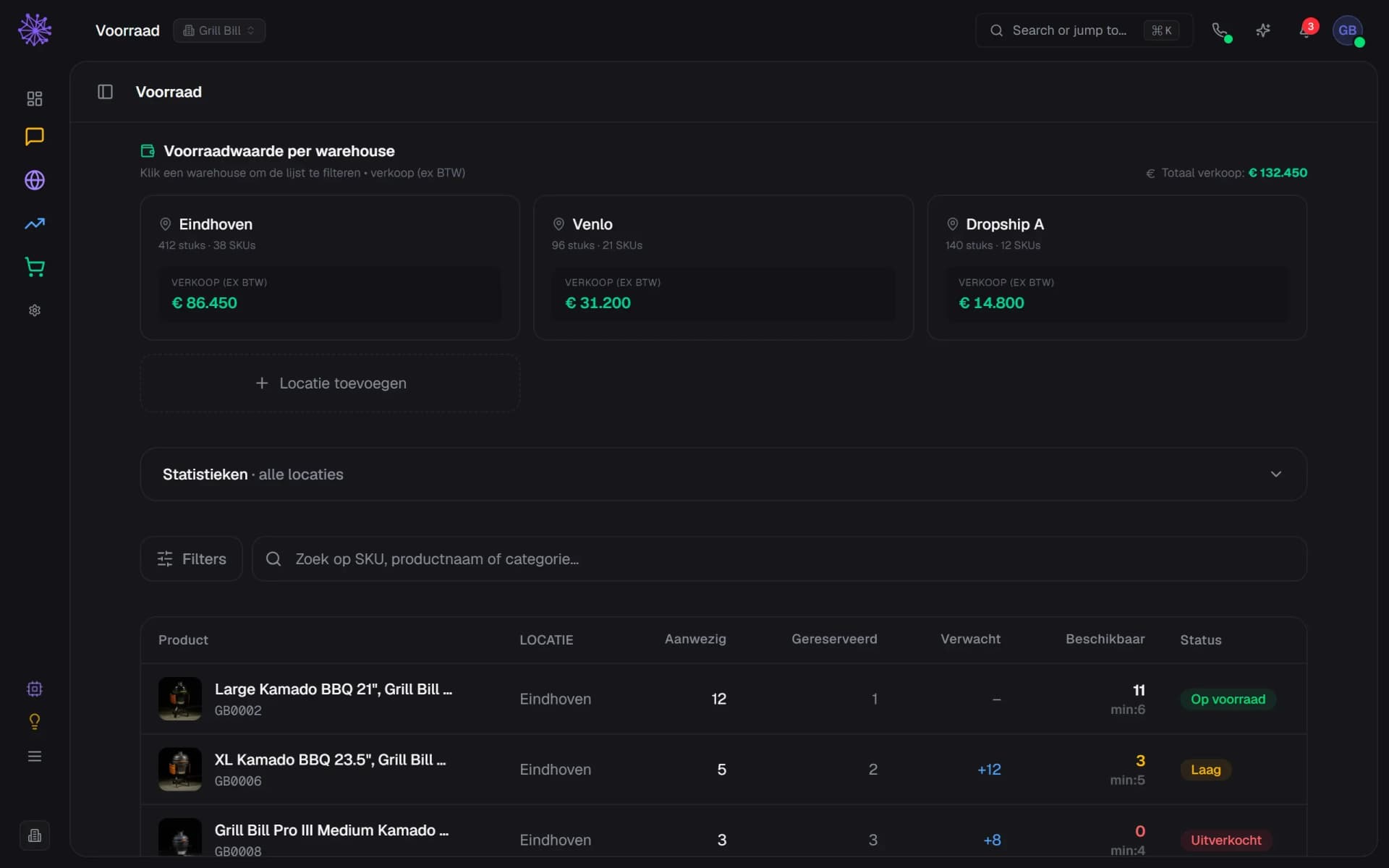
Multiple warehouses, stores and dropship partners — one up-to-date total picture.
- Every location with its own units and SKUs
- A dropship partner is a location too
- Add a new warehouse, store or location
All channels in sync
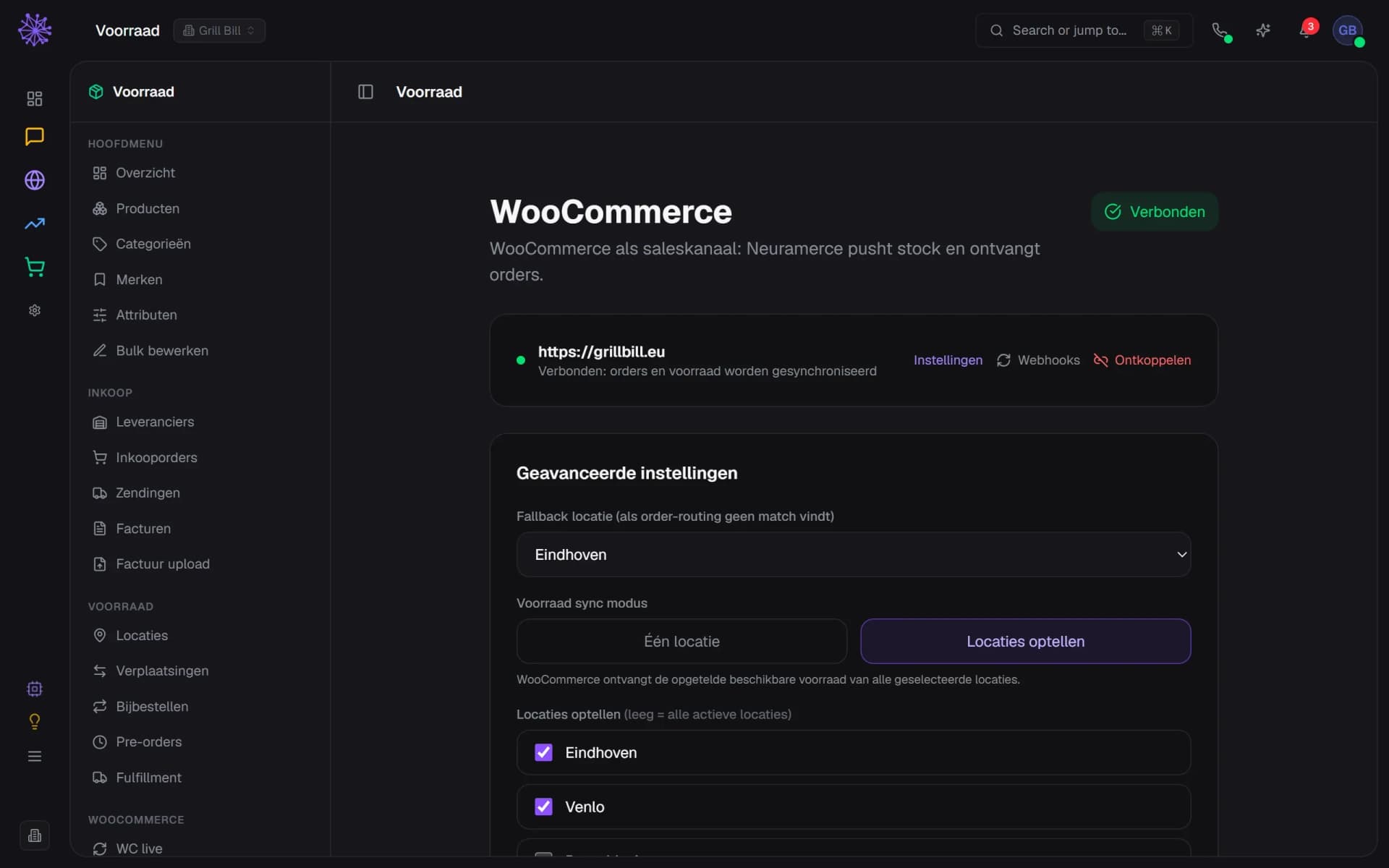
Webshop, bol.com and Amazon share the same stock. Sold is sold everywhere, instantly.
- Web shop connected, orders and stock sync
- Add up locations into one stock total
- Choose which locations count for the shop
Purchasing advice
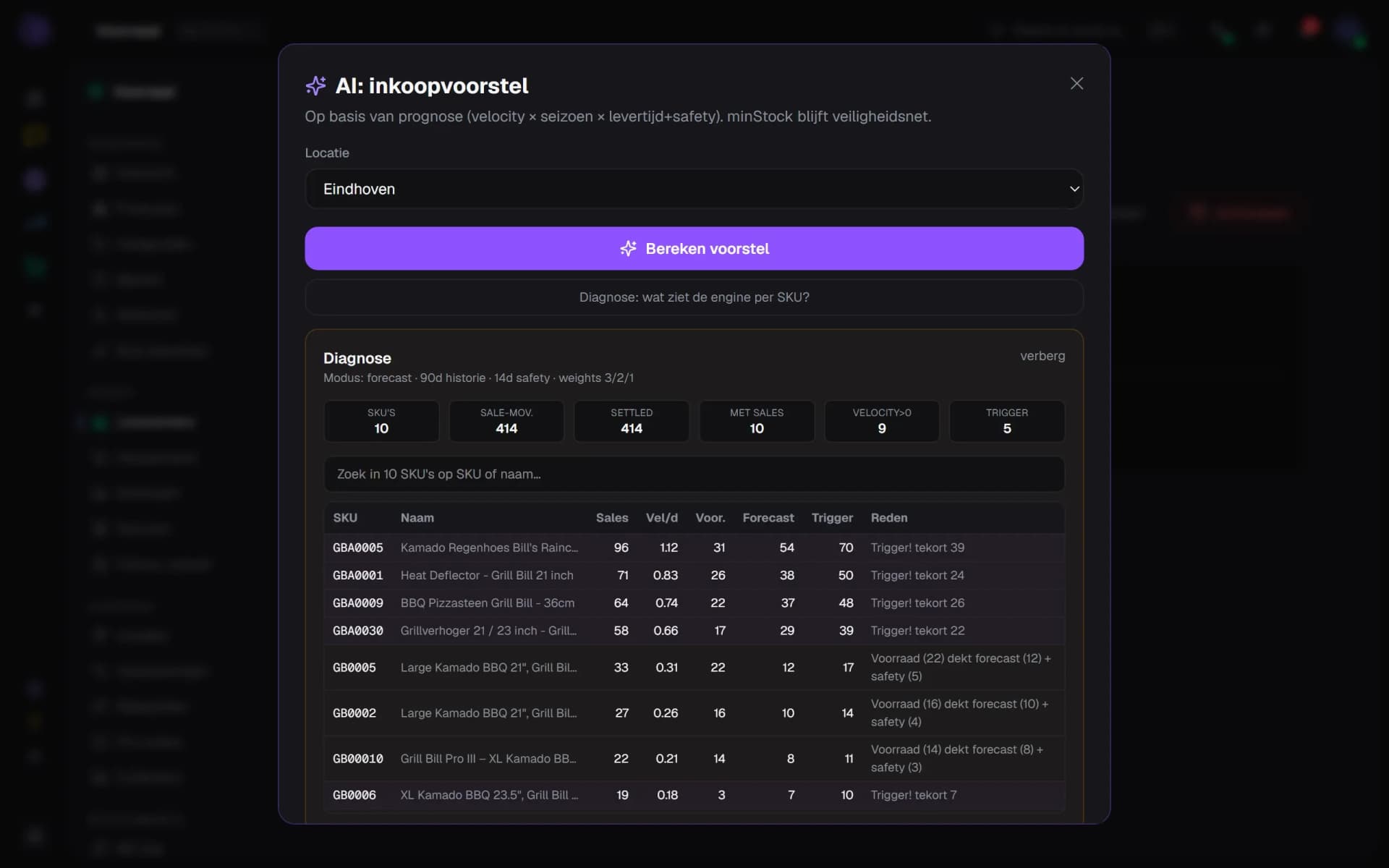
Reorder proposals based on lead time, season and expected demand — not on gut feeling.
- Velocity, season and lead time drive the proposal
- Expected demand until the delivery arrives
- Shortfall per SKU as the reason to order
Batches & expiry dates
Batch registration and shelf life for food and cosmetics, with first-expired-first-out.
- Stock per location and per SKU
- Reserved and expected shown separately
- Available with the minimum per line
Live stock value
What's on the shelf in euros, per location and category — for you and your bookkeeper.
- Sales value ex VAT per location
- Total sales value across all locations
- Click a location to filter the list
Automatic alerts
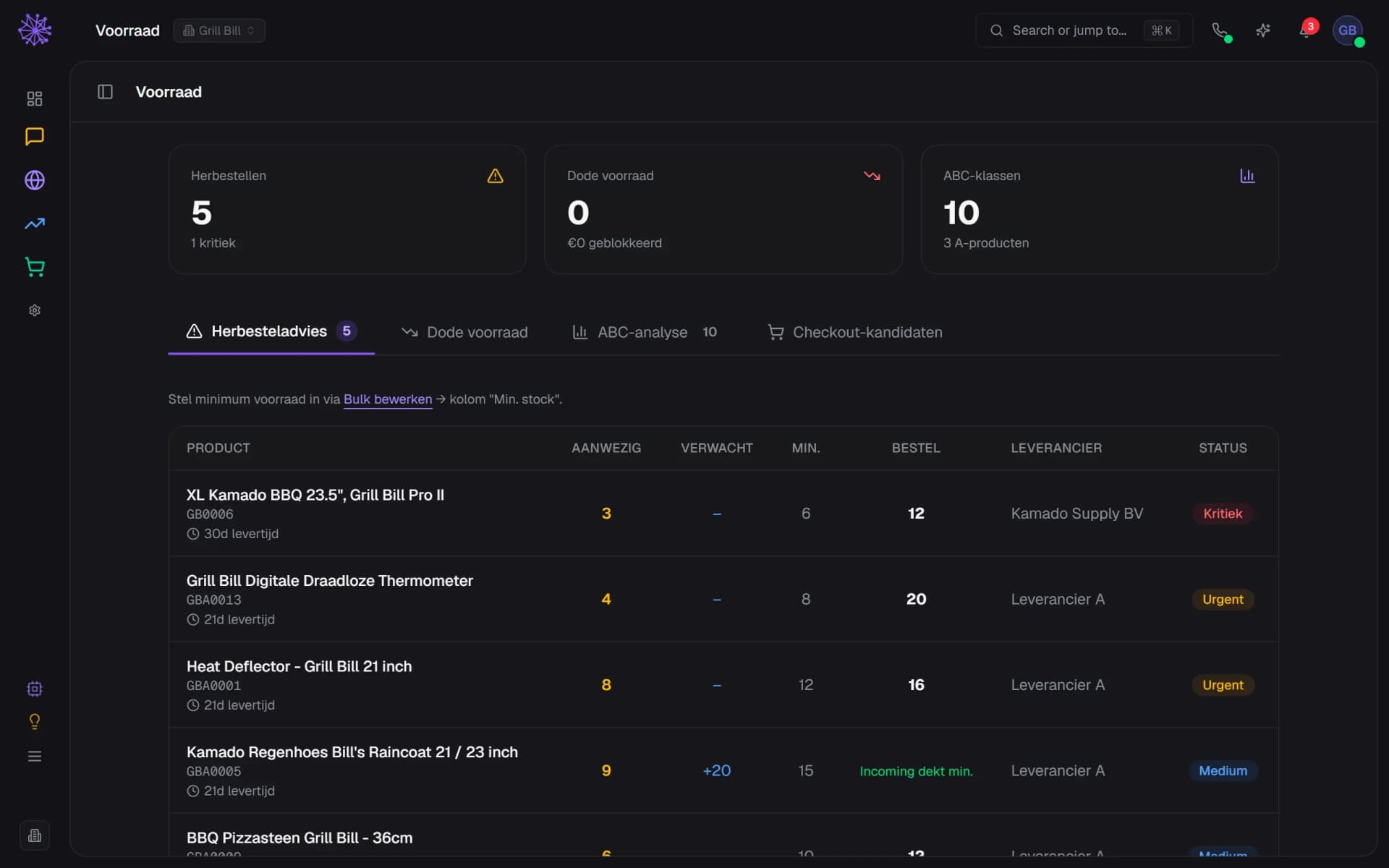
Below minimum, non-moving stock, counts that don't match — you'll hear about it automatically.
- Products below minimum, with critical count
- Urgency per product: Critical, Urgent, Medium
- Suggested order quantity per product
Stock steers the rest.
In standalone tools, stock is an administration. Here it steers your ads, your site and your customer communication.
- Advertising — campaigns pause automatically when stock is nearly gone — no money spent on sold-out products.
- Inbox — "when is it back?" answers itself with the expected delivery date.
- Sales forecasting — demand forecasting becomes purchasing advice — the circle is complete.
Want to see how it works with your shop?
In 20 minutes we'll show you the module with your own shop as the example.
More in Commerce & alongside