
Every order in one list.
Right through to tracking.
An order management system that is already part of your webshop. Orders from your webshop, WooCommerce, Shopify and POS come together in one list, with your own statuses, warehouse and tracking number. What gets stuck, you see straight away.
Included in every plan · replaces, among other things, a WooCommerce plugin for custom order statuses
What's included
Order management without separate tools. In one system.
Every channel, one list
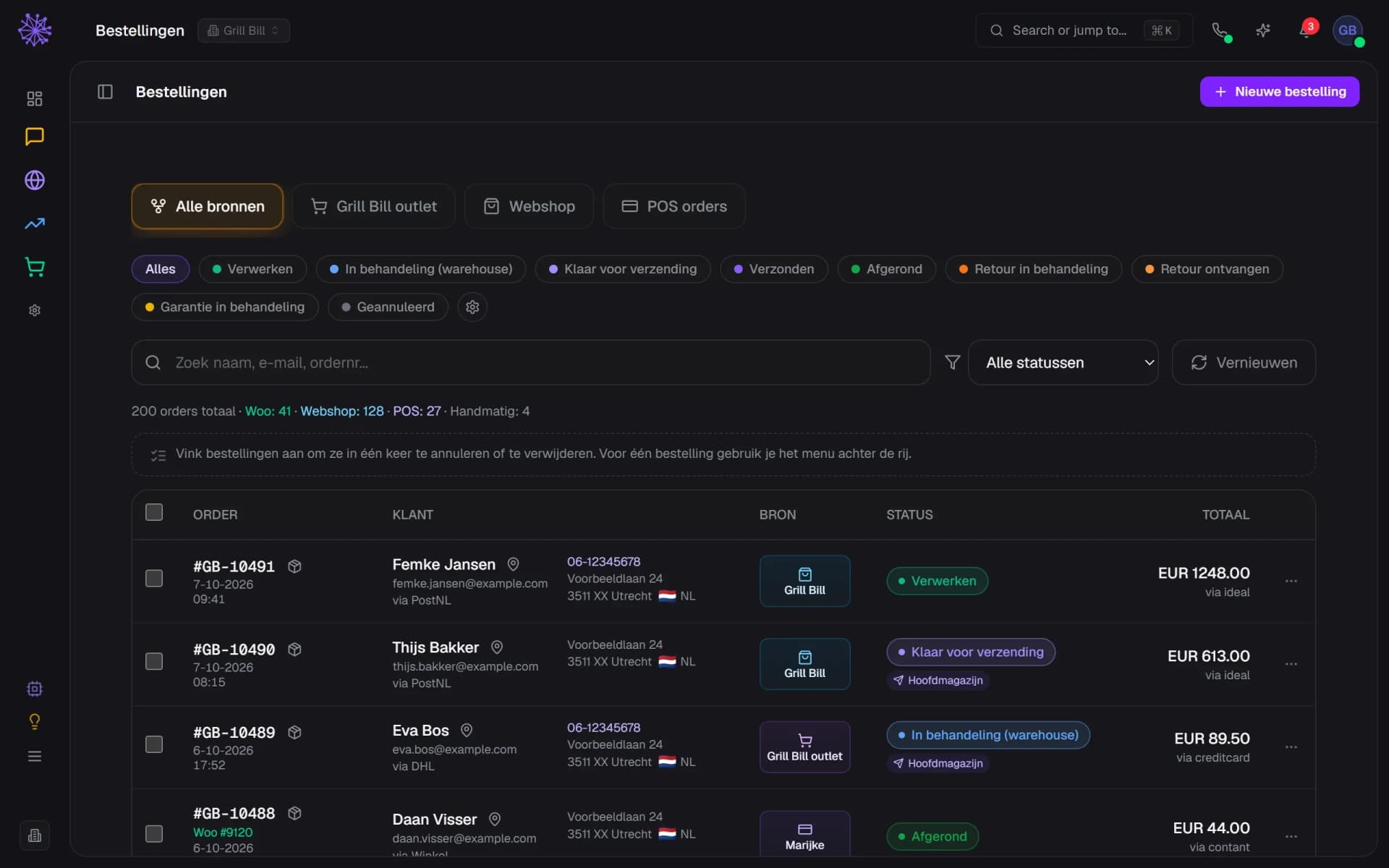
Orders from your own webshop, WooCommerce, Shopify, the POS and manual orders sit in the same list. Each source and each WooCommerce shop has its own tab. You search by name, email, phone, postcode, product or order number, and open the products of any order with the stock per warehouse.
- One tab per source and per WooCommerce shop
- Products with stock per warehouse, in one click
- Manual orders with payment link or invoice
Statuses that fit how you work
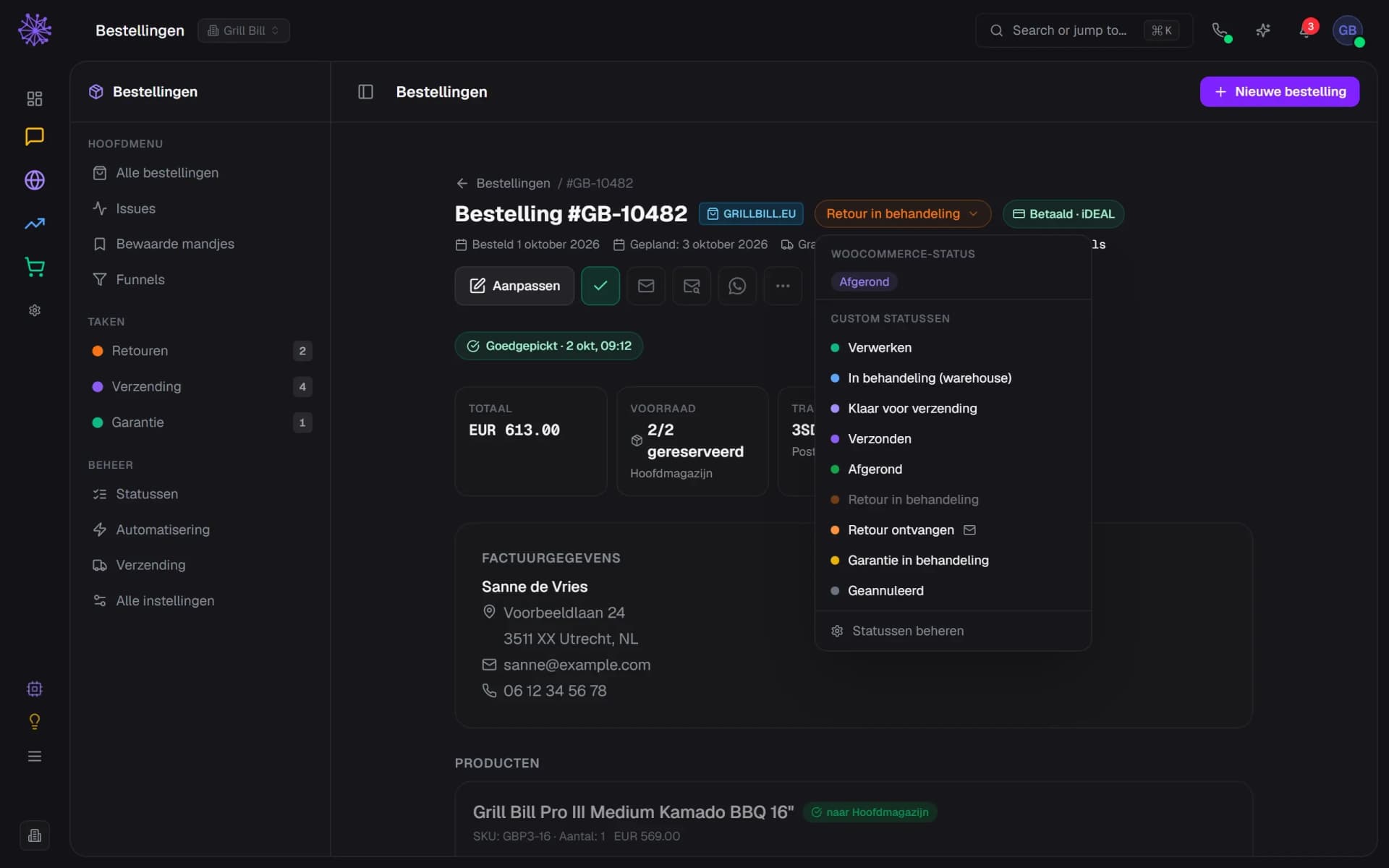
Besides the default statuses you create your own, with a colour and an order. A status can ask for a date, such as an expected delivery date, or open an email draft for the customer that you check and send yourself. The WooCommerce status stays visible next to yours, and changes sync with your connected WooCommerce shops.
- Order status, in your own colour
- The WooCommerce status stays visible next to yours
- A status that opens an email draft
To the warehouse, with tracking
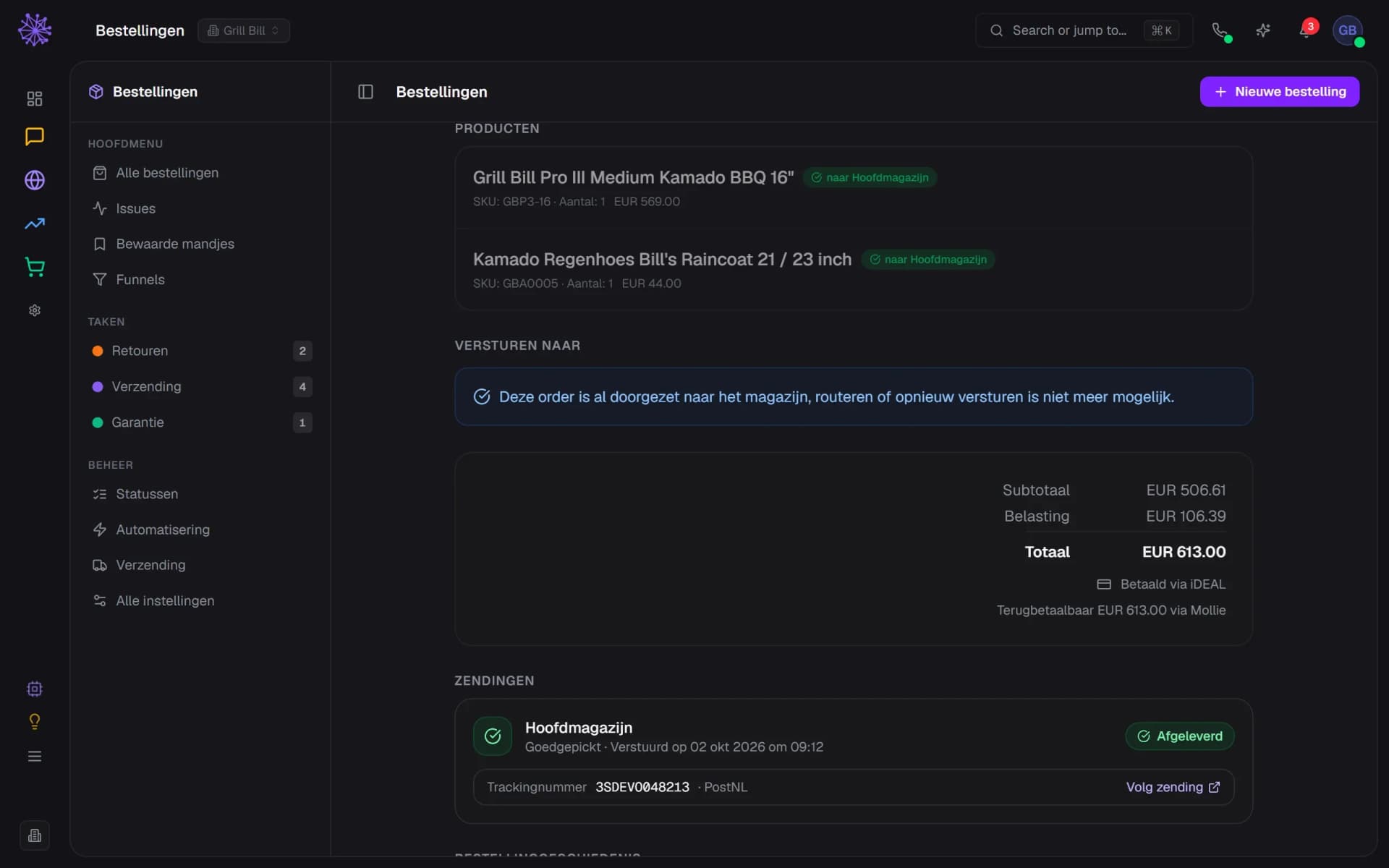
You send an order to Goedgepickt or Warehouse Online, line by line to the warehouse that has the product. Neuramerce suggests the warehouse with the most stock, or the nearest one if you set it up that way. Once an order has been passed on, you cannot send it twice. When the warehouse reports the shipment, the carrier and tracking number appear on the order and the customer gets a shipping email.
- Per line you see the warehouse
- Once passed on, it cannot be sent twice
- Tracking number and link on the order
You see what gets stuck straight away
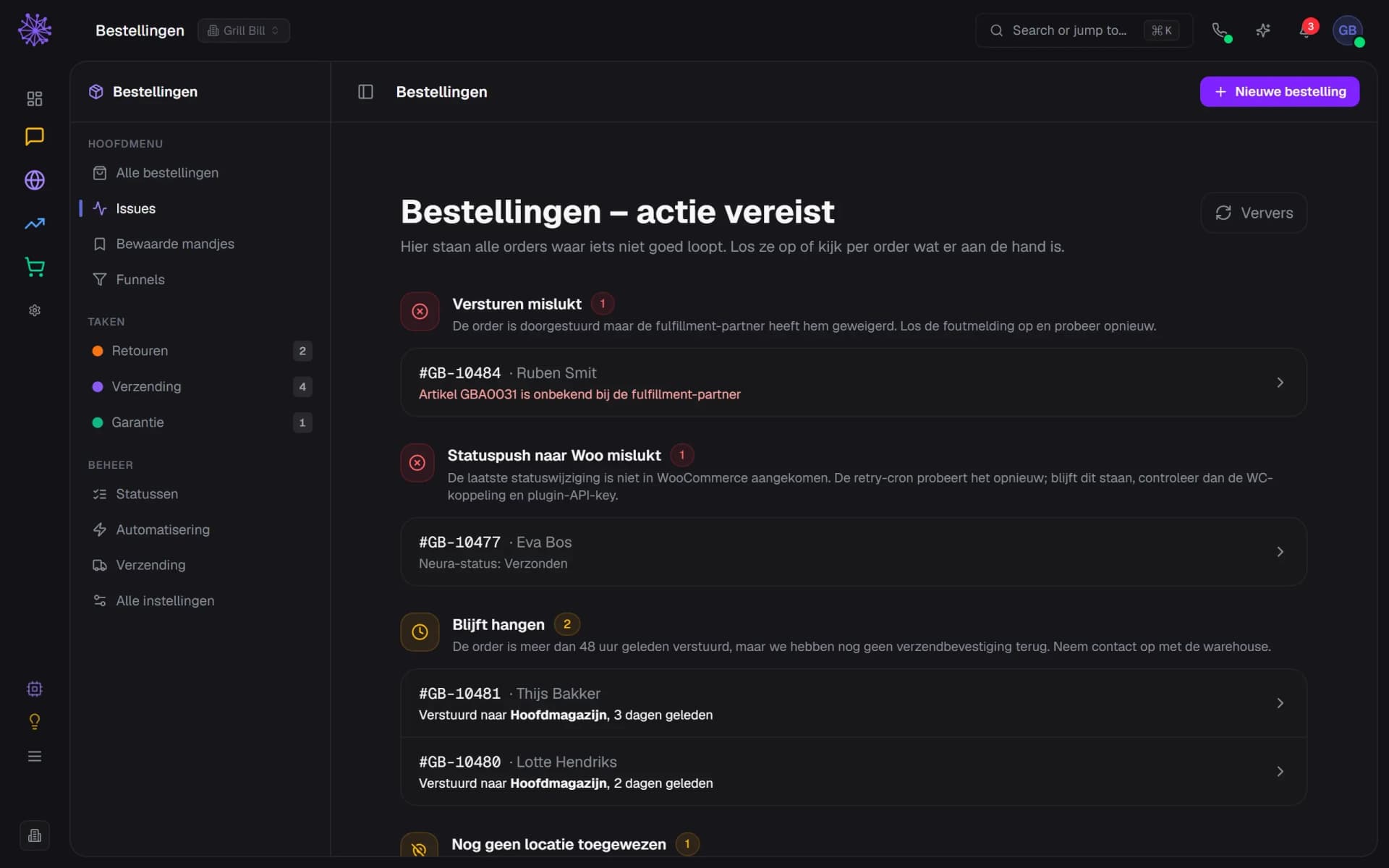
The Issues page lists the orders where something goes wrong: a warehouse that rejected the order, a status change that did not reach WooCommerce, an order without a shipping confirmation after 48 hours, or an order without a warehouse after an hour. Every line opens the order.
- The warehouse error message, on the order
- A status change that did not reach WooCommerce
- No shipping confirmation after 48 hours: shown here
Bringing saved baskets back
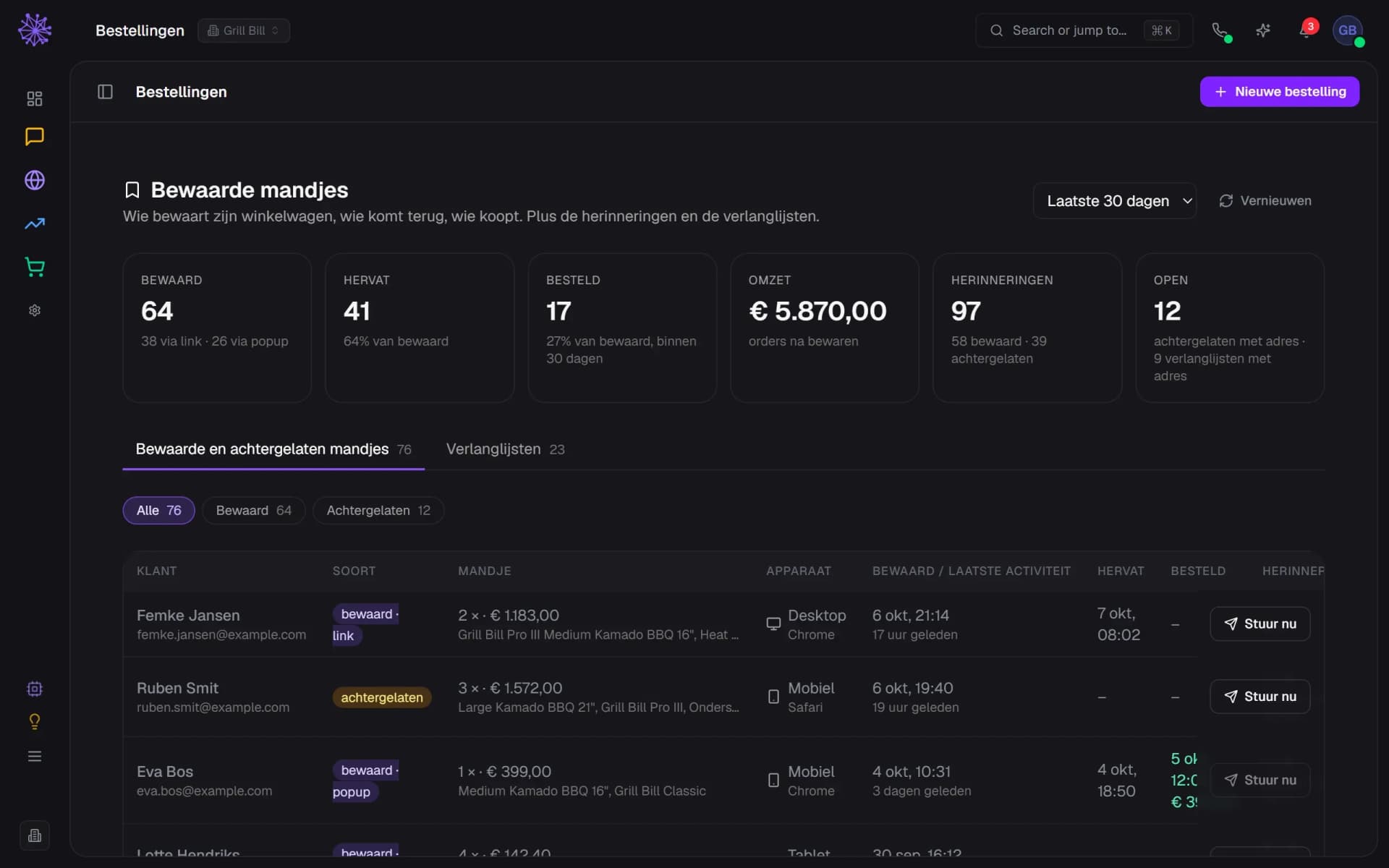
Visitors who save their basket get reminders on day 3, 10 and 25. An abandoned basket with a known email address gets them after 1 hour, 24 hours and 72 hours. If the customer orders or unsubscribes, the series stops. You see what was in the basket and whether the customer came back, and you can send a reminder yourself, right away.
- How many saved baskets led to an order
- Saved or abandoned, per basket
- Send a reminder yourself, now
See where visitors drop off
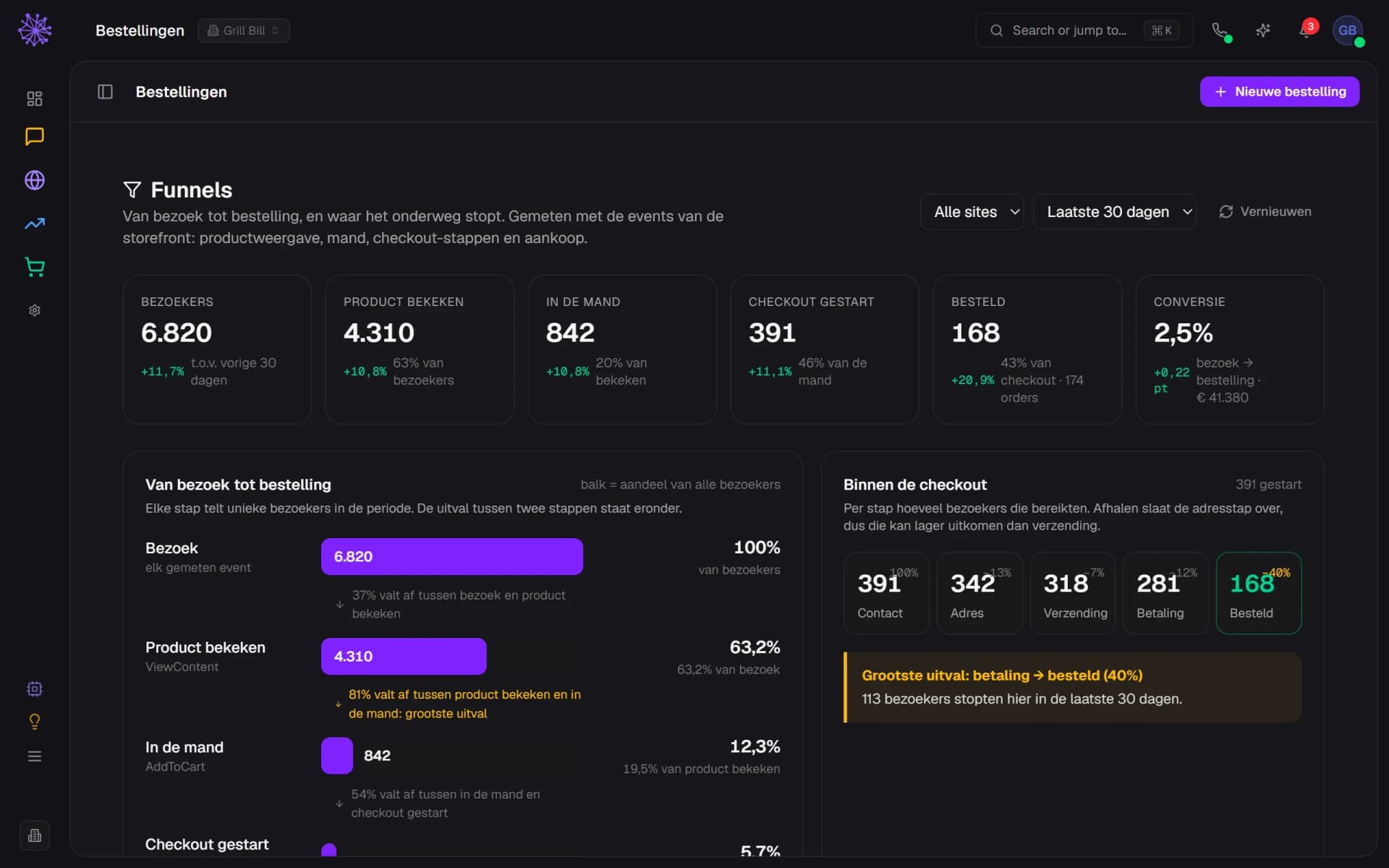
The funnel counts unique visitors from visit to order: product viewed, in the basket, checkout started. Inside the checkout you see where they stop: contact, address, shipping or payment. You get the same figures per source and per device, with the previous period next to them. Only visitors who consent to statistics are measured.
- The biggest drop between two steps, highlighted
- Where in the checkout visitors stop
- Conversion next to the previous period
An order list that knows the rest of your business.
A standalone order list knows nothing about your stock, your inbox or your ads. This one sits in the same platform, so every order moves the rest along.
- Inventory. An order reserves stock in the warehouse it is sent to. Cancel it and the stock goes back.
- Inbox. When a customer asks where their parcel is, the order sits right next to the conversation. The other way round, you open the conversation with the customer from the order.
- CRM. The customer behind the order is in your CRM, with their earlier orders and customer value alongside.
- Advertising. On an order you see the customer journey: which ad, search or newsletter brought the customer in.
FAQ
Frequently asked questions about orders.
An order management system (OMS) collects orders from all your sales channels, keeps track of their status and passes them on to stock and the warehouse. At Neuramerce that is the Orders module: order processing software that is already part of your webshop, on the same stock, customers and inbox as the rest of the platform.
Your own Neuramerce webshop, WooCommerce (each shop gets its own tab), Shopify, the POS and manually created orders. The module has no dedicated connection to bol.com or Amazon.
With Goedgepickt and Warehouse Online. You send an order on line by line, and shipments and tracking numbers come back into the order. The module has no other fulfilment partners.
No. The warehouse or your carrier creates the shipping label, and Neuramerce receives the shipment and the tracking number. Returns labels you do create in Neuramerce, with MyParcel.
Yes. Under Credit you choose per order line what you refund, with shipping added if you like and, on request, back into stock. The refund runs through Mollie or Pay.nl. Cancelling puts the stock back and withdraws the warehouse order and the customer gets a cancellation email, but it does not refund automatically.
Yes. You choose products, link a customer from your CRM and have VAT and shipping calculated. Then you email a payment link, mark the order as paid or invoice a business customer on account. Prefer a quote? The customer can sign it online.
Yes, with Snooze. You pick a time up to 90 days ahead and a reason, and you can let the customer know by email.
Orders is included in every plan, like the other modules. The pricing page shows what else each plan includes.
Want to see how your orders would run in it?
In 20 minutes we'll show you the orders with your own shop as the example, from arrival to tracking.