
Modules/Reach

Personal recommendations.
With a control group.

Product rows on your homepage and product page adapt to what a visitor looked at or bought. A share of your visitors deliberately sees the standard rows, so you can measure for yourself whether it sells more.
See pricing

No third-party script · runs in Neuramerce’s own code and database

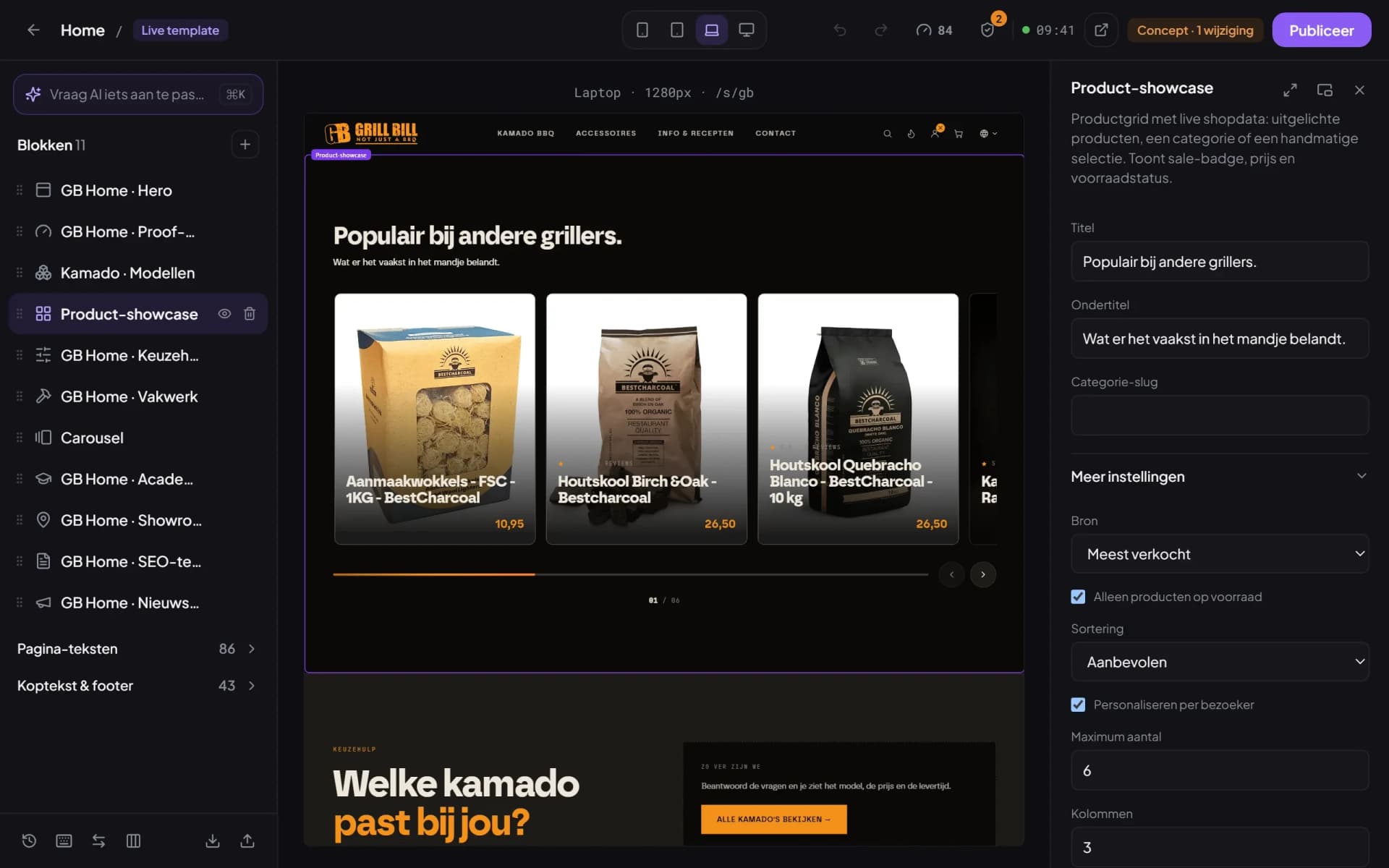
Website Builder with the Product showcase block selected and the Personalise per visitor tick on.
What’s included

Recommendations you can measure.

On or off, per site

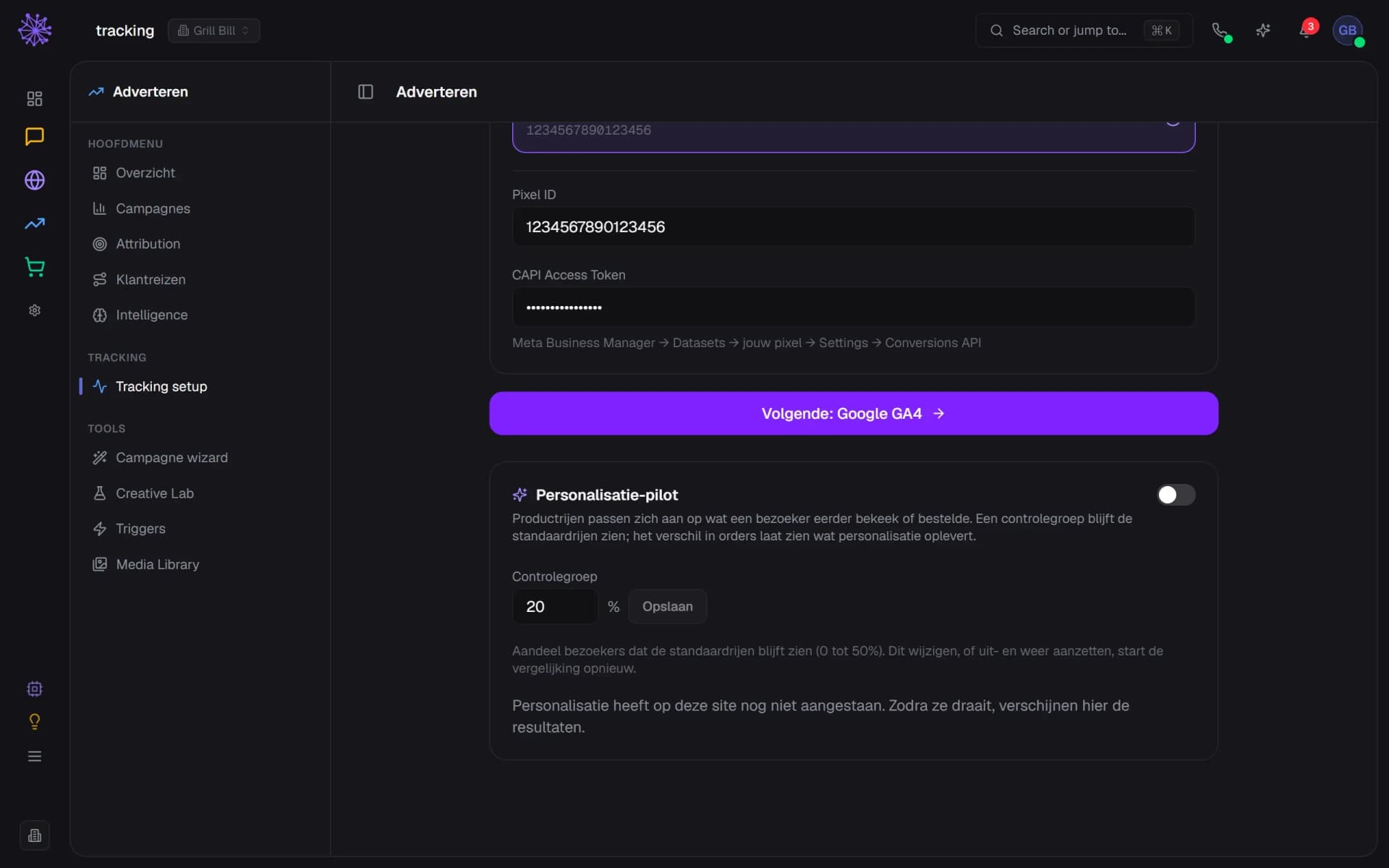
Personalisation is off by default and you switch it on per site, under Advertising in Tracking setup. Measuring only starts when you switch it on. An external shop without a Neuramerce webshop does not get this card.
  1. On or off, per site
  2. Control group, 20 percent by default
  3. Changing it or switching off restarts the measurement
The Personalisation pilot card in Tracking setup, switched off, with the Control group field at 20 percent.

Choose which rows take part

In the Website Builder you switch on “Personalise per visitor” for a product row. A row you put together yourself stays as it is until you choose otherwise. For the “Customers also bought” row on the product page it is on by default.
  1. Switch personalising on per row
  2. This row on the homepage takes part
  3. In stock only still applies after swapping
Website Builder with the Product showcase block selected and the Personalise per visitor tick on.

Homepage: the corner someone looked at

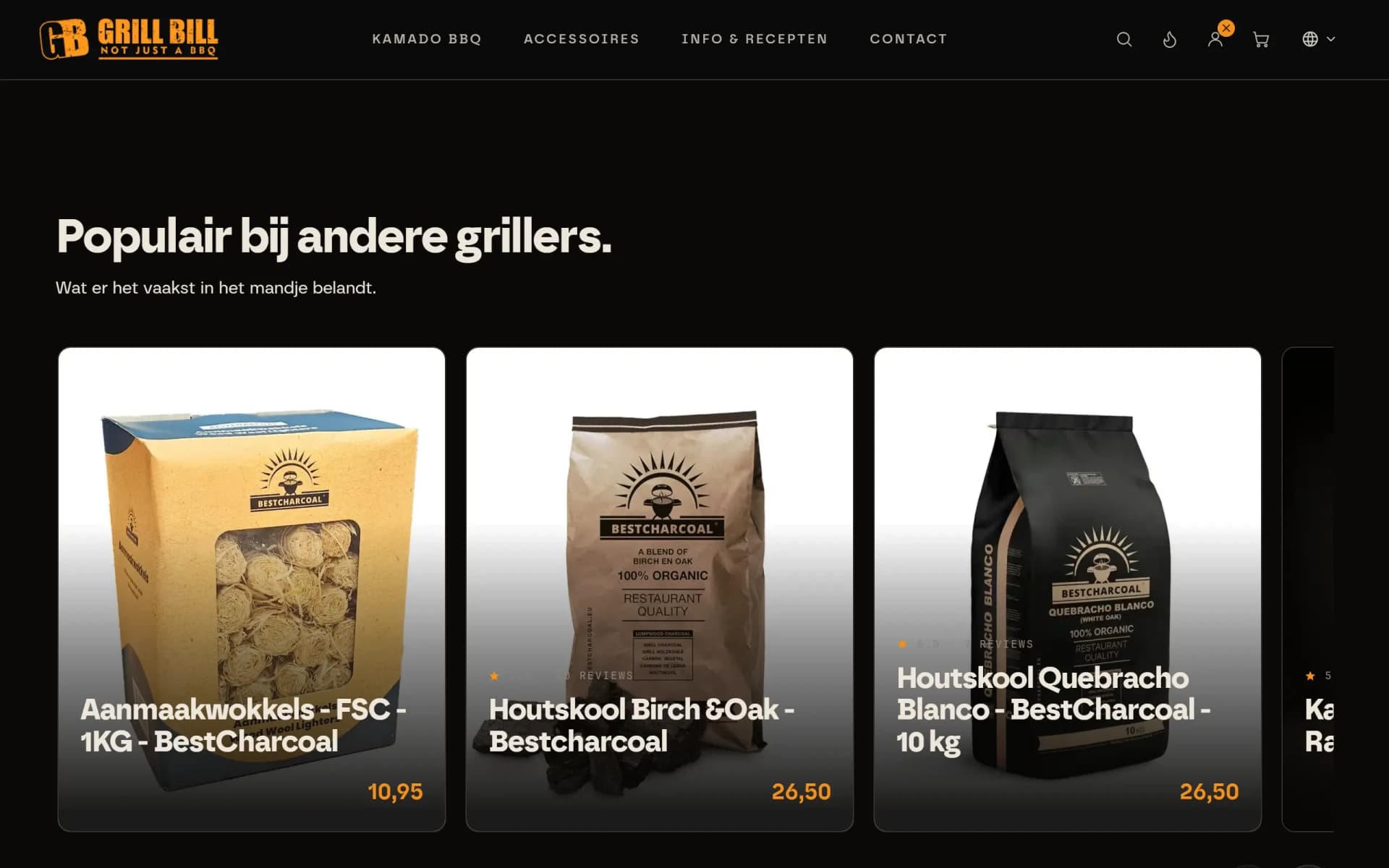
Someone who looked at charcoal sees charcoal sooner on the homepage. The row mixes bestsellers with the bestsellers from that corner. The interest profile stays in the visitor’s browser, and only with consent for statistics. If someone is logged in with a confirmed email address, earlier purchases count too.
  1. Bestsellers from the corner someone looked at
  2. Cards swap on what someone viewed before
  3. Without consent the standard row stays
Homepage of grillbill.eu with the row Popular with other grillers: cards with firelighters and charcoal.

Product page: often bought together

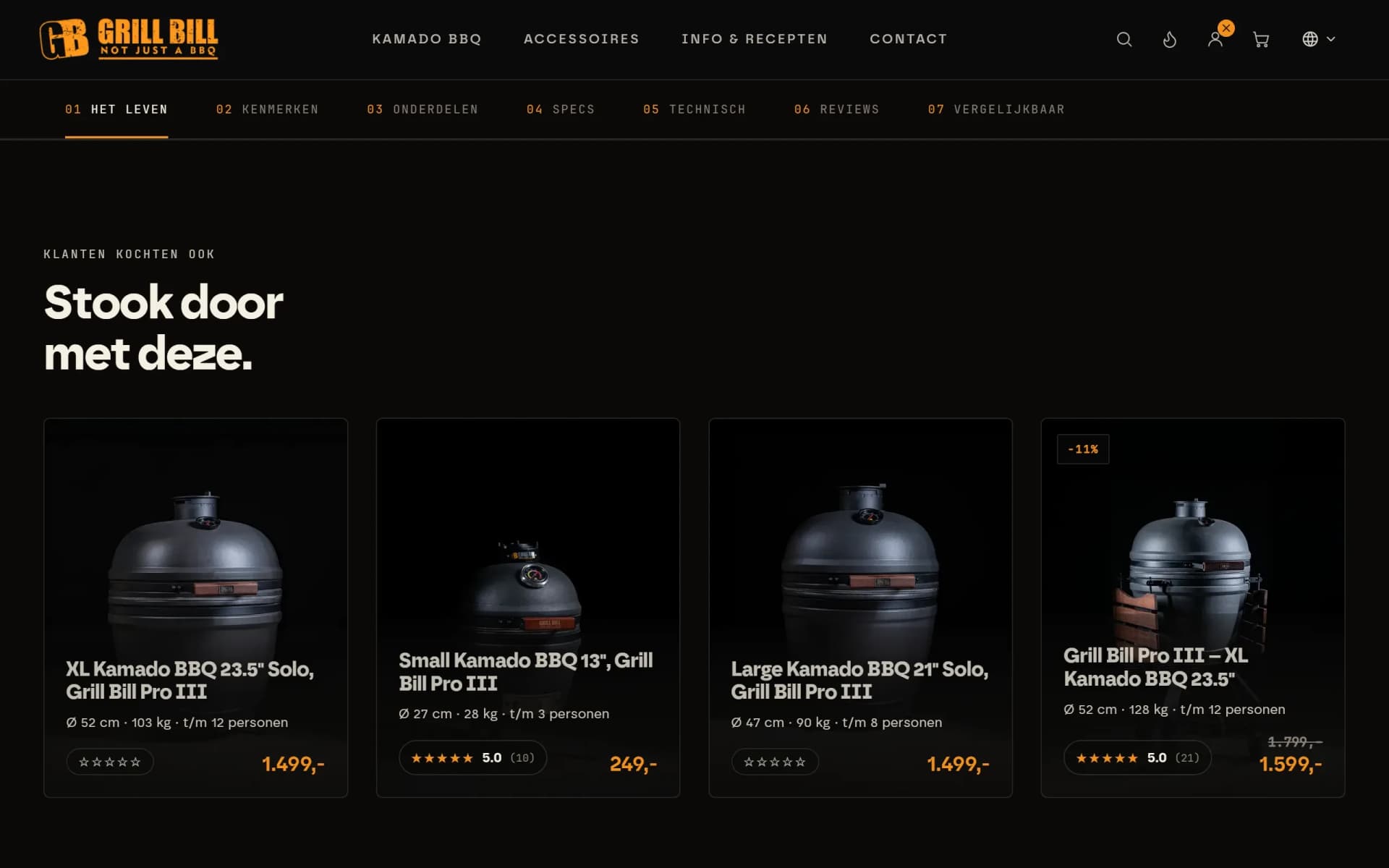
On a product page the row “Customers also bought” shows the products that your own orders often include together with this product. If there are still too few orders, the page keeps its own row. A gift card never takes part.
  1. Row on the product page
  2. Often bought together with this product
  3. Price and stars come from your catalogue
Product page of the Grill Bill Pro III with the row Keep the fire going: four kamado cards with price and stars.

A control group as the yardstick

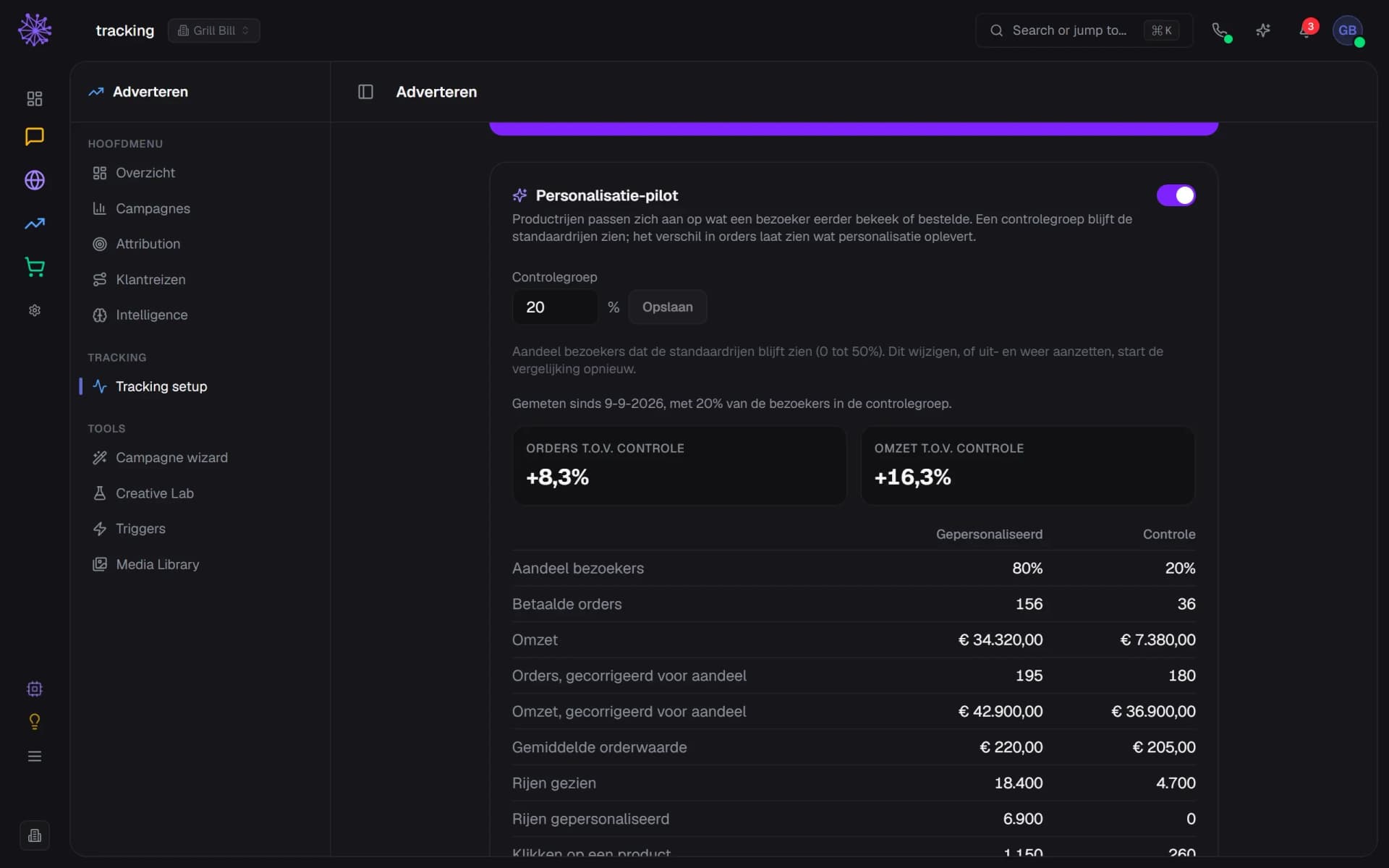
By default 20 percent of visitors deliberately see the standard rows. The dashboard sets their paid orders and revenue next to those of everyone else, corrected for each group’s share. All paid orders count, including those from visitors who never saw a personal row. The figures in this example are made up.
  1. Measuring starts when you switch it on
  2. Orders compared with the control group
  3. Corrected for each group’s share of visitors
Results of the Personalisation pilot: orders and revenue against control, and a table per group (made-up figures).

No conclusion on too few orders

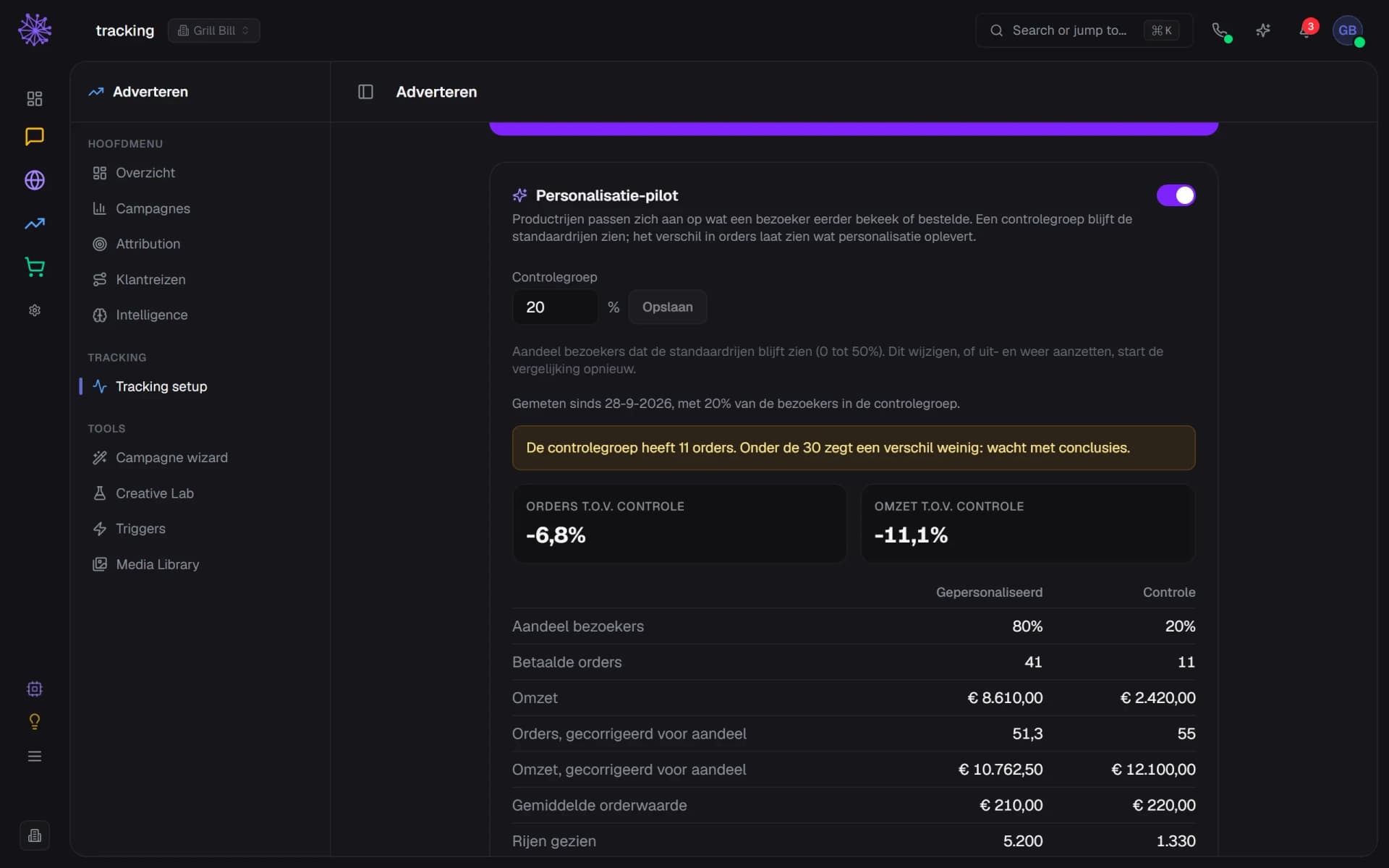
If the control group has fewer than 30 orders, the dashboard warns that a difference says little. With a 20 percent control group that is roughly 150 orders in total. If you change the control group, or switch personalisation off and on again, the measurement starts over.
  1. Under 30 control orders: hold off on conclusions
  2. This difference says little for now
  3. Paid orders in the control group
Personalisation pilot with a warning: the control group has 11 orders, and below 30 a difference says little (made-up figures).
app.neuramerce.com/modules/ads/trackingYour dashboard
The Personalisation pilot card in Tracking setup, switched off, with the Control group field at 20 percent.
Website Builder with the Product showcase block selected and the Personalise per visitor tick on.
Homepage of grillbill.eu with the row Popular with other grillers: cards with firelighters and charcoal.
Product page of the Grill Bill Pro III with the row Keep the fire going: four kamado cards with price and stars.
Results of the Personalisation pilot: orders and revenue against control, and a table per group (made-up figures).
Personalisation pilot with a warning: the control group has 11 orders, and below 30 a difference says little (made-up figures).
In practice

How Grill Bill tests it themselves.

Since 23 September 2026, personalisation has been running on grillbill.eu, on the homepage and on the product pages. A fifth of visitors deliberately sees the standard rows. The figures in the screens above are made up, the real outcome is not shown there.

The trial runs for four weeks, until around 21 October 2026. As long as the control group has fewer than 30 orders, we draw no conclusion. The outcome will appear in the Grill Bill case, even if it disappoints.

Personalisation that already knows your shop.

Recommendations come from data that is already in Neuramerce: your orders, your catalogue and your cookie notice. You do not have to connect anything.
  • Webshop. What is often bought together comes from your own shop’s orders, with no export or integration.
  • Website Builder. The rows are ordinary blocks. You choose per row whether they take part.
  • Inventory. If a row is set to “in stock only”, it stays that way when the cards swap.
  • Cookie notice. If you have a cookie notice, the script keeps no interest profile without consent for statistics.
FAQ

Frequently asked questions about personalisation in your webshop.

Product rows that can differ per visitor. In Neuramerce that means two places: a product row such as the one on the homepage, which mixes bestsellers with products from the corner someone looked at, and the “Customers also bought” row on the product page, which shows products that are often bought together. Personal prices or discounts are not part of it.
A fixed share of your visitors, 20 percent by default, sees the standard rows. The dashboard compares the paid orders and revenue of both groups, corrected for each group’s share. Without a control group you only see that sales change, not why.
Which categories a visitor looks at, kept in their own browser and only with consent for statistics. The server keeps no profile per visitor. If someone is logged in with a confirmed email address, earlier purchases count too. Everything runs in Neuramerce’s own code and database, with no outside service.
Yes. Without consent for statistics the shop builds no profile and the visitor sees the standard row. If someone withdraws consent, the shop erases the interest profile. Whether this fits your privacy statement is for you to judge, we do not give legal advice.
With fewer than 30 paid orders in the control group, the dashboard warns that a difference says little. With a 20 percent control group that is roughly 150 orders in total. If your shop has less traffic, the measurement takes longer. Grill Bill lets its trial run for four weeks.
Yes. You set the share from 0 to 50 percent. You can switch it off at any time, after which all visitors see the standard rows again and the comparison stops. If you change the share, or switch it off and on again, the measurement starts over.
No. The setting and the rows belong to a webshop that runs on Neuramerce. If you use an external shop with the tracking snippet or the WooCommerce plugin, the card does not appear in your dashboard.
It is included in Starter, Pro and Complete, like the other modules. The pricing page shows what else each plan includes.

Recommendations you can measure?

In 20 minutes we’ll show you how the rows and the control group work, with your own products as the example.
See pricing