
How do you win back a customer with an abandoned cart without a discount code?
- Saving works from a link in the cart or from the exit popup, on mobile too
- The resume link works on any device: browse on the phone, check out on the laptop
- Reminders on day 3, 10 and 25 for a saved cart; after 1, 24 and 72 hours for an abandoned one
- Anyone who also signs up for the newsletter automatically gets a five-day kamado course
- Copy, emails and languages are set through Neura AI or an MCP connection, without a developer
Picture a supermarket on a Saturday afternoon. Seven out of every ten trolleys at the tills are full and have no owner. Bread, milk, a sixteen hundred euro kamado. The customers have simply walked off towards the car park, and nobody asks why.
In a physical shop, every store manager would call a crisis meeting that same day. Online we call it an abandoned cart and put a percentage next to it. This is the story of how we took on that percentage at Grill Bill, what now sits inside Neuramerce, and why no discount code is involved.
Seven out of ten carts are left standing at the till
And this is not a feeling, it is an average. The Baymard Institute has tracked for years how many online carts never become an order, and across dozens of studies it lands at roughly 70 per cent. So of every ten people who put something in their cart, only three actually pay. On mobile it runs higher still.
For a shop selling socks, that is annoying enough. For a shop selling kamados from 250 to 1,600 euro it is the biggest revenue line that is not there. That is why we did not start with the question of how to shorten the checkout, but with a different one: why does someone walk away from a full cart, and how do we make it easier for them to come back?
Why people leave their cart behind
Part of the reasons are well known and fixable straight away. Unexpected shipping costs have topped Baymard's research for years, followed by a forced account, a checkout that drags on, and a total price that only becomes visible in the final step. Those are design mistakes, and we already tackled them in the design of the product page: prices including VAT, free delivery flagged where it applies, and no account required. We do nudge customers towards an account, because that is where they can always find their orders back.
But the largest share of drop-offs have no problem with your shop at all. They were just having a look around. They wanted to check first with the person who has to share the garden with a 128 kilo ceramic egg. Or, very concretely at a barbecue shop: the meat on the non Grill Bill barbecue is catching fire, the smoke is rolling across the terrace and the phone goes back into the pocket. That cart was genuinely meant. Life just got in the way.
And then there is the purchase itself. Sixteen hundred euro is not something you tap through between two train stations. You want to think about it, maybe on a bigger screen, with the specs side by side. Desktop simply orders more easily. Punish that behaviour with a timer that empties the cart after an hour and you lose exactly the customers who were most likely to buy.
What we built: save your cart for later
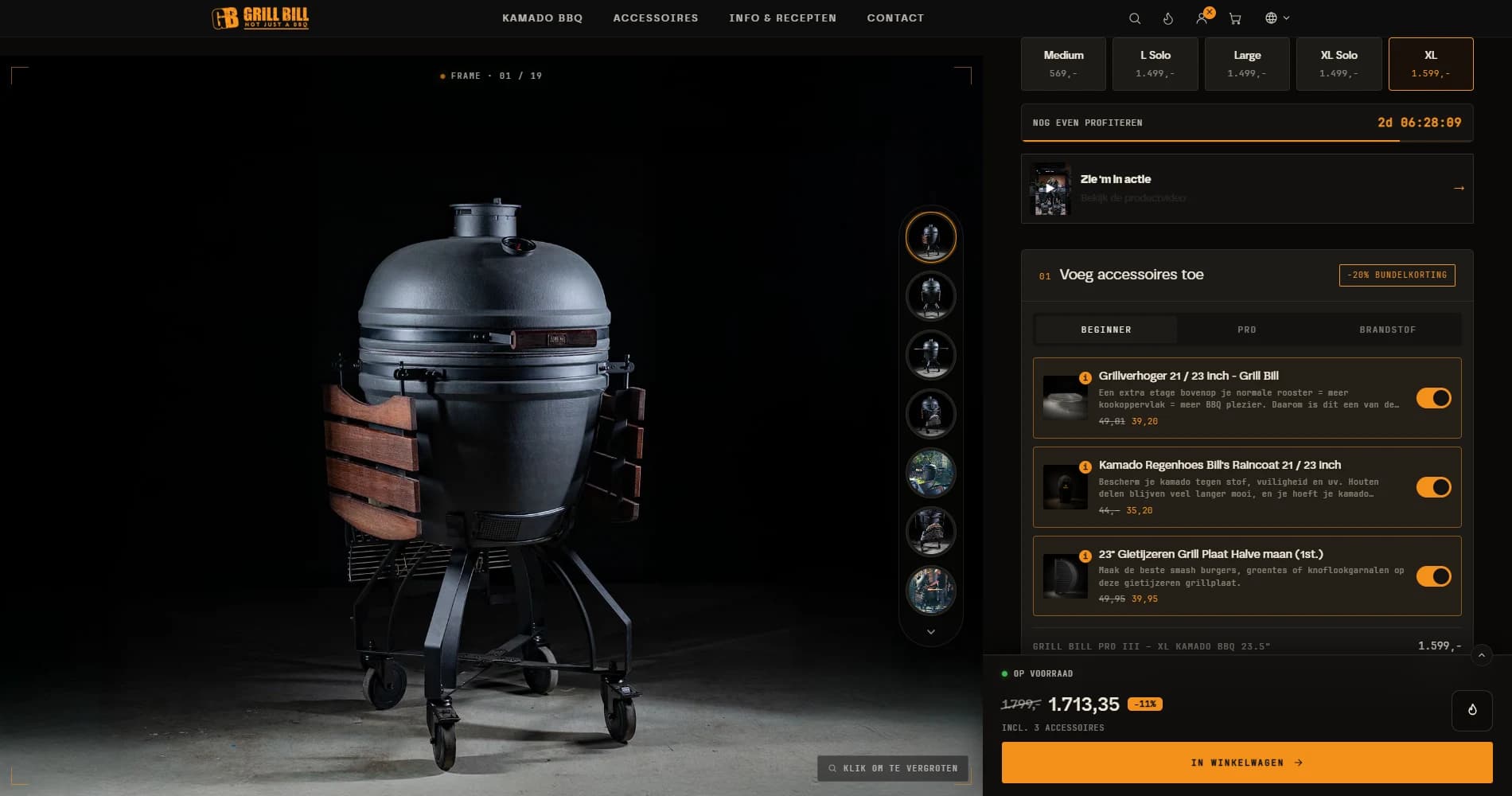
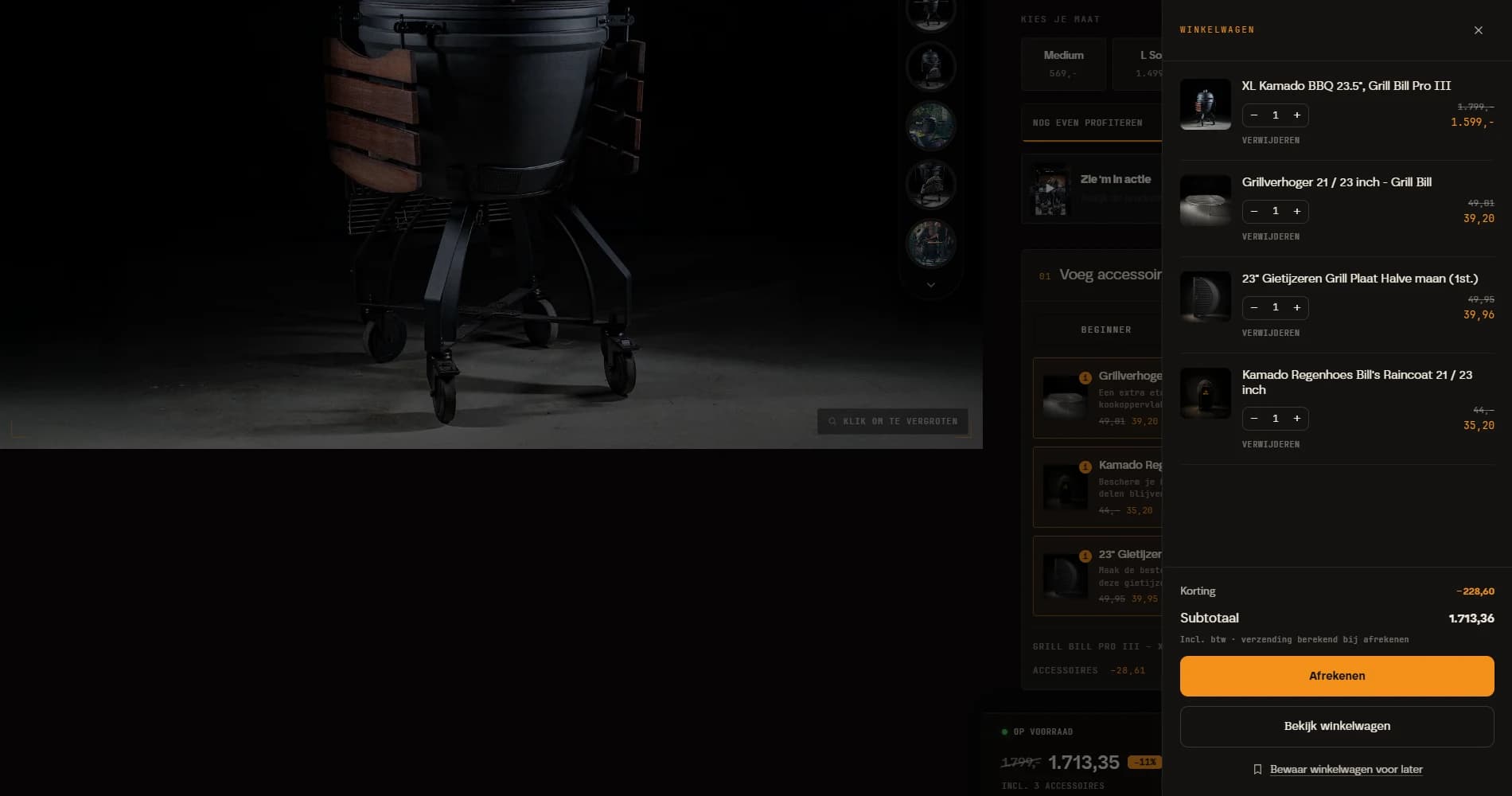
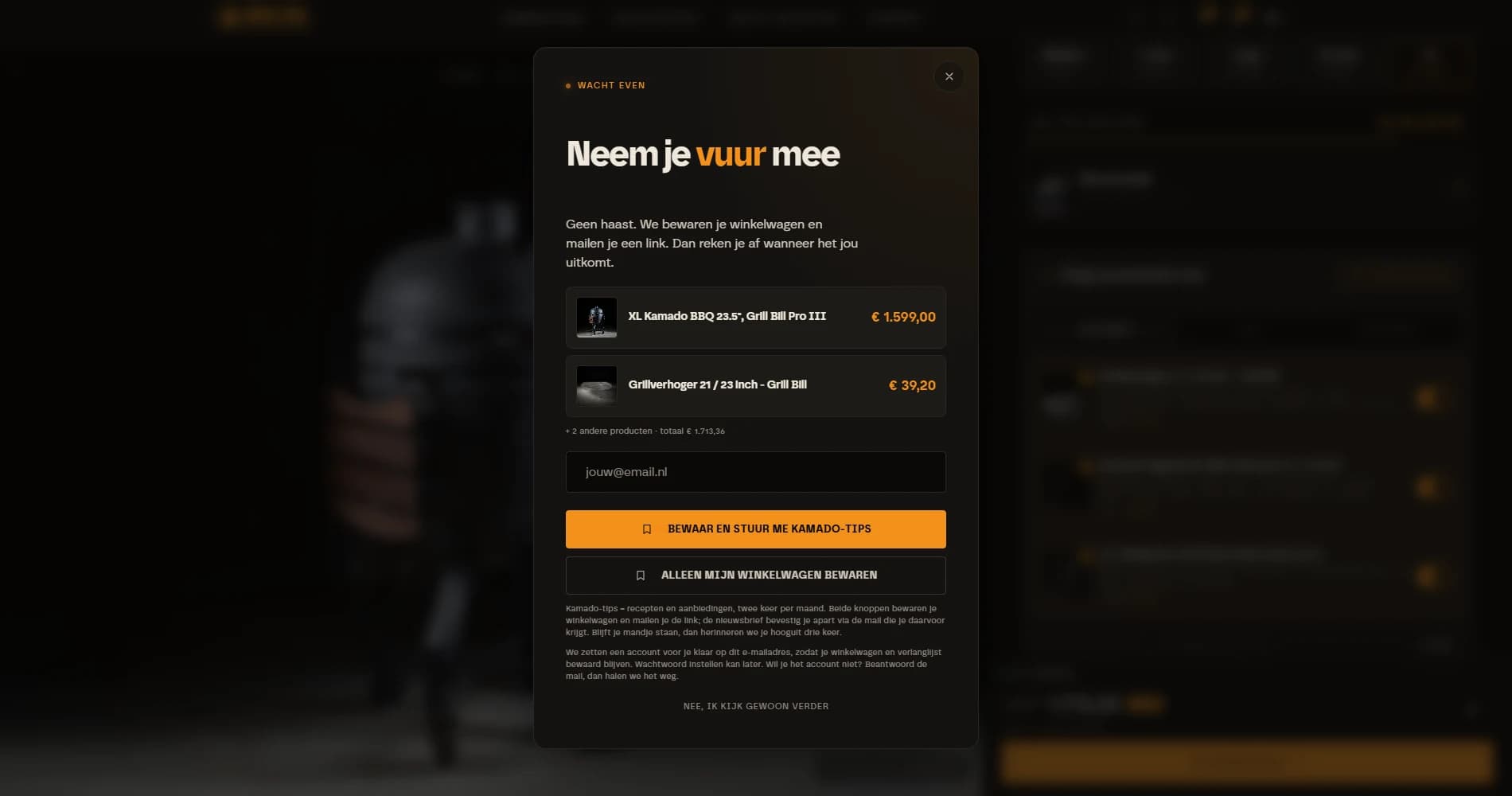
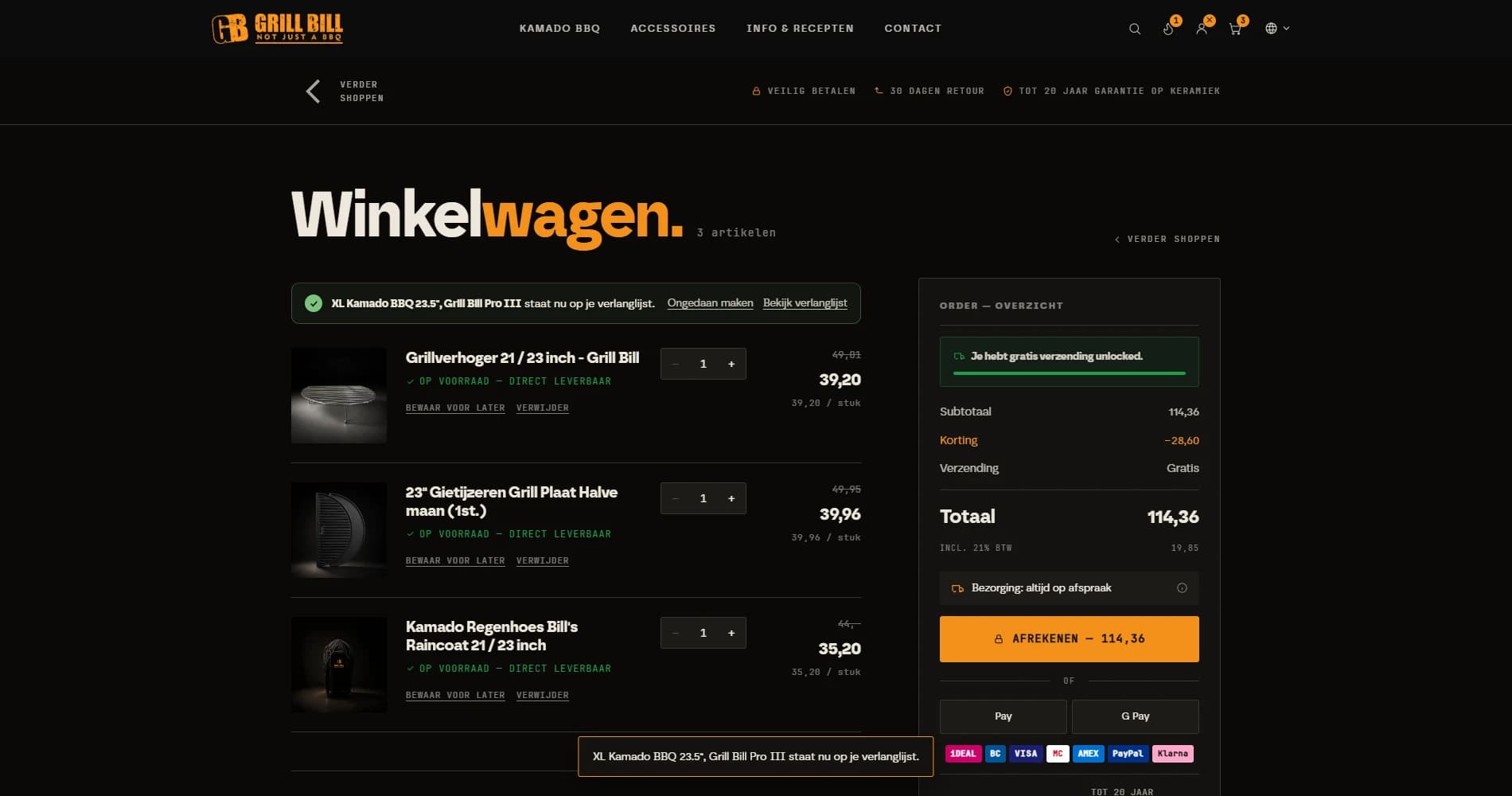
The solution is surprisingly untechnical: let the customer save their cart, the way you would say in a shop "just put it aside for me". The cart page and the slide-out drawer both carry a Save for later link. Anyone about to leave the shop with a full cart gets an exit popup asking the same question, and that one works on a phone too, where there is no mouse cursor drifting towards the close button. There we watch for fast upward scrolling and for the return to the tab.
The customer leaves an email address, and that is all. From that moment a number of things happen at once:
- The cart is kept for 30 days, with the products, prices and quantities as they were.
- The same products go onto the wishlist, so they can be found separately too.
- An account is waiting, without a password. The customer has to fill in nothing and can still choose a password later.
- An email goes out immediately in the shop's own styling, with the contents of the cart and one button: resume cart.
If the customer is already logged in, we skip the question about an email address. They click save and it is on their wishlist.
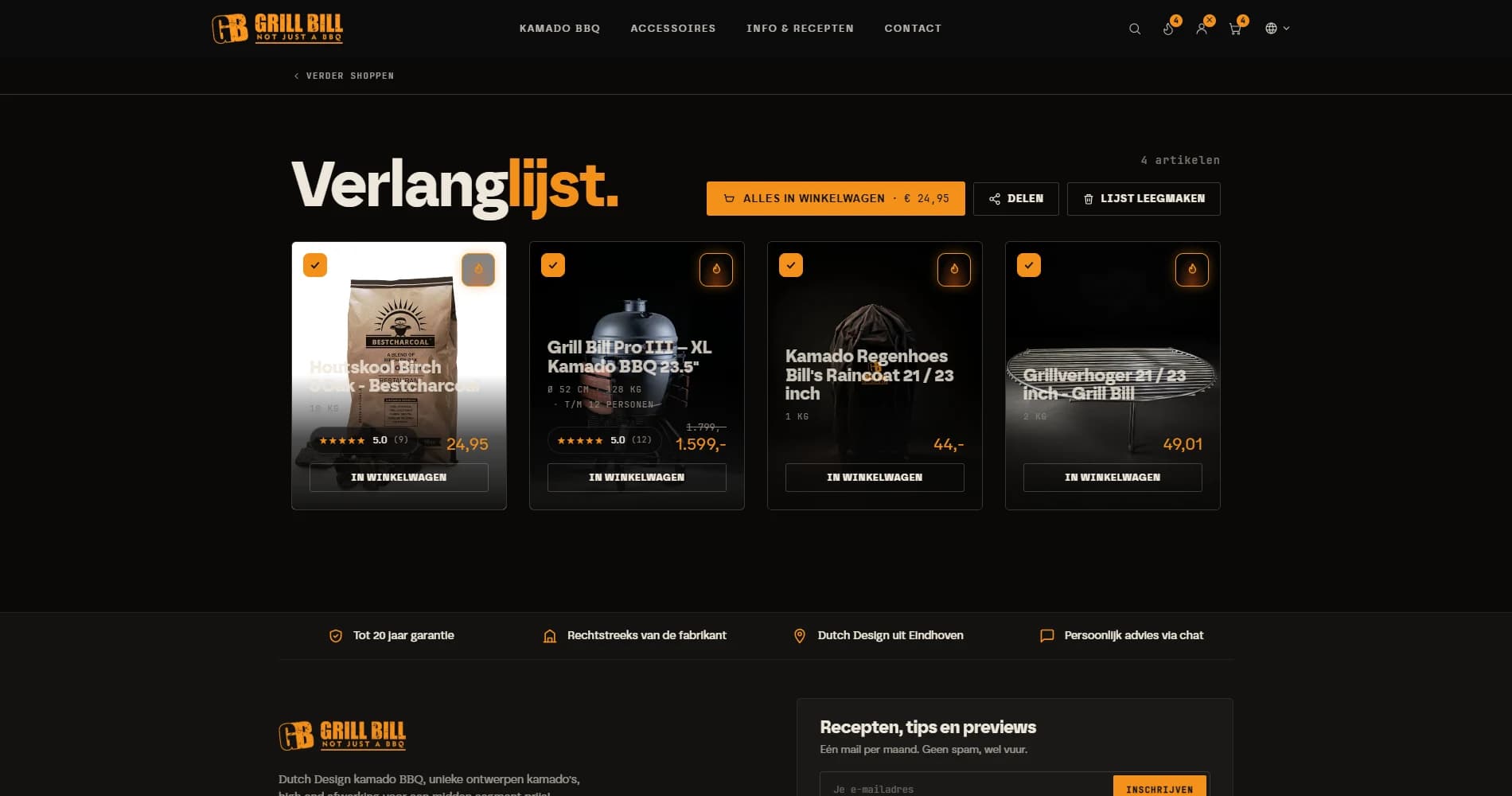
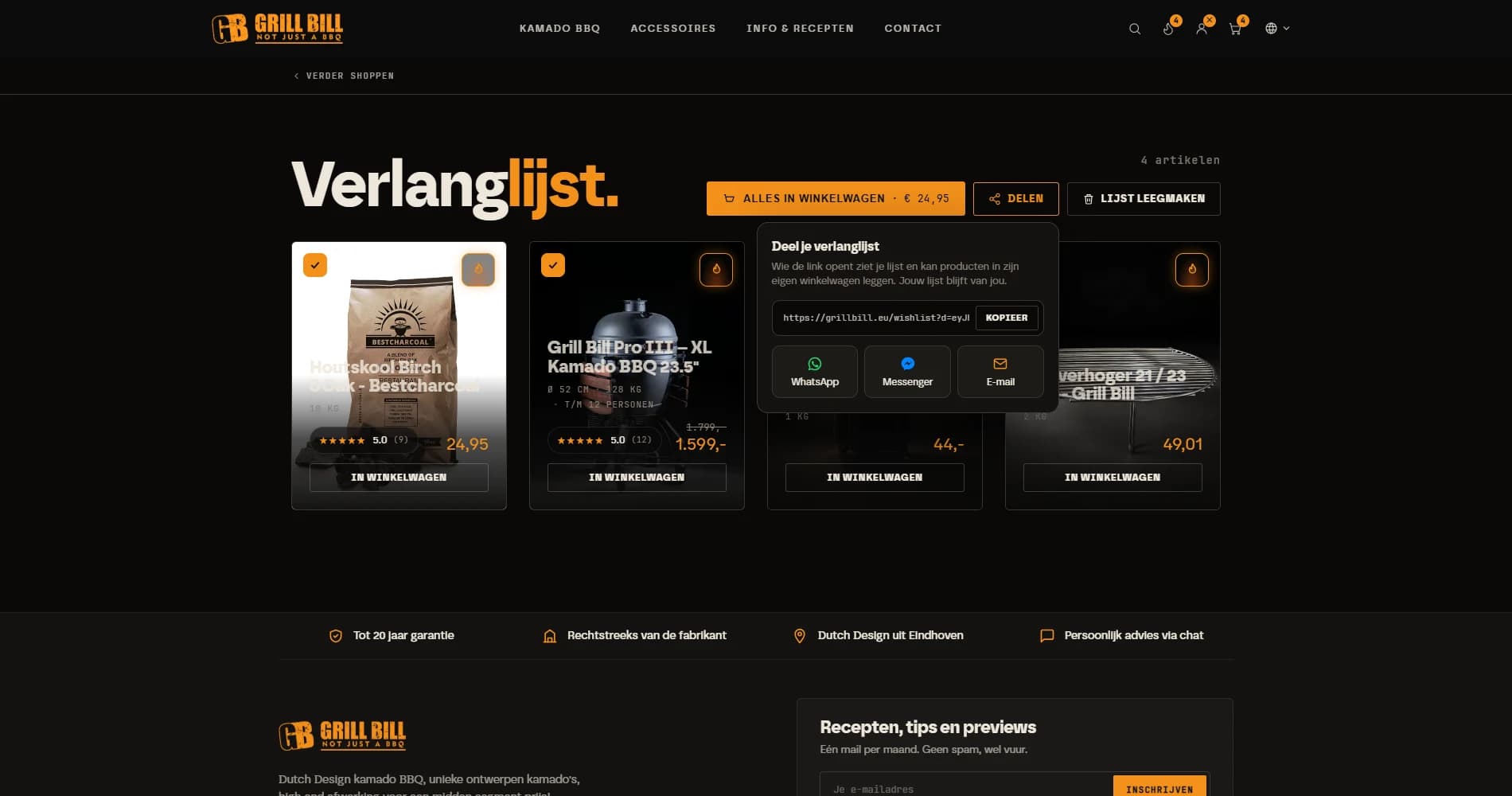
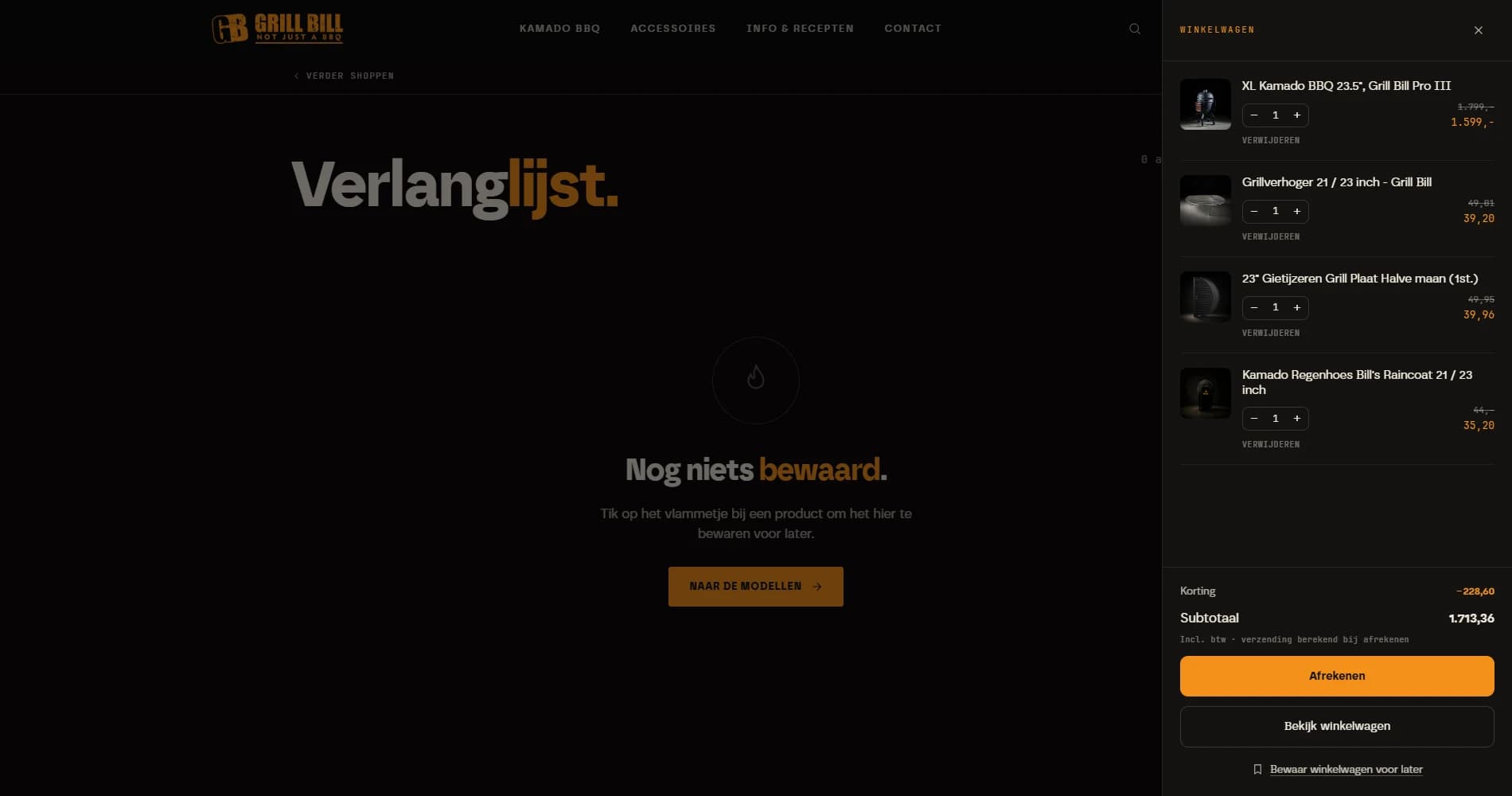
This is how it looks on grillbill.eu
Coming back on another device
The button in the email is a link that is tied to nothing. Not to the browser, not to the cookie, not to the device. Put a kamado in your cart on the phone, open the email on the laptop that evening, and the same cart is sitting there, with a short welcome-back notice above it.
Was there already a cart in that other browser? Then we merge the lines instead of throwing anything away. Nothing is lost quietly, that was the one hard requirement. And because the link also signs the customer in to the account we had waiting (only if no password has been set yet, and only for the first 48 hours), the address and order history are ready and waiting in the checkout.
To the customer it feels like the shop assistant saying: I put it aside for you, here it is. To the shop it is the difference between a visitor who has to start over and a customer who picks up where they left off.
Reminders, including for an abandoned cart nobody saved
Saving is the tidy route. But most people save nothing, they simply walk away. That is why two reminder series run alongside each other.
The first is for those who deliberately saved: an email on day 3, day 10 and day 25. That last one names the expiry date, because after 30 days the cart really is gone. The second series is for the abandoned cart where we happen to know the email address, because the customer was logged in or had already typed it into the checkout. That one gets an email after 1 hour, 24 hours and 72 hours, and nothing after that. A cart older than a week we leave alone.
More important than what gets sent is what does not get sent. The series stops as soon as an order comes in on that address, as soon as the cart is empty, or as soon as the customer unsubscribes, and no customer ever receives more than two reminders a day. Every email has an unsubscribe link that stops only these emails, not the newsletter. And we deliberately put no discount in them. Because customers who learn that walking away earns a discount code will walk away every time.
The wishlist joins in
Because saved products also end up on the wishlist, that list had to do more than show a row of hearts. On grillbill.eu it has become a second cart, only one without any hurry.
- Every product has a tick box: what goes to the cart and what can sit there a while longer.
- One button puts the selection in the cart, with the total price on it and the bundle discount included when a kamado and its accessories travel together. Anything already in the cart is not added twice.
- The photos fly towards the cart icon and the drawer slides open, so you can see it actually worked.
- Sharing goes by link, WhatsApp or email. The recipient sees the list and can order from it, without changing the owner's list.
- And when you are done, you empty the list in one go. With a confirmation step, because a button that throws everything away without asking is not a feature.
Saving plus kamado tips: five days of lessons in the inbox
The exit popup has two buttons. The modest one only saves the cart. The orange one is called "Save and send me kamado tips" at Grill Bill and, after a confirmation email, also signs the customer up for the newsletter.
Anyone choosing that option gets one email a day for the next five days about how a kamado actually works: lighting it without firelighters, controlling the temperature with two vents, low and slow versus searing hot, and why you never cool a ceramic egg with water. Fully automatic, set up as a series in Neuramerce email marketing. No sales pitch, just the things you want to know before spending sixteen hundred euro.
Someone hesitating over a kamado rarely hesitates over the price. They wonder whether they can pull it off, and whether they are getting their money's worth. Five short lessons do more about that than ten per cent off.
All configurable through Neura AI and MCP
None of the above asks for a developer. The popup copy sits per language in the popup settings, the emails (saved, reminder, in Dutch, English and German) are designs in the Brand Kit that you edit like any other transactional email, and the kamado tips series is an ordinary automation in email marketing.
You can do that with the mouse, but you can also do it by asking. Neura AI and the MCP connection have the same controls: "change the popup copy on /en to Save my cart", "translate the reminder email into German", "only show the exit popup when the cart has something in it". That is exactly how we did it at Grill Bill ourselves, from Claude, in the same afternoon the feature went live. How that works for a whole shop is in the story of the migration.
The numbers are in the dashboard under Orders, at Saved carts: how many carts were saved, how many of those resumed, how many ordered and for what amount. With a button per cart to send a reminder right now, which respects the same stop rules as the automatic series.
Two series, one engine
What we do not know yet
The feature went live on grillbill.eu this week. Which means everything above has been measured on whether it works, and nothing yet on what it delivers. What percentage of saved carts eventually becomes an order, which reminder does the most, and whether the kamado course tips people over the line: we will read that off the same dashboard in a few months.
What we do know already: the average shop loses seven out of ten carts at the till, and so far far too few shops are doing anything about it. If you want to see what saving instead of discarding would mean for your shop, get in touch. More examples from our own shops are in the case studies.
Frequently asked questions about abandoned carts
What percentage of online carts is abandoned?
Why do people abandon their cart?
Do you have to give a discount to recover an abandoned cart?
How long does a saved cart stay available?
Does the resume link work on another device too?
When do the reminders stop?
Can I edit the copy and the emails myself?
