
What is agentic commerce?
- An agent reads your product data, prices and stock, not your banners
- Protocols such as UCP, ACP and WebMCP define how an agent talks to your shop
- Paying stays with the customer: a good shop never lets the agent check out on its own
Picture this: a customer asks their browser to find a kamado of around 1,500 euros, with a few accessories, delivered next week. They used to open ten tabs for that. In agentic commerce an AI agent does that legwork, puts the options side by side and prepares the order. The customer watches along and approves.
That sounds like the future, but the building blocks are already here. Google, OpenAI, Shopify and Stripe are working on protocols, and Chrome is testing a feature that lets an online shop offer tools to the agent in the browser. We built that last one into Neuramerce in November 2026 and switched it on for three of our own shops. In this article you will read what changes, which acronyms matter and what you can already sort out today.
What agentic commerce changes about shopping
A person scans a page: photo, price, a few reviews, done. An agent reads differently. It has no use for a beautiful hero or a pop-up with ten percent off. It wants to know what a product is, what it costs including VAT, whether it is in stock, what delivery costs and how to get it into the cart.
Until now an agent had to guess. It clicks buttons, reads whatever text happens to be visible and hopes the form does what it thinks. That often goes wrong: a variant that is not selected, a cookie banner in the way, a field that only appears after a click. Every shop looks different, so an agent that works on one shop trips over the next.
That is why the work is shifting to agreements. When a shop says itself which actions exist and which details they need, the agent no longer has to guess. That, in one sentence, is what all the protocols below are about.
The protocols behind agentic commerce
There are a lot of acronyms around. They compete less than it seems: each one handles a different part of the chain. The state of play below is as of 8 November 2026; most specifications are still being developed and change every quarter.
- MCP (Model Context Protocol) is the general way an AI model uses tools on a server. We already use it for the Neuramerce MCP connection, which lets you as a merchant have your own AI manage your shop.
- ACP (Agentic Commerce Protocol) comes from OpenAI and Stripe and covers how a shop offers its products and checkout to ChatGPT.
- UCP (Universal Commerce Protocol) comes from Google and Shopify, presented in January 2026, and describes catalogue, cart and checkout for agents such as those in Google AI Mode and Gemini.
- AP2 (Agent Payments Protocol) is only about payment: how an agent can prove that the customer genuinely approved a payment.
- WebMCP is a proposal within the W3C that lets a website register tools with the browser. The agent in that browser calls them on the page that is open, with the customer's cart and cookies.
The difference is mainly where the agent runs. With ACP and UCP an agent on OpenAI's or Google's servers talks to your shop. With WebMCP the agent sits in your customer's browser, on your own site.
Five protocols side by side (as of 8 November 2026)
| Feature | From | Where the agent runs | What it covers |
|---|---|---|---|
| MCP | Anthropic, now an open standard | At the AI service or locally | Tools and data from a server |
| ACP | OpenAI and Stripe | ChatGPT | Product feed and checkout |
| UCP | Google and Shopify | Google AI Mode, Gemini | Catalogue, cart and checkout |
| AP2 | Google, open governance | Wherever payment happens | Proof that the customer approved payment |
| WebMCP | W3C Community Group | In the customer's browser | Tools on the pages of your own site |
Why we started with WebMCP
For ACP and UCP a shop has to sign up with OpenAI or Google, open a feed or API and agree on who handles the payment. That is work for big players. WebMCP asks for none of that: the shop states on its own page which tools exist, and the agent in the browser uses them with the same session as the customer.
That has three advantages for a small online shop. The customer stays on your site, with your prices, your sales and your checkout. There is no middleman asking for a commission or getting your customer data. And you have nothing extra to maintain: the tools talk to the same APIs as the buttons on the page.
The downside, to be honest, is a big one: right now it only works in Chrome, as a trial (origin trial) or behind a flag. So you are building ahead. But because the script does nothing in a browser that does not support it, building ahead costs you nothing either.
How we built it into Neuramerce
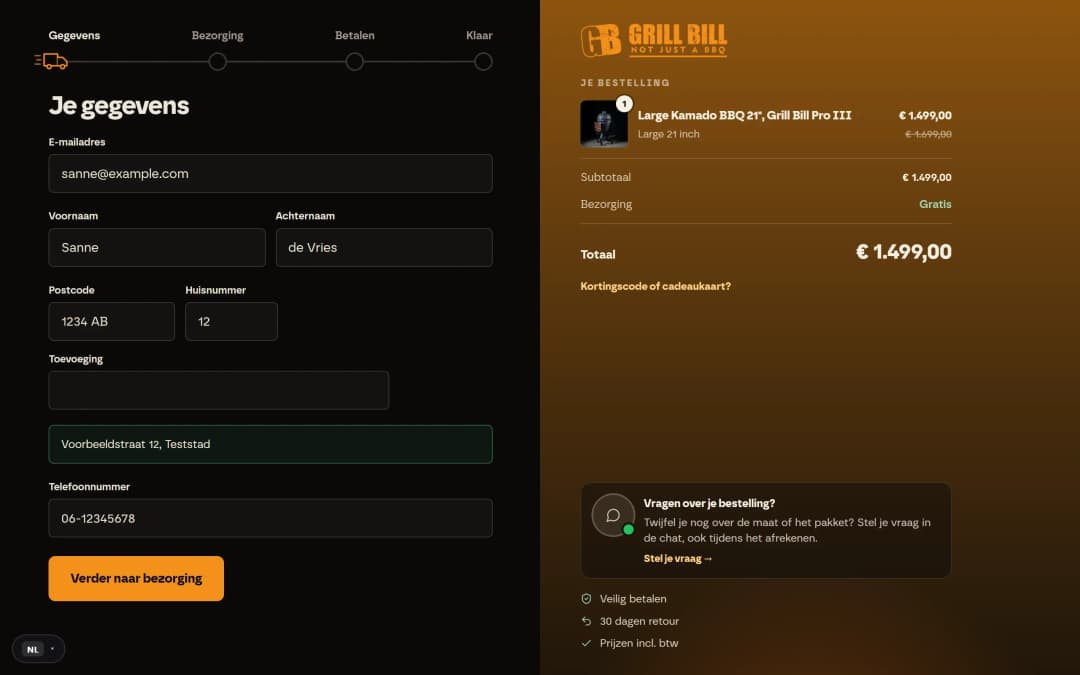
Every Neuramerce online shop has a switch under Site settings called AI agents in the browser (WebMCP), off by default. Switch it on and the shop offers nine tools: search and view products, ask the shop a question, add something to the cart and view the cart, go to the checkout, and on the checkout fetch the details, fill them in and place the order.
That last step holds the most important choice. No tool pays. Placing the order only works if the agent confirms the customer approved it, with exactly the total the customer saw. If the total has changed in the meantime, because of an expired discount code or different shipping costs, the shop refuses and the agent has to ask again. Then the provider's payment page opens and the customer chooses how to pay.
You can see what agents do in Funnels: how many visitors used an agent, how many of them added something to the cart and how many orders placed through an agent were paid. All the details are on the WebMCP module page.
What we have measured so far
To be honest: next to nothing. On Grill Bill WebMCP was already on by 8 November. In the thirty days to 8 November, Funnels counted zero visitors there calling a tool. That is no surprise: the feature is not yet in Chrome by default. On Nomad Fire and Hilox it has been on since 8 November.
We measure it anyway, for two reasons. As soon as Chrome rolls it out more widely, we want to see the first agent visit rather than reconstruct it afterwards. And the tools are also a test of your shop itself: an agent that cannot find your shipping costs shows that a person is looking for them too. We keep the numbers up to date in the case studies.
Five things you can sort out today
Whether it goes through WebMCP, ChatGPT or Google, an agent needs the same things as a critical customer. You can get these five in order right now.
- Complete product data. Size, weight, material and what is in the box, as data and not just in a photo.
- One price incl. VAT, with a genuine compare-at price. An agent compares literally. A struck-through price that never applied stands out.
- Accurate stock. An agent that puts an unavailable product in the cart embarrasses the customer. Then they won't come back.
- Shipping costs and returns policy in plain language. These are the first questions an agent asks. Record them as facts your shop's assistant is allowed to answer from.
- An llms.txt. For AI that only reads your shop, such as ChatGPT or Perplexity, that is the overview of what you sell. Read what llms.txt is and whether you need it.
Getting this right also makes you easier to find in AI answers. We wrote about that earlier in AI SEO: how to get found in ChatGPT and AI Overviews.
The customer stays in charge
The easiest misunderstanding about agentic commerce is that the customer disappears. They don't. The customer decides what to look for, watches along and approves. What disappears is the clicking in between. A shop that makes that clicking easy for software usually makes it easier for people too. That is where it starts.
Frequently asked questions about agentic commerce
Is agentic commerce already relevant for a small online shop?
Can an AI agent pay on behalf of my customer?
What is the difference between WebMCP and MCP?
Do I have to choose between UCP, ACP and WebMCP?
How do I see whether AI agents visit my online shop?
