
WebMCP for your online shop.
Ready for your customer's AI agent.
More and more customers let an AI agent in the browser do the legwork. With WebMCP your shop gives that agent real tools instead of a page full of buttons to guess at: search, compare, add to cart, fill in the checkout. The customer always pays themselves.
Part of every bundle with a webshop · one switch per shop, off by default
What's inside
Nine shop tools. One switch.
One switch per shop
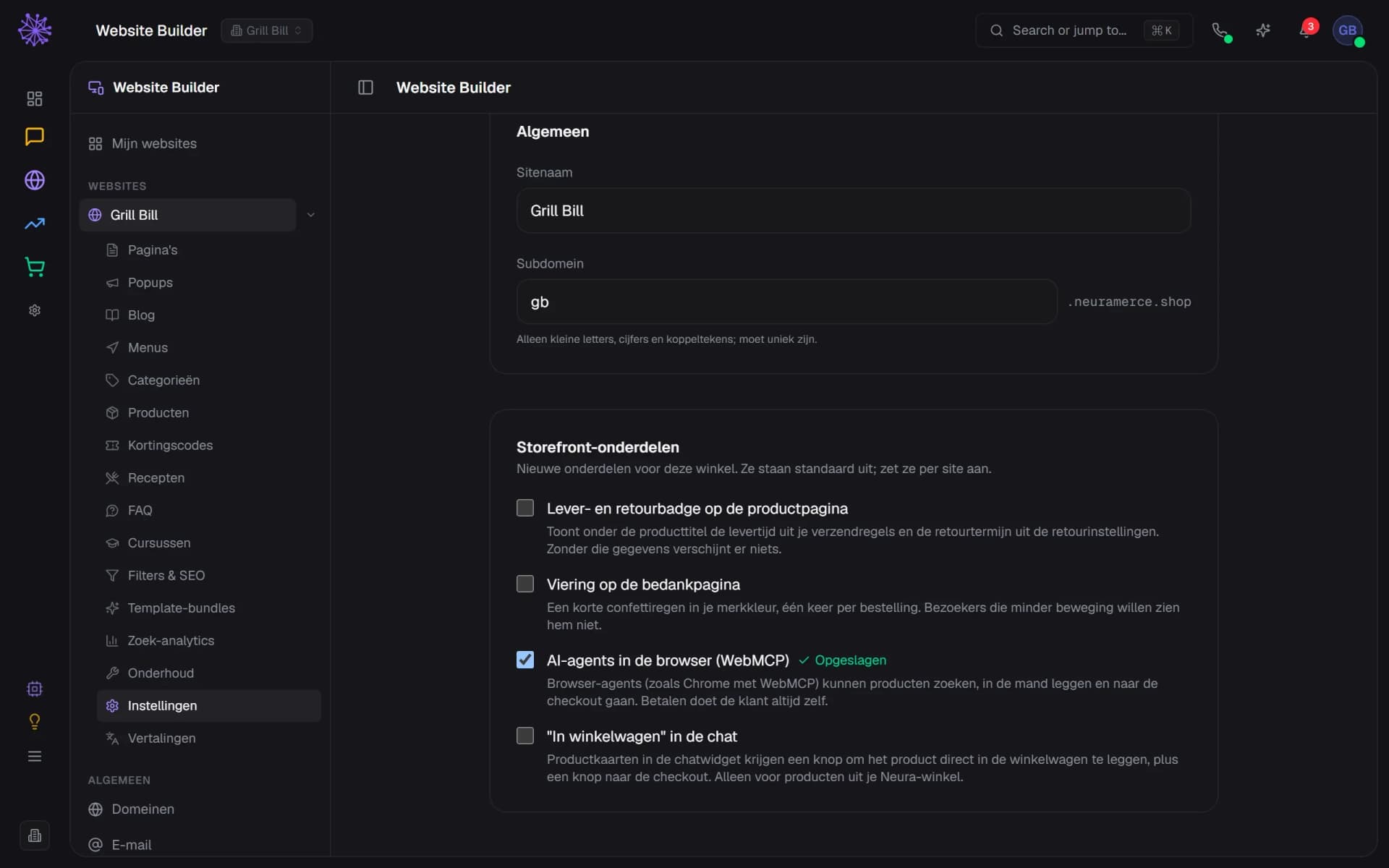
You switch WebMCP on under Site settings, per online shop. The shop then loads a small script that offers the tools to the browser, but only on the public, published shop. Behind a password gate, in a preview or for logged-in dealers it stays off. In a browser without WebMCP nothing happens.
- One checkbox turns WebMCP on for this store
- The customer always pays themselves
- Setting applies per site, here Grill Bill
Search and ask in your own catalogue
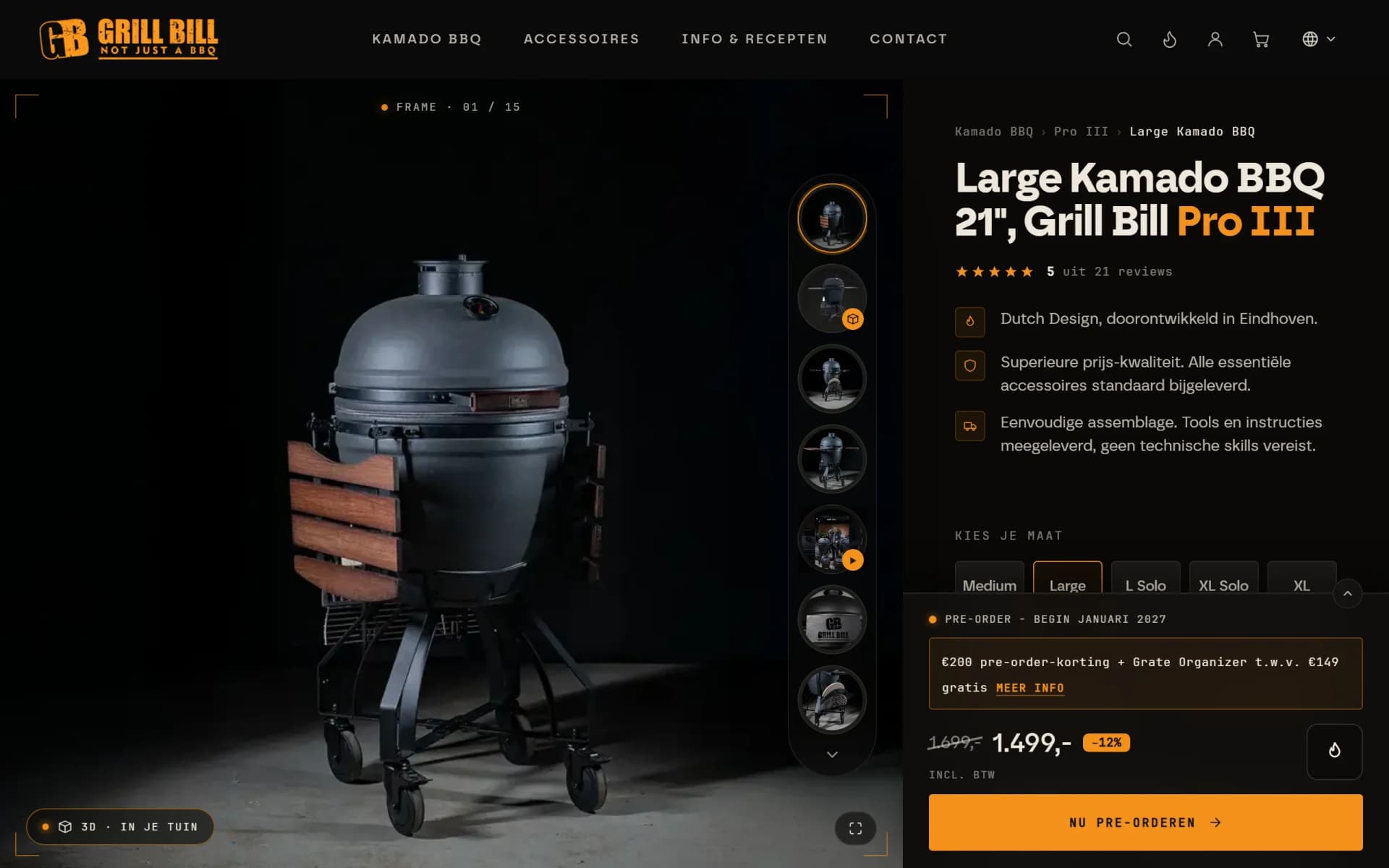
The agent searches your catalogue and gets the name, price incl. VAT, any compare-at price, stock status and link for each product. For everything else it asks your shop: delivery time, returns or shipping costs. That answer comes from the assistant behind your shop's search bar, which only answers from facts you approved and otherwise says it does not know.
- Product name as search_products returns it
- Price incl. VAT and compare-at price in a sale
- Rating and review count in the answer
In the customer's own cart
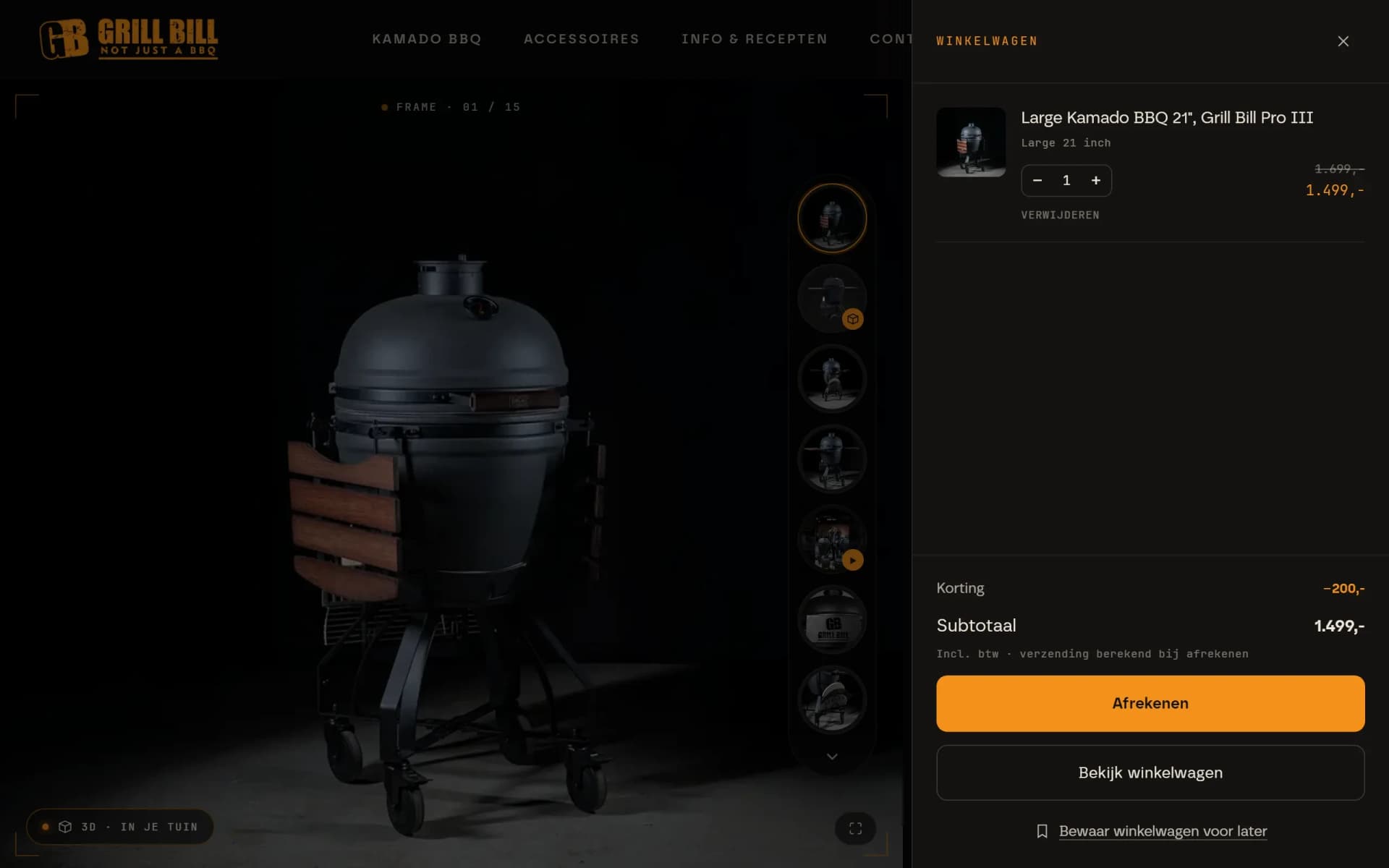
The agent puts products in the same cart as the buttons on the page, using the customer's cookies. The cart drawer refreshes along, so the customer sees straight away what is in it. Cart, stock and rate limits work exactly as they do for a normal visitor.
- Kamado in the cart via add_to_cart
- Drawer refreshes: discount and subtotal update at once
- start_checkout only returns the checkout link
The checkout fills in where you can see it
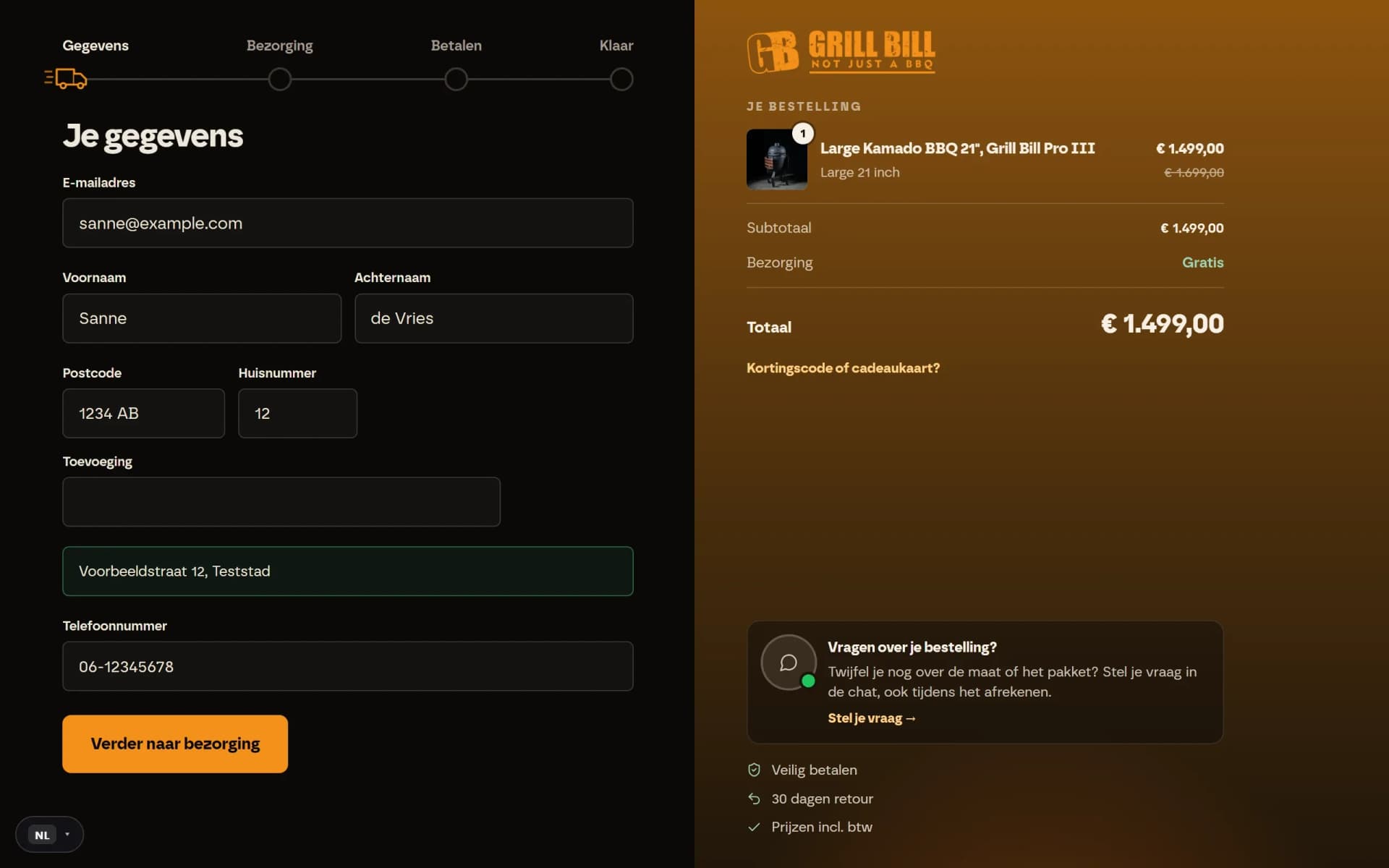
On the checkout the agent passes on the name, email address and address. For a Dutch address the postcode and house number complete the street and town, just like the form does. The fields on the page fill in along with it, and the agent gets the delivery options, a discount code or gift card and the total incl. VAT back.
- Postcode and house number filled in by the agent
- Street and city are filled in by the theme itself
- Delivery chosen and included in the total
The customer approves and pays
An order can only be placed with the customer's explicit approval of exactly the total shown. If the total has changed in the meantime, the shop refuses and the agent has to ask again. Then your payment provider's page opens, where the customer chooses a method and pays. No tool can ever pay.
- Total the customer approves first
- Paying stays a step for the customer
- Payment happens securely at the payment provider
See what agents do
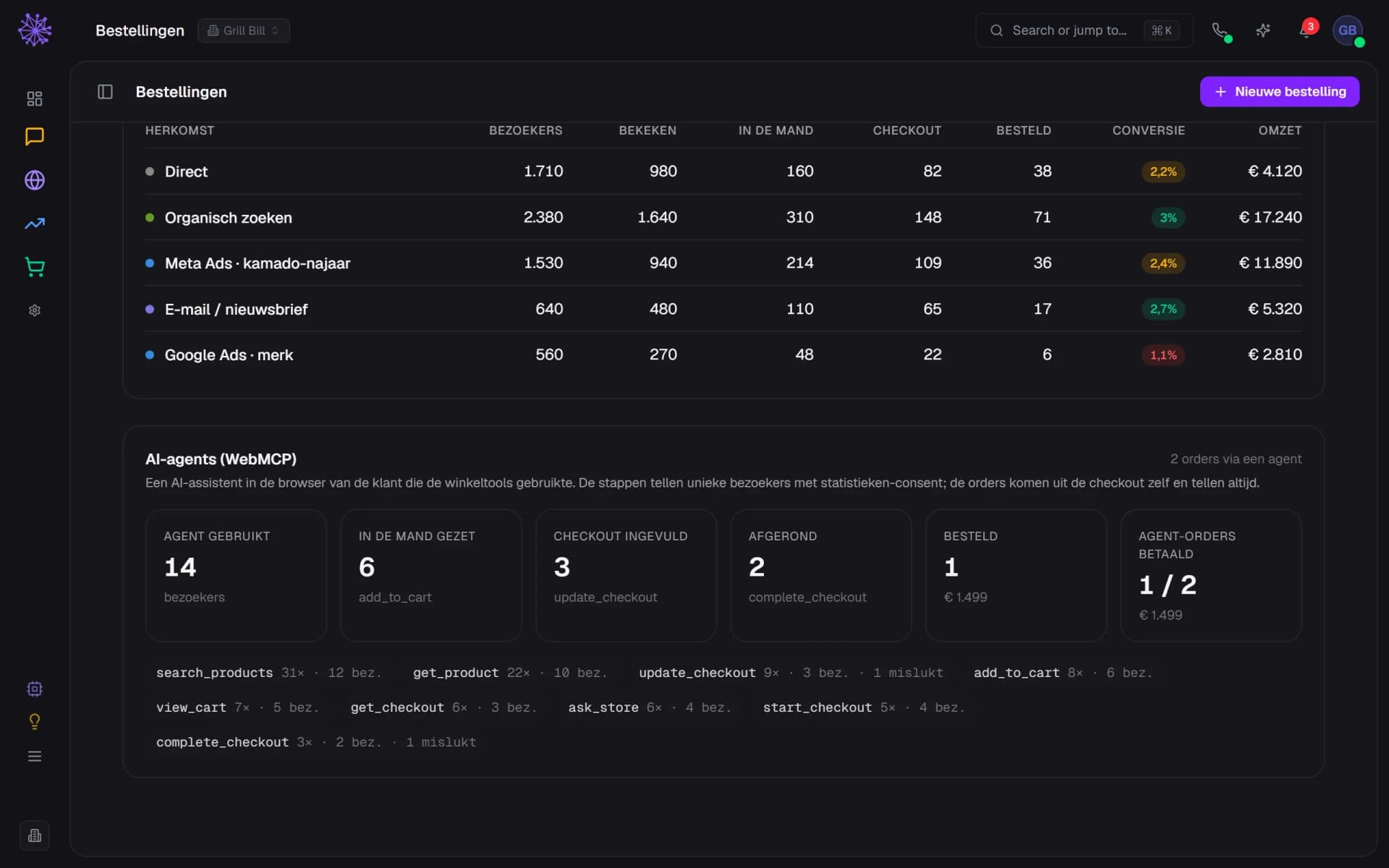
Every call counts in Funnels as its own step: how many visitors used an agent, who added something to the cart, completed the checkout and paid, and how often each tool failed. Orders placed through an agent get a label and are counted even without cookie consent.
- Visitors for whom an agent used the tools
- Per tool: calls, visitors and failed calls
- Agent orders: 1 of 2 paid
An agent reads the same shop as your customer.
WebMCP is not a separate channel with its own catalogue. The tools talk to the same APIs as your theme, so whatever you change in Neuramerce, the agent sees straight away.
- Webshop. Prices, sales, stock, delivery options and discount codes come from your webshop. A sale you set up is in the answer to the agent right away.
- Neura AI. The question an agent asks your shop is answered by the same assistant as your shop's search bar, only from the AI facts you approved.
- Statistics. Agent visits, carts, checkouts and paid orders sit in Funnels next to your other channels.
- Findability. For AI that only reads your shop, such as ChatGPT or Perplexity, llms.txt gives an overview of your products with price and compare-at price.
FAQ
Frequently asked questions about WebMCP.
An emerging web standard from the W3C Web Machine Learning Community Group. A website uses it to register tools with the browser, each with a name, a description and the input it expects. An AI agent in that browser can then call those tools instead of guessing which button does what.
No. With the Model Context Protocol (MCP) an AI talks to a server from outside, the way you connect to your own Neuramerce with a key. WebMCP works in your customer's browser, on the page that is open, with that customer's cart and cookies. No key or server connection is needed.
At the moment only Chrome, and only as a trial (origin trial) or behind a flag. Other browsers don't have it yet. The script on your shop checks whether the browser supports it; if not, it does nothing and the visitor notices nothing.
No. No tool pays. Placing the order requires the customer's approval of the exact total, and then the customer chooses and pays on your provider's payment page. An order only counts once it has been paid.
No. You turn on one switch per online shop. The tools use the same APIs as your theme. If your theme has its own checkout form, the fields fill in on a best-effort basis; the order itself always goes through the API.
Funnels has an AI agents block with visitors, carts, checkouts, completed and paid orders, and a row per tool with calls and errors. The visitor steps only count with statistics consent, the agent orders always count.
No, on purpose. Dealers see different prices and order differently, and a shop behind a password gate is not public yet. The script does not load there.
Want to see an agent walk through your shop?
In 20 minutes we show WebMCP on a real shop, from the first search to the payment page.