
How do you reduce returns in your online store without losing customers?
- Size and fit are the most common reason for a return: give sizes customers can compare with what they already own
- Show the product as it is, including what it doesn't do
- Record the reason per item and use it to improve the product page
- Offer an exchange in the same form, so the customer gets the right size instead of their money back
- Make returning easy: start it in the chat, no account, drop off without a printer and the costs shown upfront
Every online store wants to reduce returns. Understandable, because a return costs shipping, time, sometimes a product you can no longer sell as new, and always a slice of margin. The quick reflex is to make sending things back a little harder. Higher return costs, the form buried in the footer, a label customers have to print themselves.
That works. Just not the way you hope. You may get slightly fewer returns, but above all you get fewer customers who order a second time. At Hilox and Grill Bill, our own stores, we did it the other way around. Prevent what can be prevented, and make the returns that remain as pleasant as possible. This article has ten tips to reduce returns, and shows how we made returning easier in Neuramerce.
Reducing returns is not the same as making returns difficult
According to the Dutch consumer association Consumentenbond, about one in nine online orders in the Netherlands is sent back (as of June 2026). In clothing and shoes it is considerably higher. Returns are simply part of selling online, just as a fitting room is part of a clothing store.
At the same time, the return process weighs heavily on whether a customer comes back. In a survey by Narvar of 700 American online shoppers, 95 percent said they would shop again with a retailer where the return went well. Those with a bad experience were three times as likely to leave. That survey is from 2017 and it measures what people say, not what they measurably do. But the direction is clear, and we recognise it from our own inbox.
A customer whose collar was one size too small usually doesn't want a refund. They want the right size. If that means emailing, printing a label and then ordering again, there's a good chance the second order ends up somewhere else. So reducing returns starts before the order. The return itself you don't make harder, you make it easier.
Six tips to prevent returns before the order
Most returns start on the product page. The customer expected something different from what they received. You don't fix that in the warehouse, you fix it in your content.
- Give sizes customers can compare. Size and fit are the most common reason for a return in almost every study. "Size L" says little. "Fits a neck circumference of 54 to 60 cm" says everything, because the customer can measure it against what they already own. Put the size in the product name and on every variant, not just in a table at the bottom.
- Show the product as it is. Photos to scale, with something next to it everyone knows the size of. For large products a 3D model works even better. At Grill Bill you can place a kamado at actual size in your own garden with your phone, so you see beforehand whether it fits.
- Also write down what the product doesn't do. An honest caveat feels odd in sales copy, but every customer who drops out beforehand is a return you don't have to process. And it makes the rest of your copy more credible.
- Show reviews about fit and use. "Runs small, take a size up" from another customer is more convincing than any size chart.
- Answer questions before someone orders. A customer torn between two sizes will otherwise order both and send one back. A chat that answers right away, in the evening too, prevents that double order. At Hilox the chat answers first and a team member takes over when needed.
- Pack the right item. Sounds obvious, but a wrong item or wrong size in the box is a return that is entirely at your expense. Check by item number and variant when packing, not just by product name.
Four tips to learn from every return after the order
A return is annoying, but it's also free market research. The customer tells you exactly what was wrong. At least if you ask, and can find it again afterwards.
- Record the reason per item. Not in a free text field, but with fixed reasons, so you can count them. "Doesn't fit", "looks different from the photo", "defective", "received the wrong item". Only then do you see which product has a problem and which one was just unlucky.
- Ask follow-up questions, with quick options that suit the product. For a collar you want to know whether it was too small or too large. For a lamp, whether the light was too bright or the fitting didn't match. A few quick options per product type give you far more useful information than an empty text box nobody fills in.
- Look for patterns per batch and supplier. If the complaints about a product all come from the same delivery, the problem isn't your product page but your purchasing. You only see that if you link the return to the purchase order the product came from.
- Offer an exchange instead of only a refund. Someone with a size too small wants the right size. Let the customer choose a replacement in the same form. The return then isn't a lost sale, but a sale that still ends well.
And most importantly: use what you learn. If a product keeps coming back with "runs small", put that on the product page. The next customer orders the right size straight away, and that's the return you truly prevent.
How we make returning easy in Neuramerce
We made the return itself as short as possible in Neuramerce. Not because we like returns, but because a customer who had a pleasant return is a customer who comes back. This is how it works at Hilox, in the Returns & warranty module that is included in every plan:
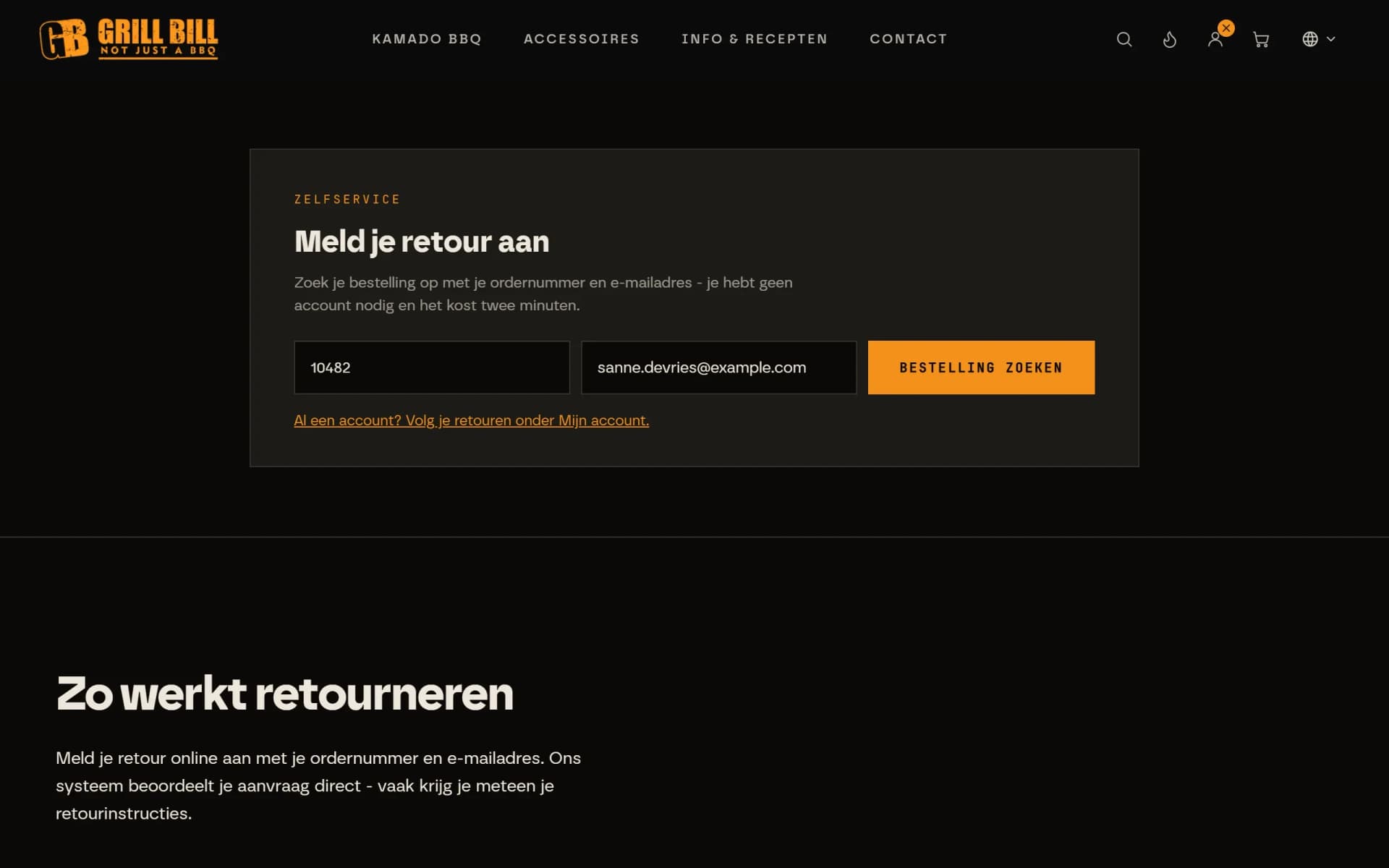
- Start a return in the chat or with the returns block. The customer types in the chat that they want to send something back, or uses the returns block on the contact page. Order number and email address are enough, no account needed. The order is looked up automatically.
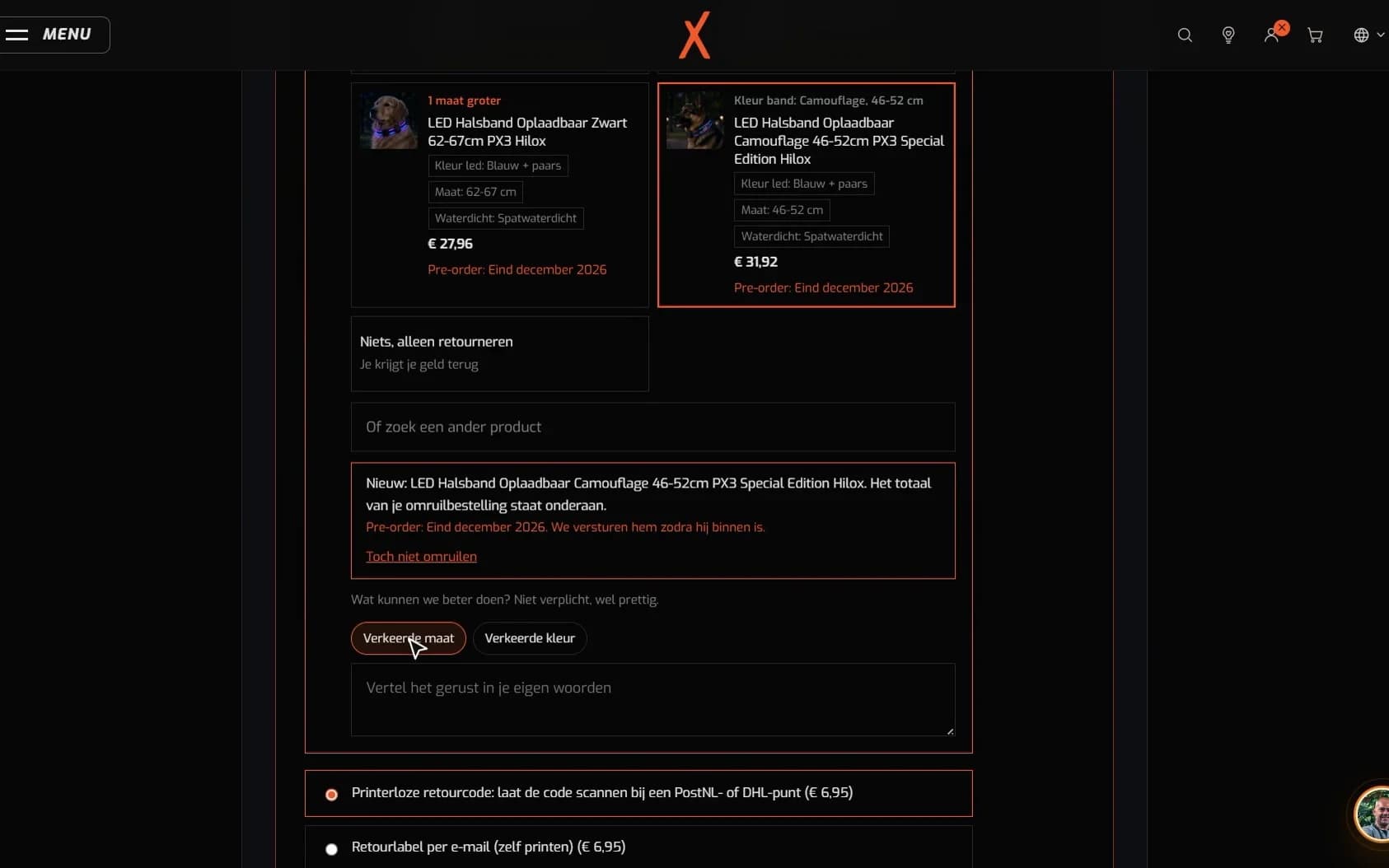
- Choose a reason per item. With quick options that suit the product type. If the reason calls for a photo, for example with a defect, the customer adds it right away.
- Exchange right away. A size up or a different colour is chosen in the same form. The exchange becomes a new order, which the customer pays with a payment link.
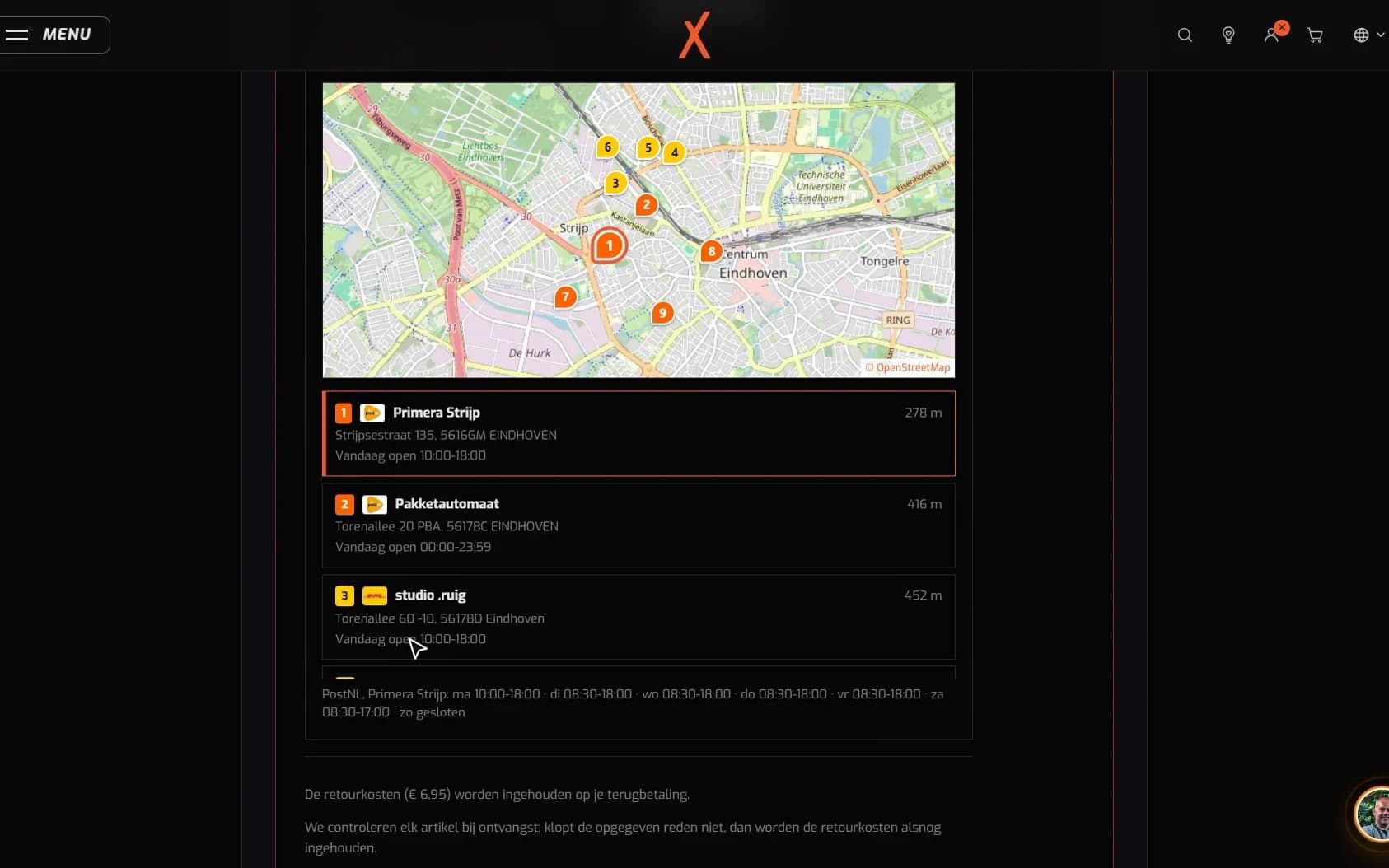
- Drop off without a printer. The customer picks a PostNL or DHL point on the map, with distance and opening hours, and has the return code scanned there. Anyone who prefers to print gets a return label by email.
- Costs shown upfront. At Hilox the 6.95 euro return fee is shown before the customer submits anything. No surprise afterwards, and so no angry email either.
That's it. No email to customer service, no label to print, no second order to get the right size. In the Hilox returns case you see the whole process in a minute and a half, from request to credit note.
What a return looks like, from request to credit note
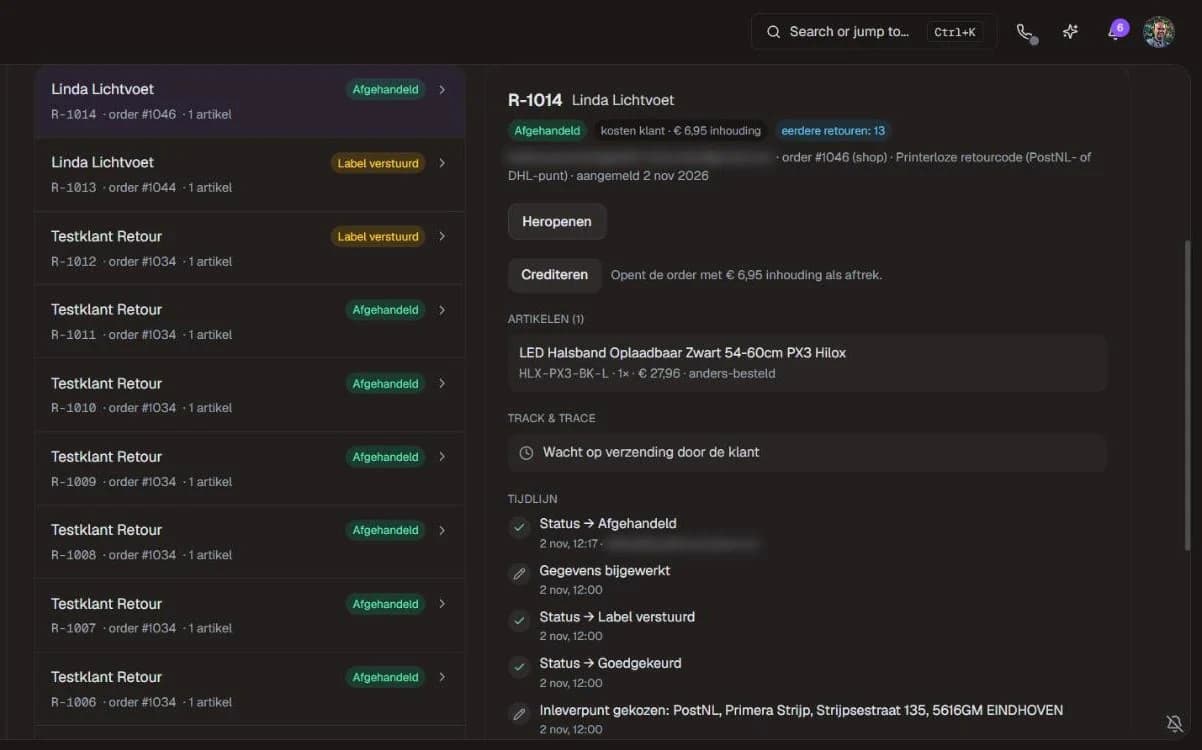
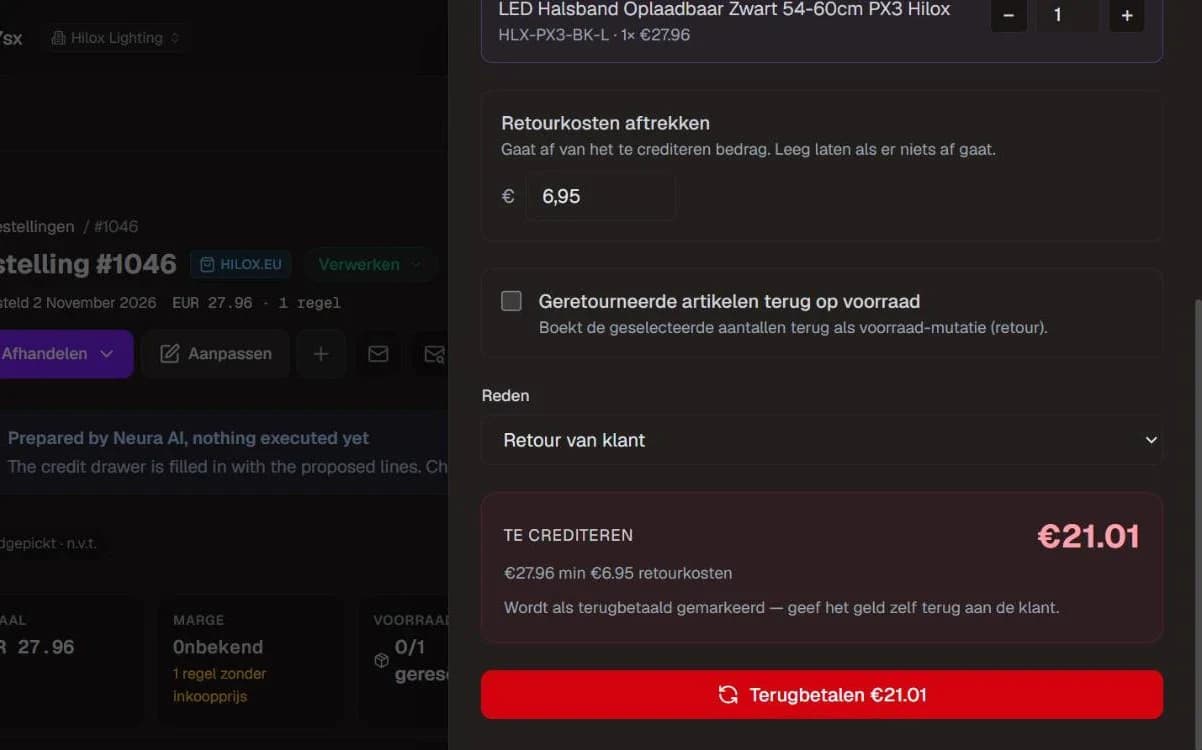
And the store itself? It only has to review
Easy for the customer must not mean more work for you. A return at Hilox used to be an email, printing a label, a row in a spreadsheet and then working out the refund amount by hand. Now everything is in one place.
Every request opens a conversation in the inbox, with the return case on top. It shows the reason, the feedback, the return costs, earlier returns from the same customer and the chosen drop-off point. A regular return within the return period is approved straight away and the customer gets the return code immediately. With a defect or a wrong item, you look at the photos first. You set the rules per reason: the return period, who pays the costs and whether a photo is required.
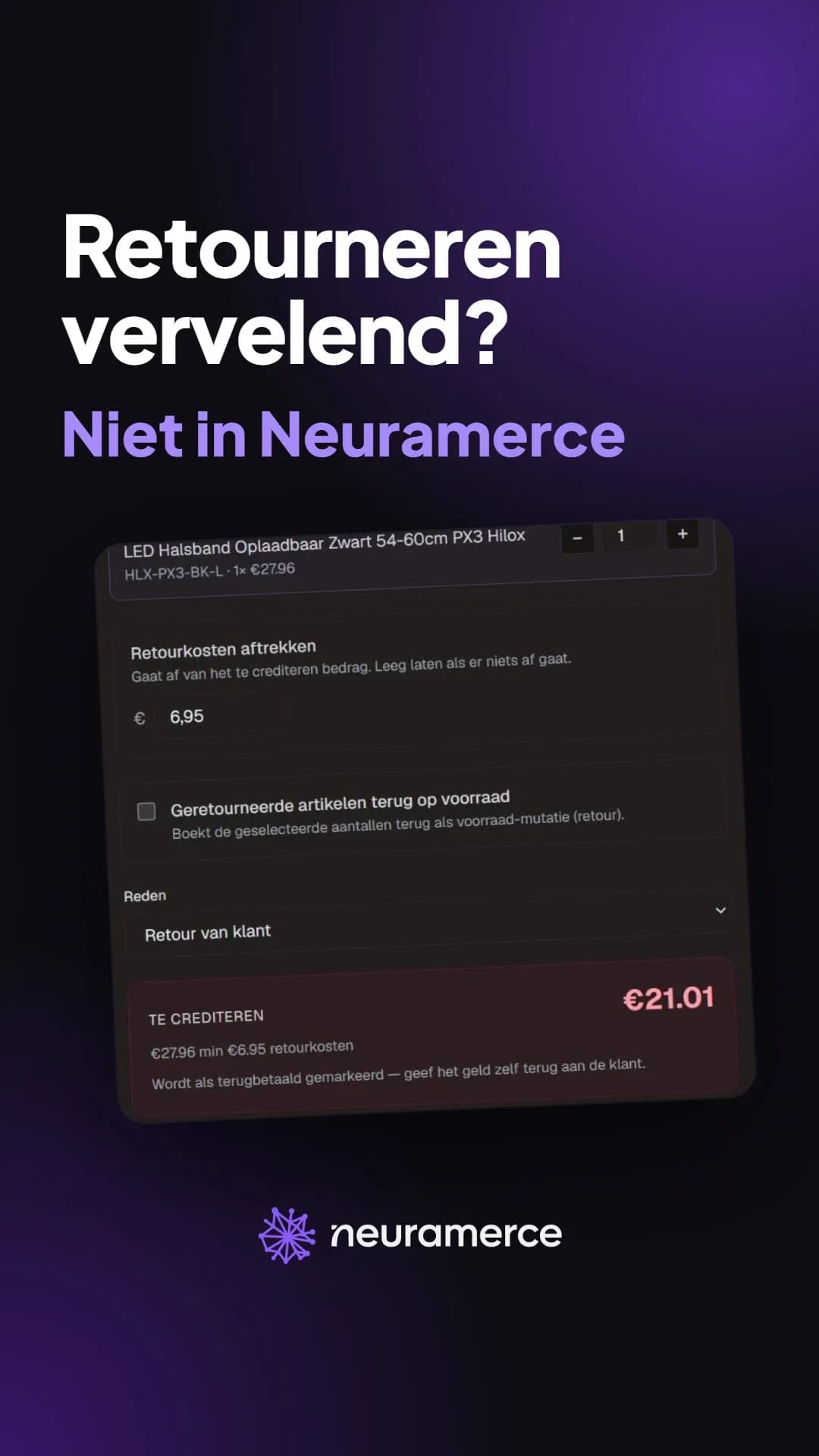
Once the return is in, the Credit button opens the order with the credit drawer already filled in. The right lines, the return costs as a deduction and the reason with the return number. You check it and click refund yourself. Without that click, no money leaves the business. And if you link a warranty case to the purchase order, the dashboard calculates the complaint rate per batch and supplier, with a warning above 5 percent. That's tip 9, minus the spreadsheet.
A return at Hilox, then and now
A good return is a second chance
Anyone who wants to reduce returns quickly starts treating the return rate as an enemy. But the honest picture is: some of your returns can be prevented, and the rest is part of selling online. That rest you can still do well.
A customer who can exchange their collar in a few minutes, without a printer and without emails back and forth, mostly remembers that it was easy. That's exactly the feeling you want someone to have when they order from you next time. At Hilox a customer can now exchange a size instead of asking for a refund, and that exchange is simply another order.
So you reduce returns in two places at once. On the product page, with better information, so the wrong purchase doesn't happen. And in the return process, by making it so pleasant that a return isn't a goodbye. Want to see how that works with your orders? Request a demo. In twenty minutes we show returns, exchanges and crediting.
Curious what else your shop needs to have in order besides returns? The online shop checklist (in Dutch) lists 136 points, with a top 10 to start with.
Frequently asked questions about reducing returns
How many online orders are sent back?
What is the most common reason for a return?
Do you lose customers if you make returns difficult?
How does exchanging help reduce returns?
Does the customer need an account or a printer to return something?
How quickly can I refund a return?
